
Stop typing in your clients’ receipts.
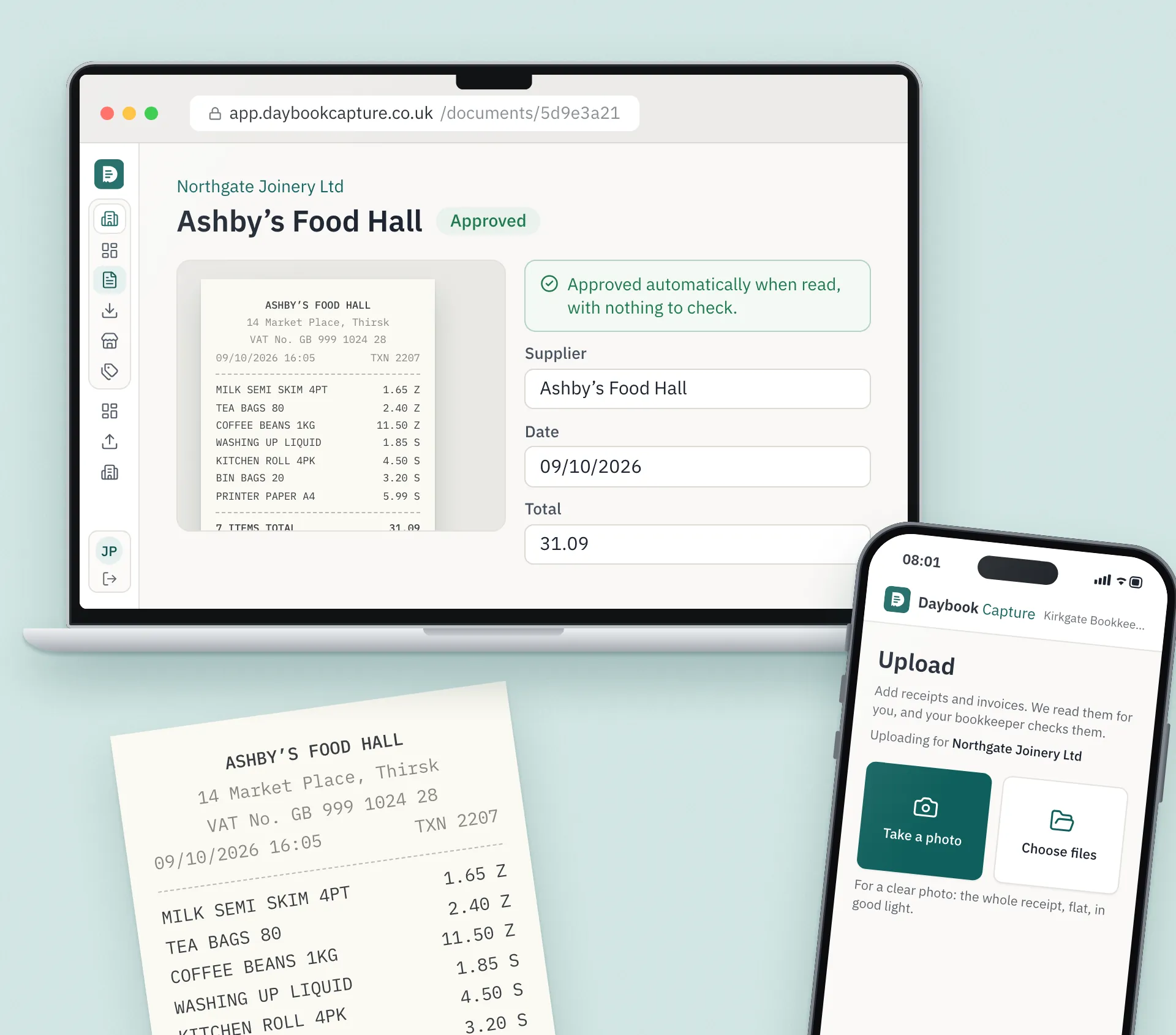
Your clients send receipts and purchase invoices however they like. Daybook reads each one, splits the VAT and writes the import file for the accounting software each client uses.
Free for 14 days, up to 50 documents. No card needed.
Nothing to install. Works in your web browser on a PC, Mac, tablet or phone.
Purchase Northgate Joinery Ltd
Ashby’s Food Hall
VAT No. GB 999 1024 28
| VAT rate | Net | VAT |
|---|---|---|
| Standard 20% | 12.95 | 2.59 |
| Zero 0% | 15.55 | 0.00 |
| Total | £31.09 | |
- Line items
- 7
- Category
- Office costs and stationery
Approved purchases, ready to import into
- XeroBills import
- QuickBooks OnlineBills import
- Sage 50Audit trail transactions
- Sage AccountingPurchase quick entries
- FreeAgentBills import
- VT Transaction+Universal Input Sheet
- QuickFilePurchase invoices import
- Any other softwareCSV or Excel, your columns
How a receipt reaches your books.
Your client sends it
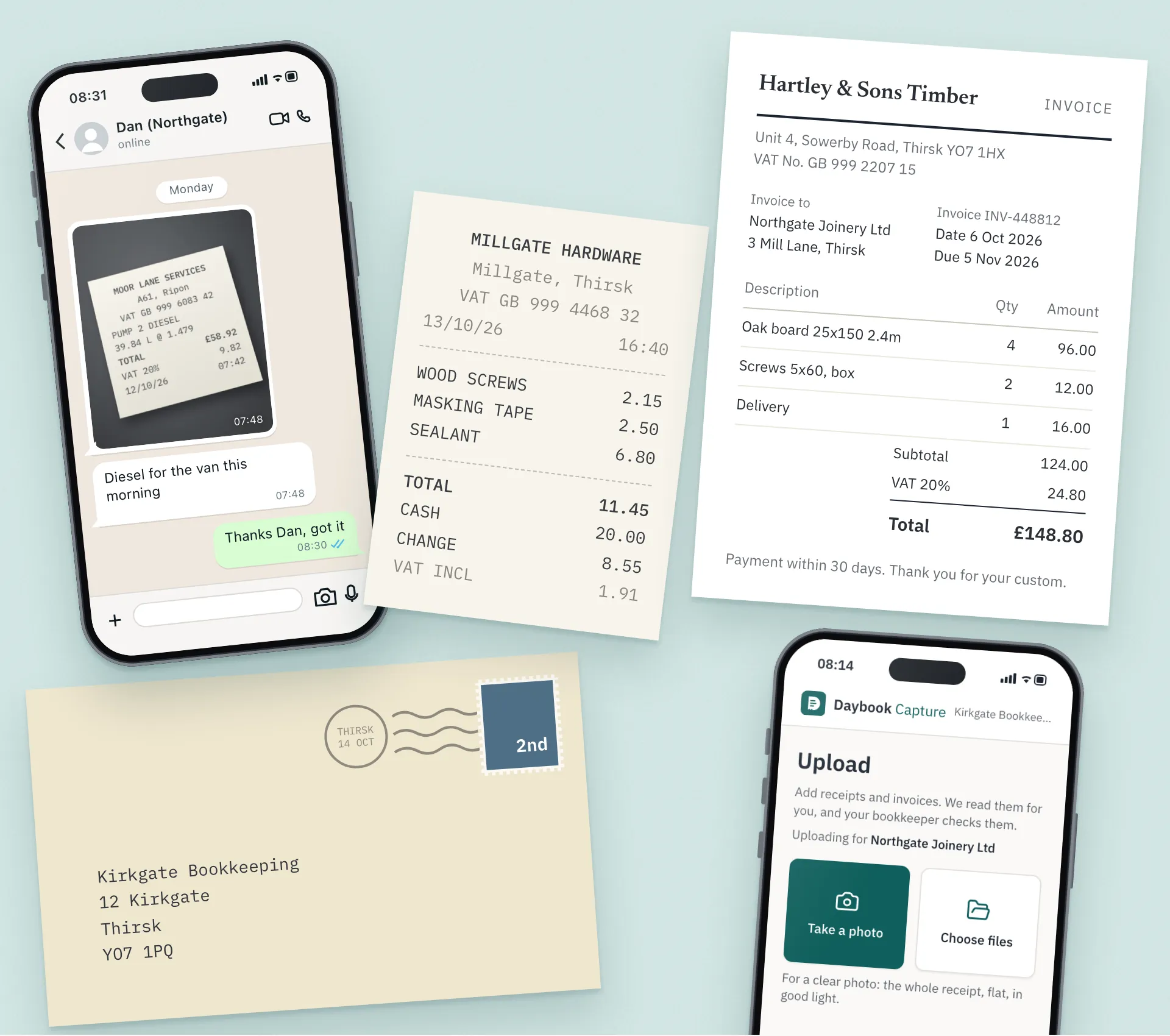
A photo from their phone, an email to their own Daybook address, or a file you drop in.
Daybook reads it
Supplier, date, VAT by rate, totals and every line item.
Checked and approved
Each one is checked as it is read. Clean ones from suppliers you know are approved straight away; the rest wait for you.
It goes into your software
The import file for the client’s accounting software, or CSV and Excel for any other, with every original kept.
More than receipt capture.
Built from what bookkeepers told us takes their time: chasing clients, checking, keying in and getting it all into the books. Every tool is on every plan.
Getting receipts in
- Client uploads from a phone or computer
- An email address for each client
- Reminder emails in your firm’s name
- Photos joined, ZIPs unpacked
Checking them
- Every line item and VAT rate read
- Totals and VAT numbers checked
- Duplicates caught
- Clean documents approved on their own
Into the books
- Import files for Xero, QuickBooks, Sage, FreeAgent, VT and QuickFile
- Bank statements checked and turned into a bank file
- Originals as a ZIP
- One PDF of a period, for HMRC
Running the practice
- Unlimited users and clients
- Bookkeepers see only their clients
- Usage per client, to pass the cost on
- Activity log and two-step sign-in
However your clients send them.
Photos saved from WhatsAppDrop them in together and pick the client.
A scan of the carrier bagA PDF or TIFF from the scanner: several receipts on a page become separate purchases.
Invoices from suppliersPDF or Word, sent straight to the client’s own Daybook email address.
Receipts the client forwardsEven a taxi receipt with no attachment, read from the email.
Photos from the client’s phoneFrom their own page, signing in with a code. No app to install.
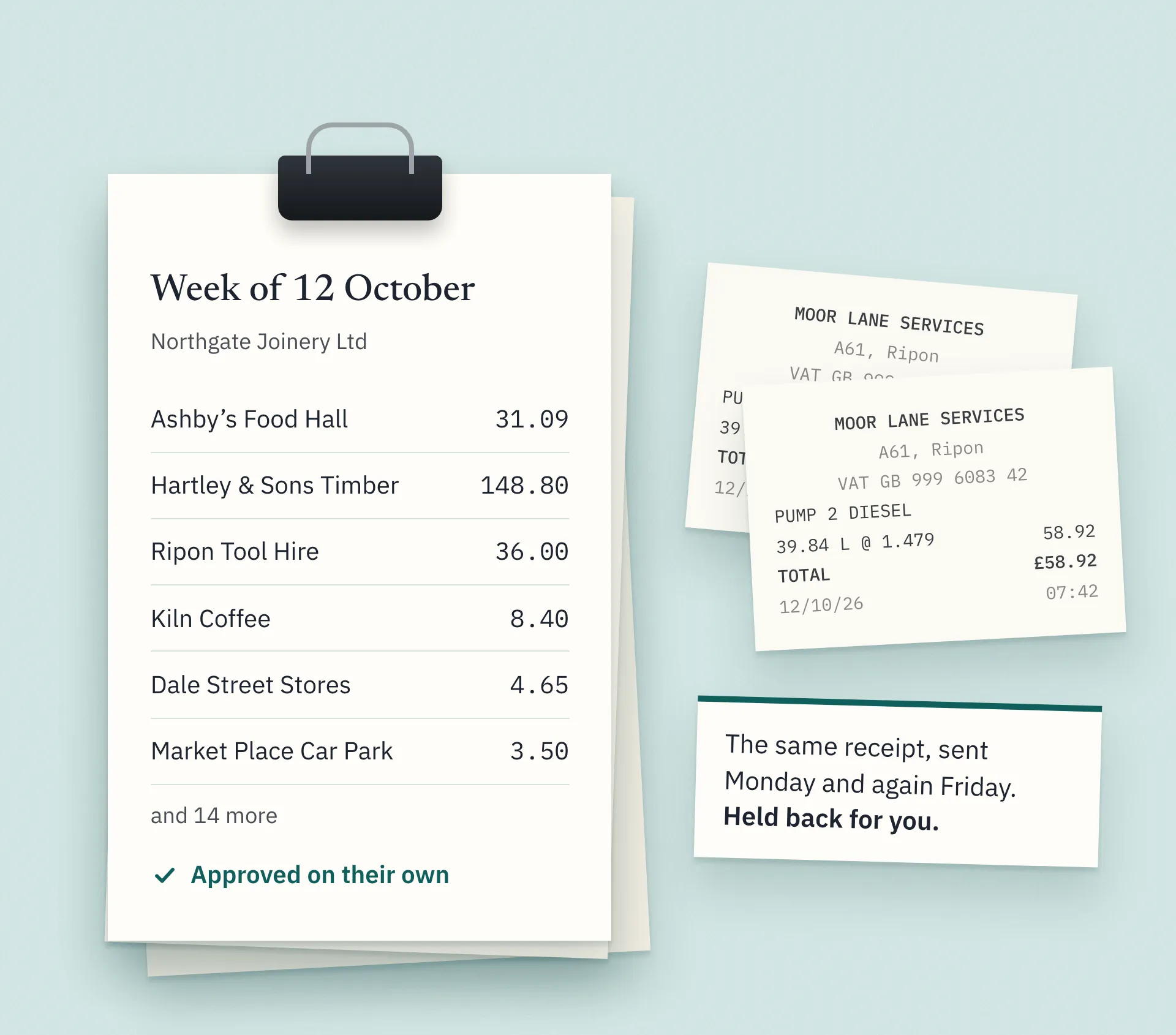
Check by exception, not every receipt.
Every document is checked as it is read: the figures add up, the VAT matches the rates printed, a UK VAT number has valid check digits, and it is not a copy of something already sent.
Clean ones from suppliers you know are approved as they are read. The rest say why they need you, like the fuel receipt that came on WhatsApp on Monday and again by email on Friday. It goes into the books once.
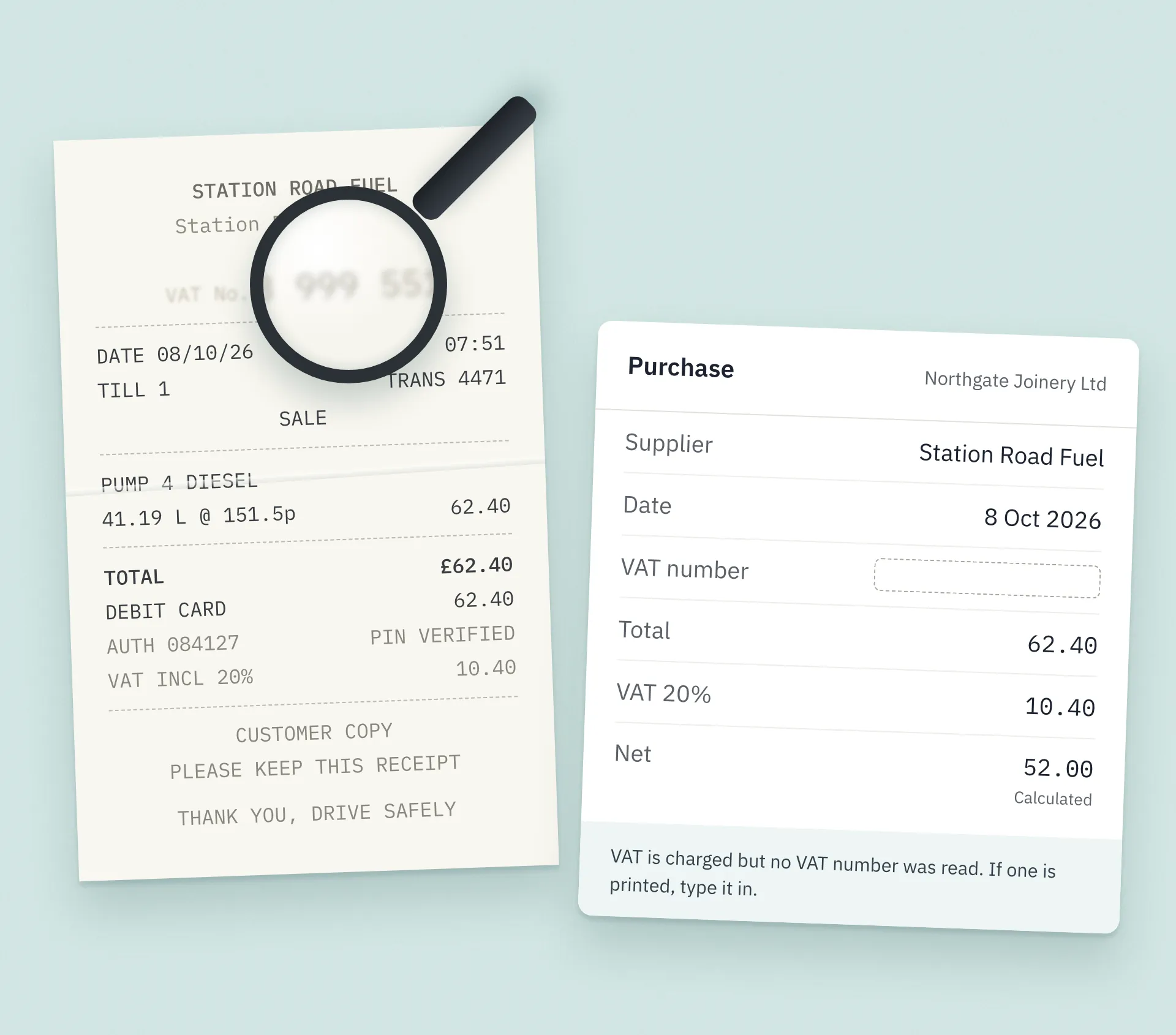
Every figure comes from the receipt.
Supplier, date, amounts and VAT number are read from the receipt itself. Till receipts fade, especially the ones left on a van’s dashboard: a VAT number that has faded, or a total under a thumb, is left empty and marked for you, never guessed.
When a figure was worked out rather than read, such as a net calculated from the total and the VAT, the purchase says so.
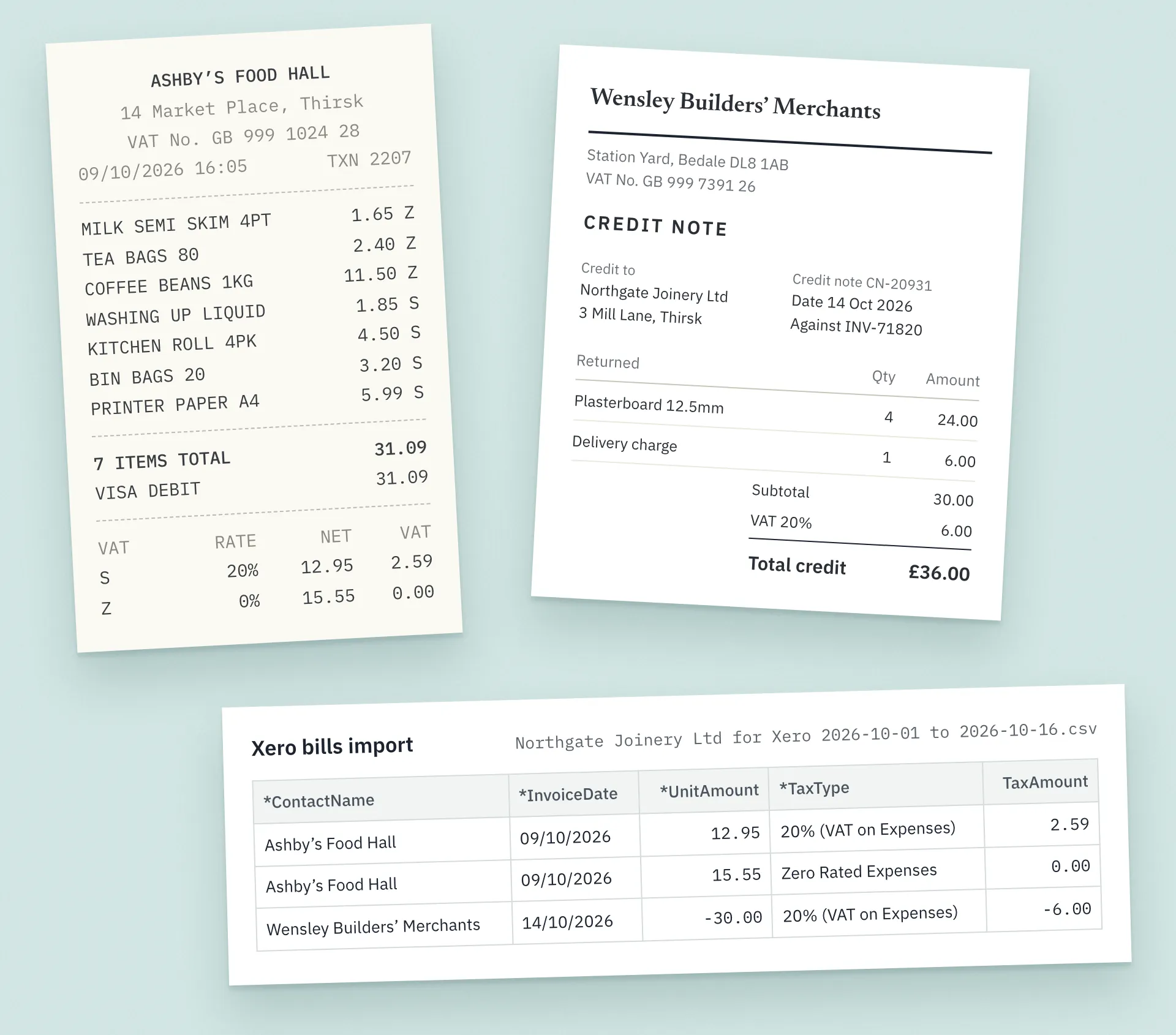
Receipt capture built for UK bookkeeping.
- Milk and bin bags on one receipt
- Split by VAT rate and exported a line per rate, the way accounting software expects.
- A hotel in Spain
- Amounts in euros are marked as foreign, never taken as pounds.
- A refund from the builders’ merchant
- Read as a credit note, never as a purchase: a credit in the programs that import them, minus amounts in CSV and Excel.
- An invoice made out to another company
- Flagged before it reaches the client’s books.
- An HMRC enquiry 18 months later
- Every original stays with its purchase for as long as your firm keeps records, and downloads as a ZIP.
Easy from the first day.
Sign up and you can be uploading receipts within a minute. There is no software to install and no password to set up. You sign in with a code we email you, and there is a sample receipt to try first.
Your team works on the computers they already have. Clients take a photo on their phone, upload a PDF from their computer or forward an email.
A price you can quote.
You pay for the documents read: clients and users are unlimited on every plan. Monthly with no contract, or yearly with two months free.
Starter
150 documents a month
£19a month
Plus VAT at 20%
About 12.7p a document
Start free trial14 days free. No card needed.
Practice
500 documents a month
£59a month
Plus VAT at 20%
About 11.8p a document
Start free trial14 days free. No card needed.
Firm
1,500 documents a month
£149a month
Plus VAT at 20%
About 9.9p a document
Start free trial14 days free. No card needed.
On every plan
Unlimited
users and clients
Included
every line item
Every file
for your clients’ software, CSV and Excel
£0
for mistakes and files sent twice
£0
for going over your limit
Questions bookkeepers ask.
What counts as a document?
One receipt or one invoice. A PDF invoice of several pages is one document; a photo of four receipts laid side by side is four, because each becomes its own purchase.
Uploads that turn out not to be a receipt or invoice, and the same file uploaded twice, are not counted. Each page of a bank statement with transactions on it is one document.
How does the free trial work?
14 days and up to 50 documents, with every feature and no card. Start with our sample receipt, then send in your own and add your clients and team as you would on a paid plan.
What happens when the trial ends?
Nothing is charged and nothing is taken away. Choose a plan and anything sent in meanwhile is read at once. If you do not, the firm is deleted 90 days later, after two emails.
Is there anything to install?
No, not for you, your team or your clients. Daybook runs in your web browser on a PC, Mac, tablet or phone, and everyone signs in with a code sent to their email. Clients can add it to their phone’s home screen so it opens like an app, and they only ever see their own business.
Does it work with my accounting software?
Yes, through the file each program imports rather than a live connection: bills for Xero, QuickBooks Online and FreeAgent, audit trail transactions for Sage 50, purchase quick entries for Sage Accounting, the Universal Input Sheet for VT Transaction+ and purchase invoices for QuickFile. For KashFlow, Pandle, Clear Books, Zoho Books, Capium or a spreadsheet, there are CSV and Excel files with the columns you choose.
You set each client’s software once, and its file is chosen on every export, with the steps to import it in that program’s own words. There is nothing to connect, so it works the same whichever software a client’s books are kept in.
Can my whole team use it?
Yes, with no charge per user. Admins choose which clients each bookkeeper sees, everyone can turn on two-step verification, and every change is recorded in the firm’s audit log.
What if a receipt is crumpled, faded or blurred?
Crumpled and faded till receipts are usually read without trouble. Anything that cannot be read clearly is left empty and marked, never guessed, so you know what to type in. Photos taken in Daybook read better than ones forwarded through WhatsApp, which shrinks them.
Do you need access to my clients’ email or bank?
No. Daybook never connects to anyone’s inbox or bank account. Clients forward what they choose to their own Daybook address, or upload it. Bank statements are uploaded as the bank’s PDF, a scan or photos, or as the bank’s own CSV or Excel download.
Where is the data kept?
Documents and their data are stored in London. They are sent to a service provider to be read, and never used to train AI models. Emails to a client’s Daybook address are also held by our email provider, in the United States, for 30 days. The privacy notice explains how data is handled.
Can I leave and take everything with me?
Yes. Monthly plans have no contract and can be cancelled any time. You can download every original as a ZIP, and your approved purchases as CSV or Excel, whenever you like.
Try it on this month’s receipts.
Start with the sample receipt, then send in a few of your own. Setting up takes a minute, with nothing but your email address.
Free for 14 days, up to 50 documents. No card needed.