
Skip to content

From your client’s receipts to your software.

Receipt capture that ends in your own software. Your clients send receipts and invoices the way they already do, and Daybook reads each one, checks it and has it ready in the file the client’s accounting software imports.

Free for 14 days, up to 50 documents. No card needed.

Nothing to install. Works in your web browser on a PC, Mac, tablet or phone.
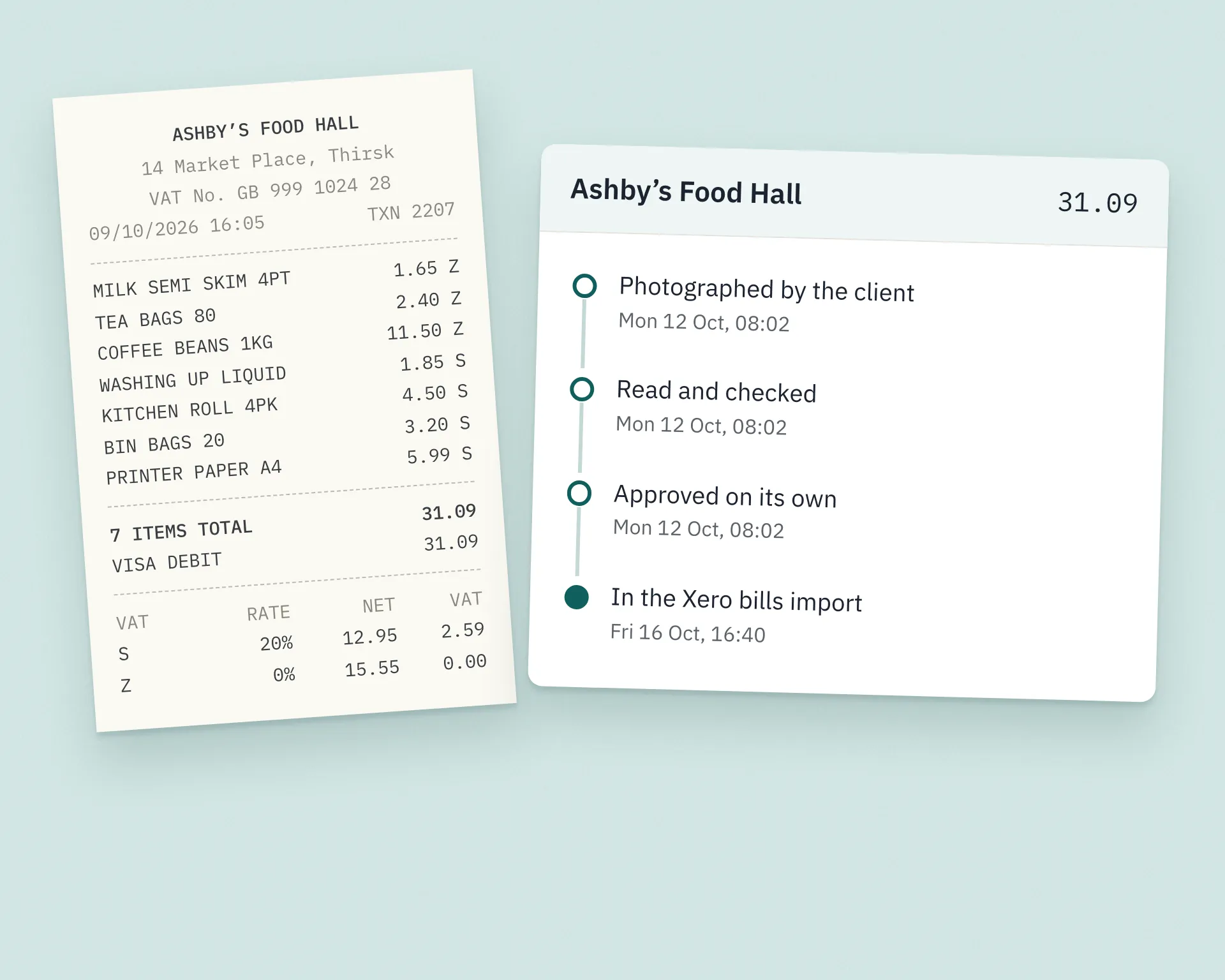
On a desk: the till receipt from Ashby's Food Hall of 9 October, 31.09, and its way through Daybook: photographed by the client on Monday 12 October at 08:02, read, checked and approved on its own the same minute, as there was nothing to check, and in the Xero bills import on Friday 16 October at 16:40.

More than receipt capture.

  • Getting receipts inClient uploads from a phone or computer · An email address for each client · Reminder emails in your firm’s name · Photos joined, ZIPs unpacked
  • Checking themEvery line item and VAT rate read · Totals and VAT numbers checked · Duplicates caught · Clean documents approved on their own
  • Into the booksImport files for Xero, QuickBooks, Sage, FreeAgent, VT and QuickFile · Bank statements checked and turned into a bank file · Originals as a ZIP · One PDF of a period, for HMRC
  • Running the practiceUnlimited users and clients · Bookkeepers see only their clients · Usage per client, to pass the cost on · Activity log and two-step sign-in
Every tool is on every plan: see the plans

Sent from a phone, a computer or by email.

A photo from their phone, a PDF from their computer, or an email to their own Daybook address. There is no app to install and no password: they sign in with a code and only see what they sent.
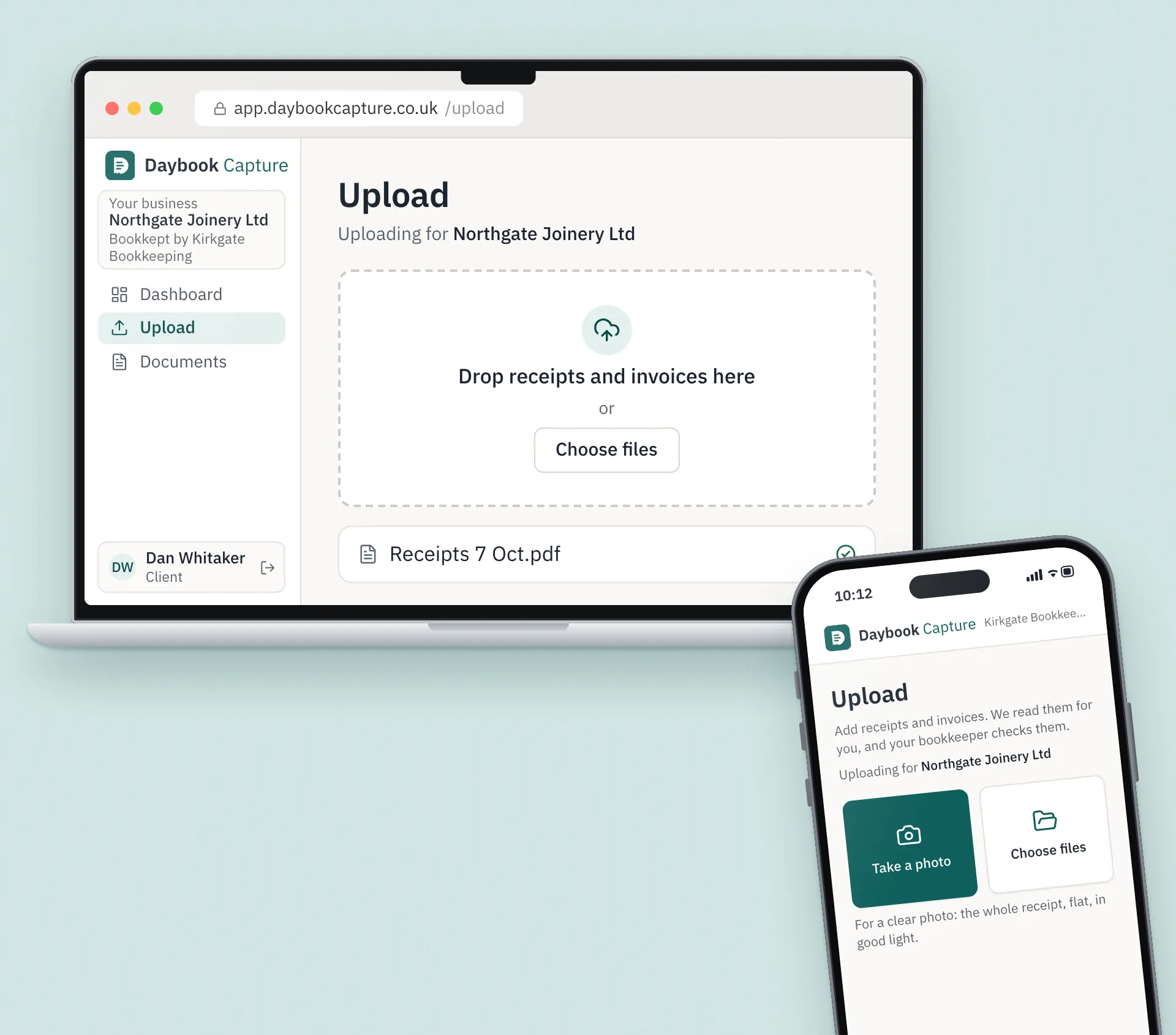
Client uploads

On a desk: a client's laptop with Daybook open in the browser on the upload page for Northgate Joinery Ltd: drop receipts and invoices here, or choose files, and a PDF of scanned receipts just uploaded. In front of it the client's iPhone on the same page, with Take a photo and Choose files.

Read line by line.

Supplier, date, VAT number, VAT by rate, totals and every line item, usually in under a minute. A value that cannot be read clearly is left for you, and a scan of several receipts becomes several purchases.
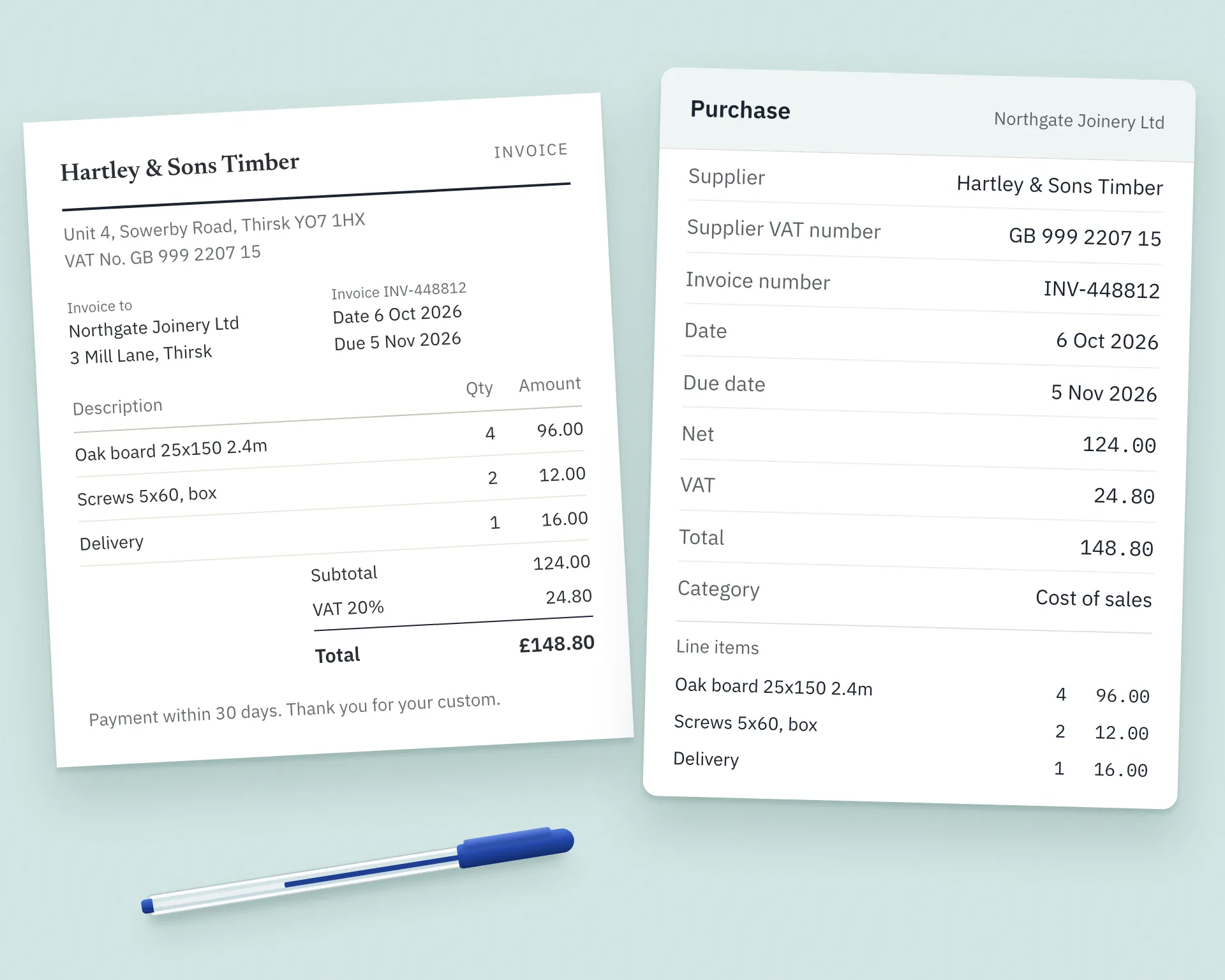
What Daybook reads

On a desk: the invoice from Hartley & Sons Timber, INV-448812 of 6 October 2026, with three lines and a total of £148.80, and beside it the purchase Daybook read from it: supplier, supplier VAT number GB 999 2207 15, invoice number, date, due date 5 November 2026, net 124.00, VAT 24.80, total 148.80, category Cost of sales, and the three line items: oak board, screws and delivery.

Checked before you see it.

Totals, VAT rates, VAT numbers and copies are checked as each document is read. Clean ones from suppliers you know are approved straight away; the rest say what to look at.
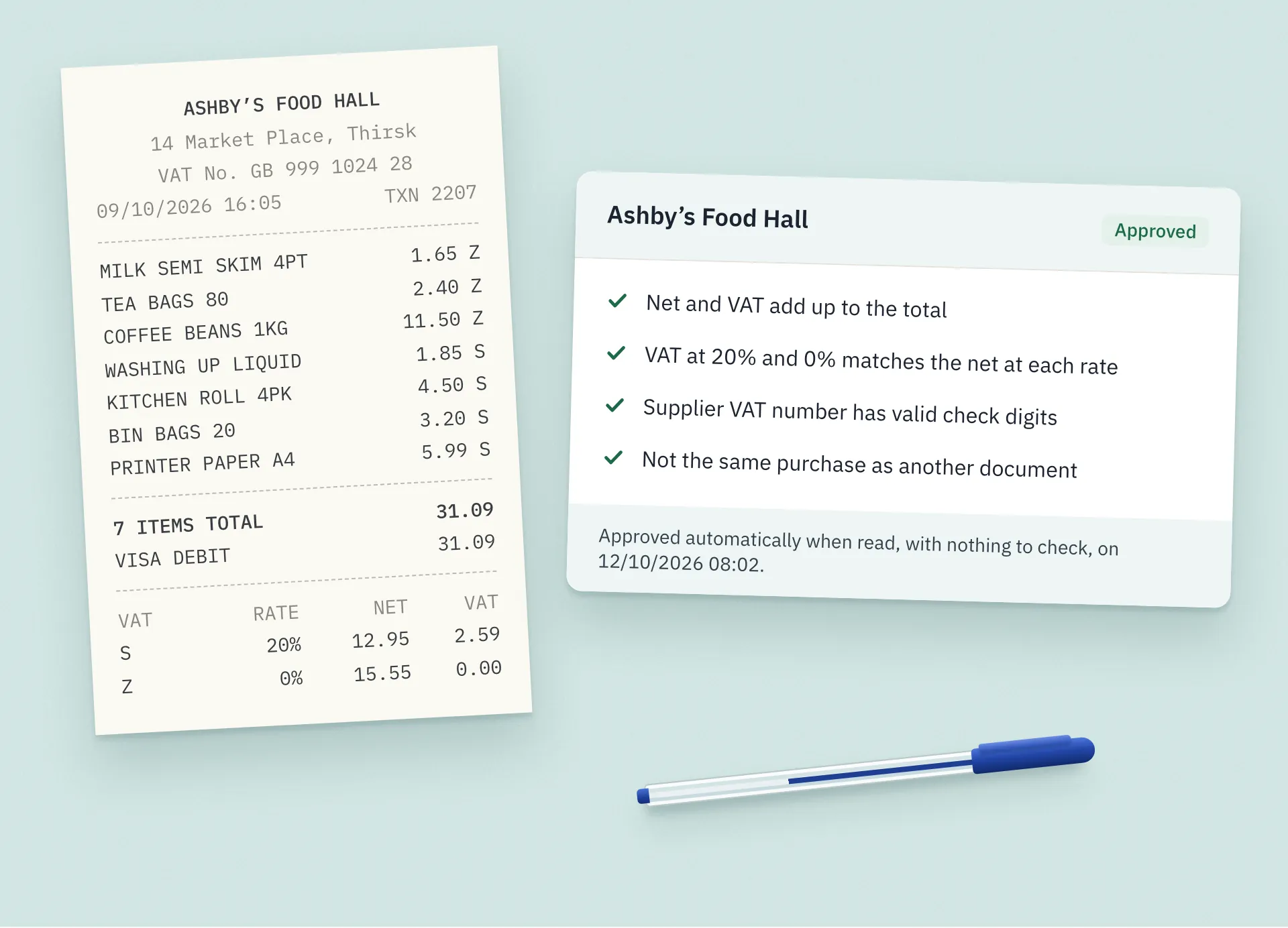
How review works

On a desk: the till receipt from Ashby's Food Hall of 9 October, 31.09 with zero rated and standard rated goods and its VAT summary, and beside it the checks Daybook ran on it: net and VAT add up to the total, VAT at 20% and 0% matches the net at each rate, the supplier VAT number has valid check digits, and it is not the same purchase as another document. Marked Approved: approved automatically when read, with nothing to check, on 12/10/2026 at 08:02.

Try it on one client’s receipts. Free for 14 days, up to 50 documents, no card needed. Start free trial

Each purchase once, each supplier once.

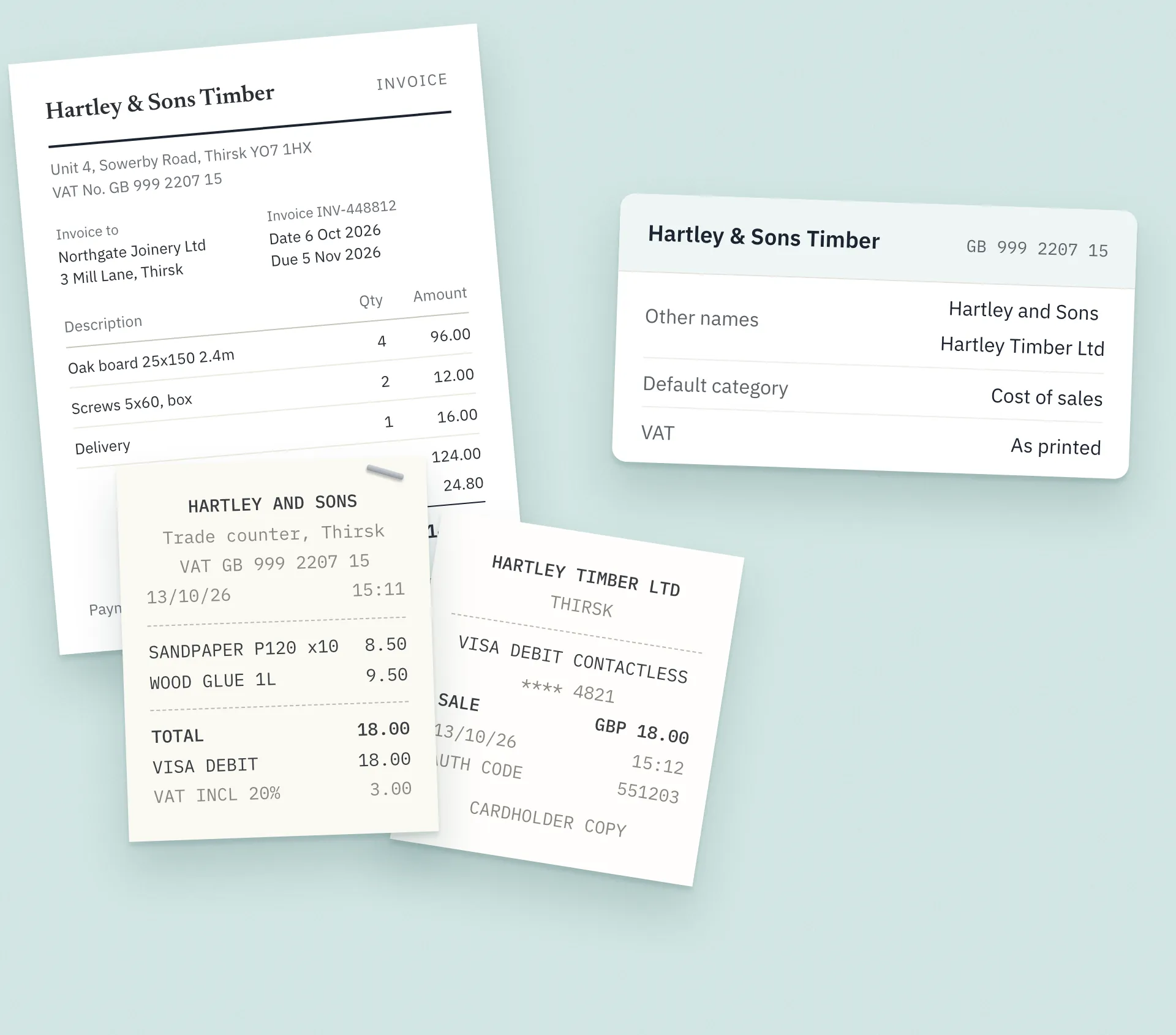
The same receipt sent twice is caught, even when both copies arrive together. Suppliers keep their other names and your rules, so next month’s receipts from them get the same category.
Duplicates and suppliers

On a desk: Hartley & Sons Timber's invoice; a till receipt from their trade counter printed HARTLEY AND SONS, 18.00 on 13 October, with the card slip stapled to it printed HARTLEY TIMBER LTD; and the supplier in Daybook: Hartley & Sons Timber, VAT number GB 999 2207 15, other names Hartley and Sons and Hartley Timber Ltd, default category Cost of sales, VAT as printed.

Into the software each client uses.

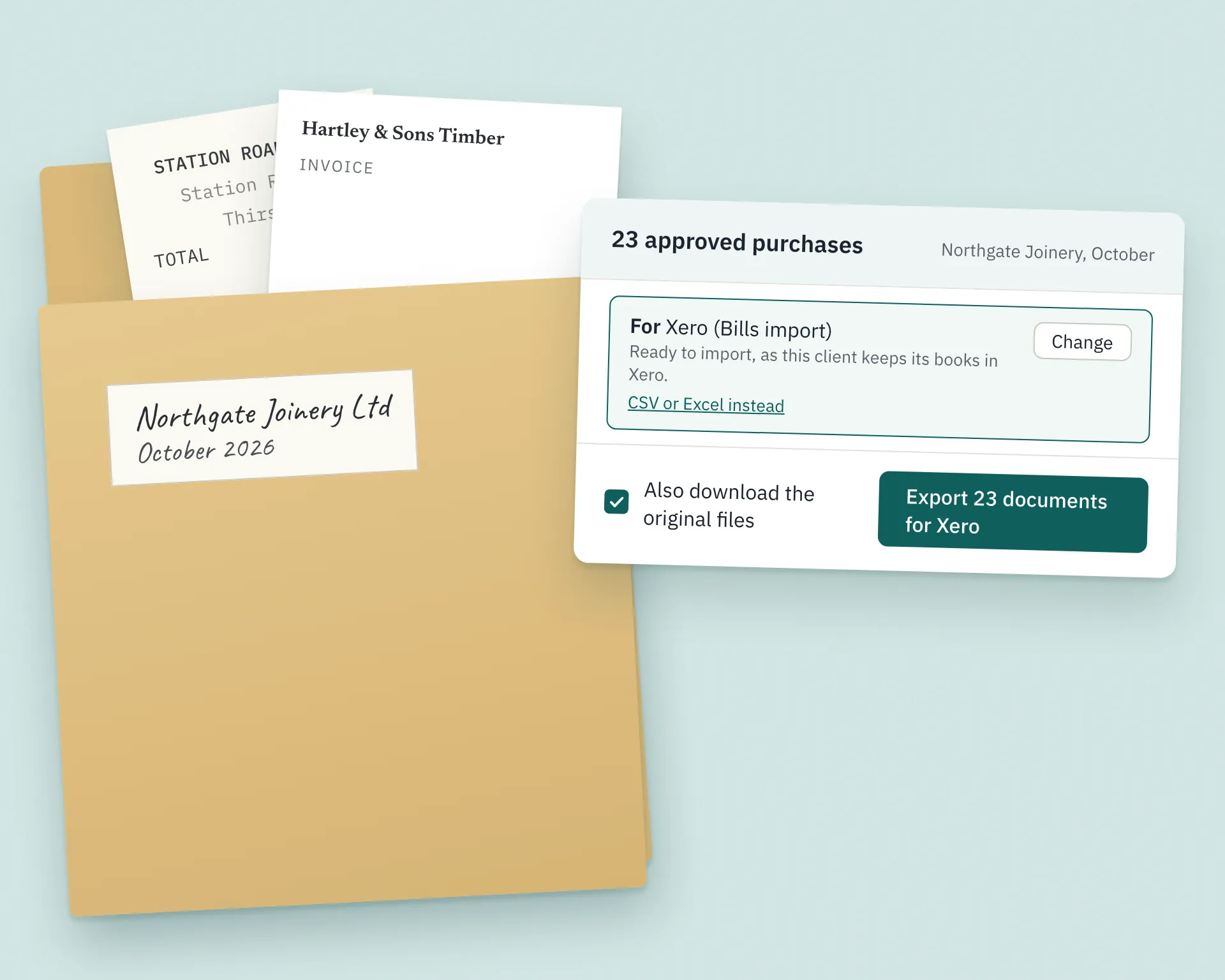
Import files for Xero, QuickBooks Online, Sage 50, Sage Accounting, FreeAgent, VT Transaction+ and QuickFile, chosen by the client’s software, or CSV and Excel with the columns you choose. Every original stays with its purchase and downloads as a ZIP.
Exports and originals

On a desk: a card folder labelled Northgate Joinery Ltd, October 2026, with the month's receipts and invoices in it, and Daybook's export of the 23 approved purchases, for Xero (Bills import), ready to import as the client keeps its books in Xero, with Change and CSV or Excel instead, the original files to download too, and the button Export 23 documents for Xero.

Bank statements, checked to the penny.

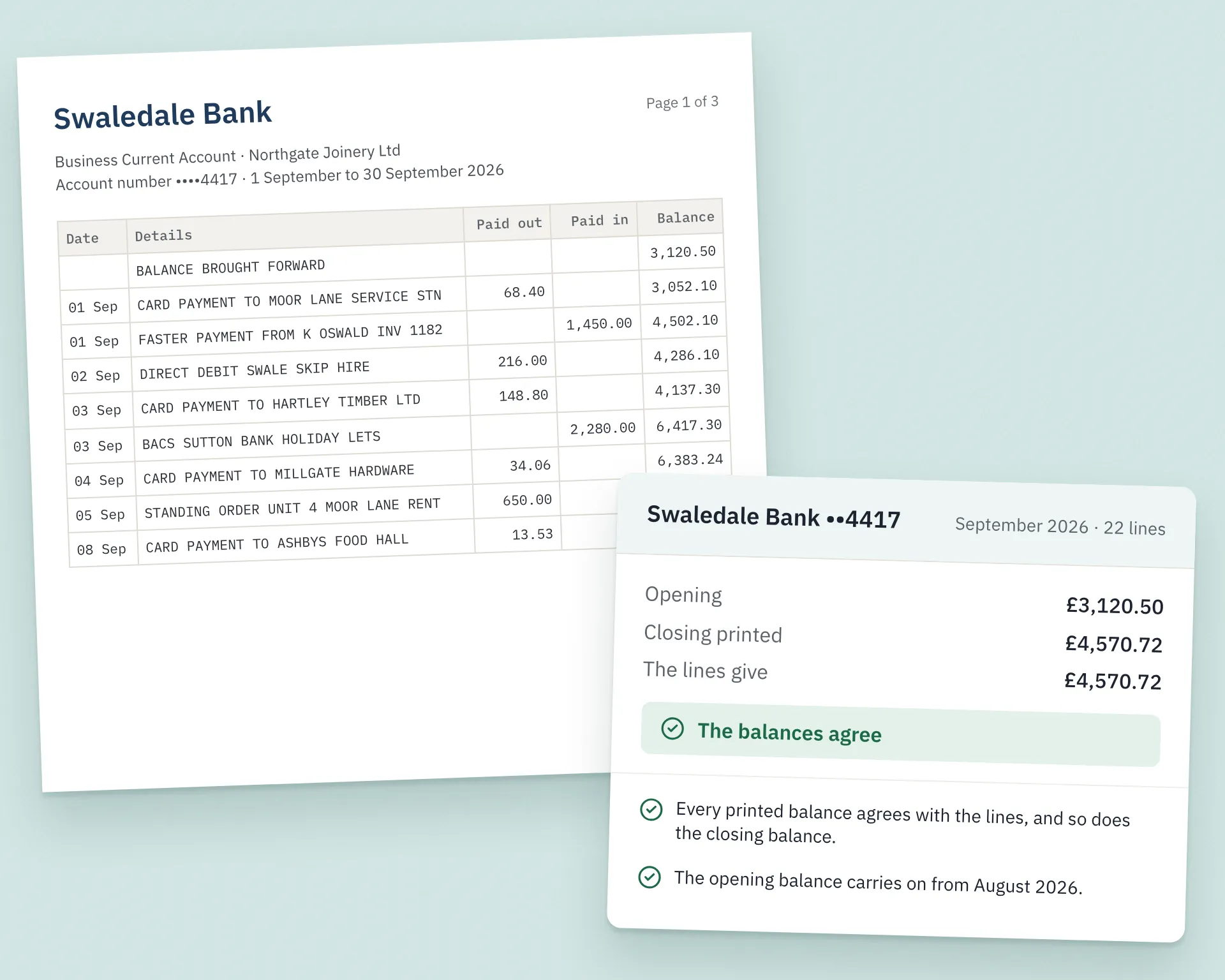
A client’s PDF statement, a scan or photos of its pages are read line by line and checked against every balance the bank printed, then exported as the bank file for the client’s program, or CSV and Excel. Each account shows its months, so a missing statement is seen at once.
Bank statements

On a desk: page 1 of 3 of a bank statement from Swaledale Bank, Business Current Account, Northgate Joinery Ltd, account ending 4417, 1 to 30 September 2026, with its lines, money out, money in and the running balance: opening balance 3,120.50, a card payment to Moor Lane Service Station of 68.40, a faster payment from K Oswald of 1,450.00, a direct debit to Swale Skip Hire of 216.00, and more. Beside it Daybook's check of the statement: Swaledale Bank, account ending 4417, September 2026, 22 lines; Opening £3,120.50, Closing printed £4,570.72, The lines give £4,570.72, The balances agree. Checks: every printed balance agrees with the lines, and so does the closing balance; the opening balance carries on from August 2026.

Follow one of your own receipts through.

Try the sample receipt first, then upload a week of one client’s receipts and export them to your software.

Free for 14 days, up to 50 documents. No card needed.