
A week of receipts in a morning.
Receipt capture for bookkeepers with a list of small clients. Each client sends receipts their own way; they are read and checked, and listed for you client by client.
Free for 14 days, up to 50 documents. No card needed.
Nothing to install. Works in your web browser on a PC, Mac, tablet or phone.
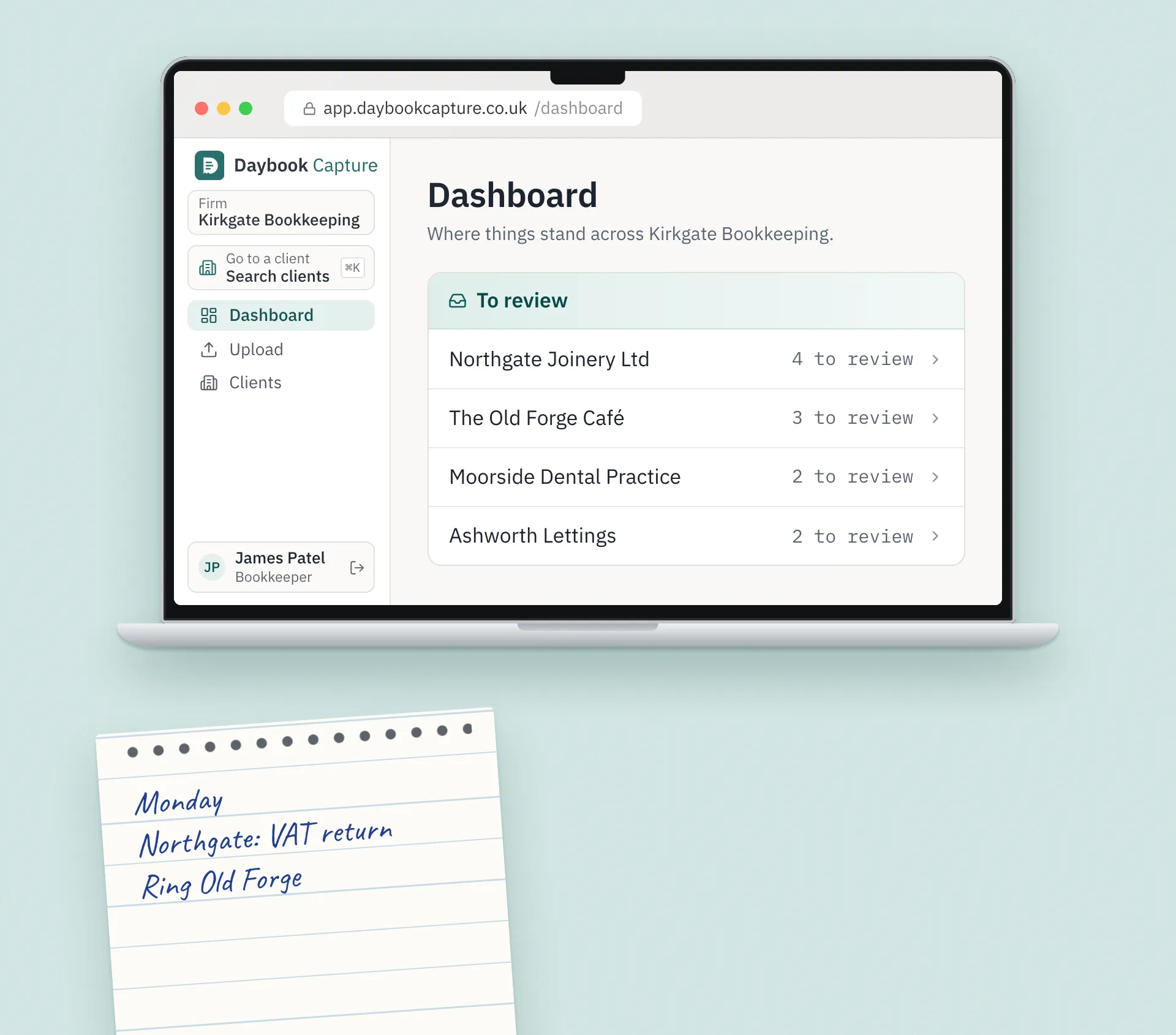
More than receipt capture.
- Getting receipts inClient uploads from a phone or computer · An email address for each client · Reminder emails in your firm’s name · Photos joined, ZIPs unpacked
- Checking themEvery line item and VAT rate read · Totals and VAT numbers checked · Duplicates caught · Clean documents approved on their own
- Into the booksImport files for Xero, QuickBooks, Sage, FreeAgent, VT and QuickFile · Bank statements checked and turned into a bank file · Originals as a ZIP · One PDF of a period, for HMRC
- Running the practiceUnlimited users and clients · Bookkeepers see only their clients · Usage per client, to pass the cost on · Activity log and two-step sign-in
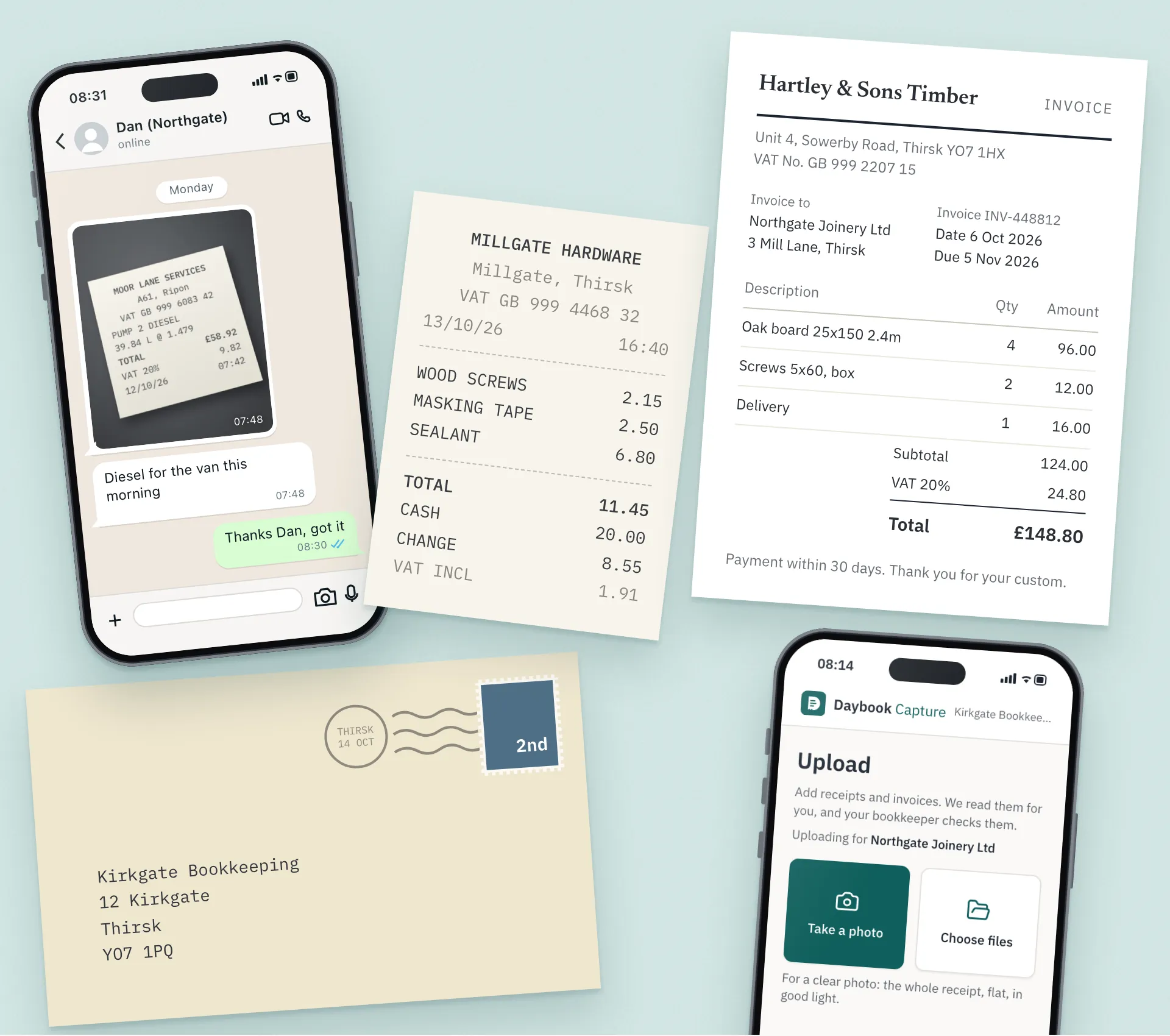
However each client works.
One client photographs every receipt, another forwards emails, a third hands over a carrier bag at the quarter end.
Invite the first to upload from their phone, give the second their own Daybook address, and scan the third’s bag yourself: each receipt on a scanned page becomes its own purchase.
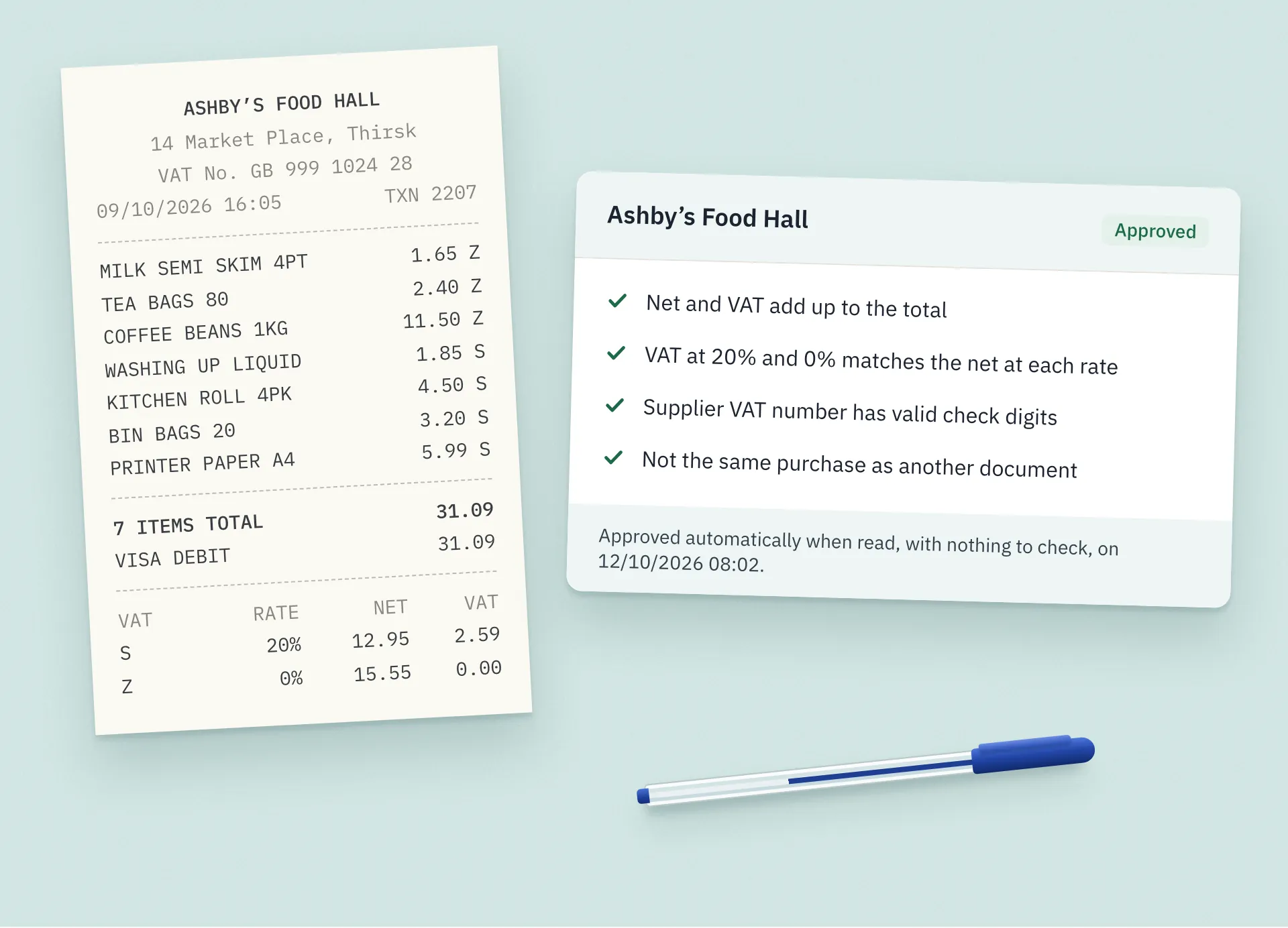
Checked before you open it.
Totals, VAT rates, VAT numbers and copies are checked as each document is read. Clean ones from suppliers you know are approved straight away, so you only open the ones that need a look.
For the software you already use.
Daybook makes the file each client’s software imports: Xero, QuickBooks Online, Sage 50, Sage Accounting, FreeAgent, VT Transaction+ or QuickFile, or CSV and Excel with the columns you choose for anything else. Set each client’s software once and its file is chosen on every export. There is nothing to connect, and no access to your clients’ books.
Each export comes with a ZIP of the originals, named to match the file, so every receipt is kept beside the figures, even where your software cannot hold a picture.
Try it on one client’s receipts. Free for 14 days, up to 50 documents, no card needed. Start free trial
A price that does not grow with your client list.
With 15 clients sending about ten receipts a month, that is 150 documents: Starter, at £19 a month plus VAT. With 50 clients at the same rate, Practice, at £59.
No charge per client or per user, and monthly plans have no contract.
Questions bookkeepers ask.
How long does a client take to get started?
A minute or two. They open your invitation email, choose Accept the invitation, add their name and take their first photo. Nothing to install.
Can I scan a bag of receipts myself?
Yes. Scan them a few to a page and upload the scans: each receipt on a page becomes its own purchase.
Which software can I export to?
Daybook writes the import file for Xero, QuickBooks Online, Sage 50, Sage Accounting, FreeAgent, VT Transaction+ and QuickFile, and CSV or Excel with the columns you choose for anything else, a desktop package or a spreadsheet. Each export comes with a ZIP of the originals.
Is there a charge per client?
No. You pay for the documents read, whichever clients send them. Take on more clients and move to a bigger plan when you need it: nothing is refused at your limit, documents over it wait for your next month, the bigger plan or extra documents you add, and going over costs nothing.
Try it with your busiest client.
Start with the sample receipt, then invite the client whose receipts take you longest.
Free for 14 days, up to 50 documents. No card needed.