
Files your software already imports.
Import files for the accounting software each client uses: Xero, QuickBooks Online, Sage 50, Sage Accounting, FreeAgent, VT Transaction+ and QuickFile, or CSV and Excel with your columns. Every original goes with them.
Free for 14 days, up to 50 documents. No card needed.
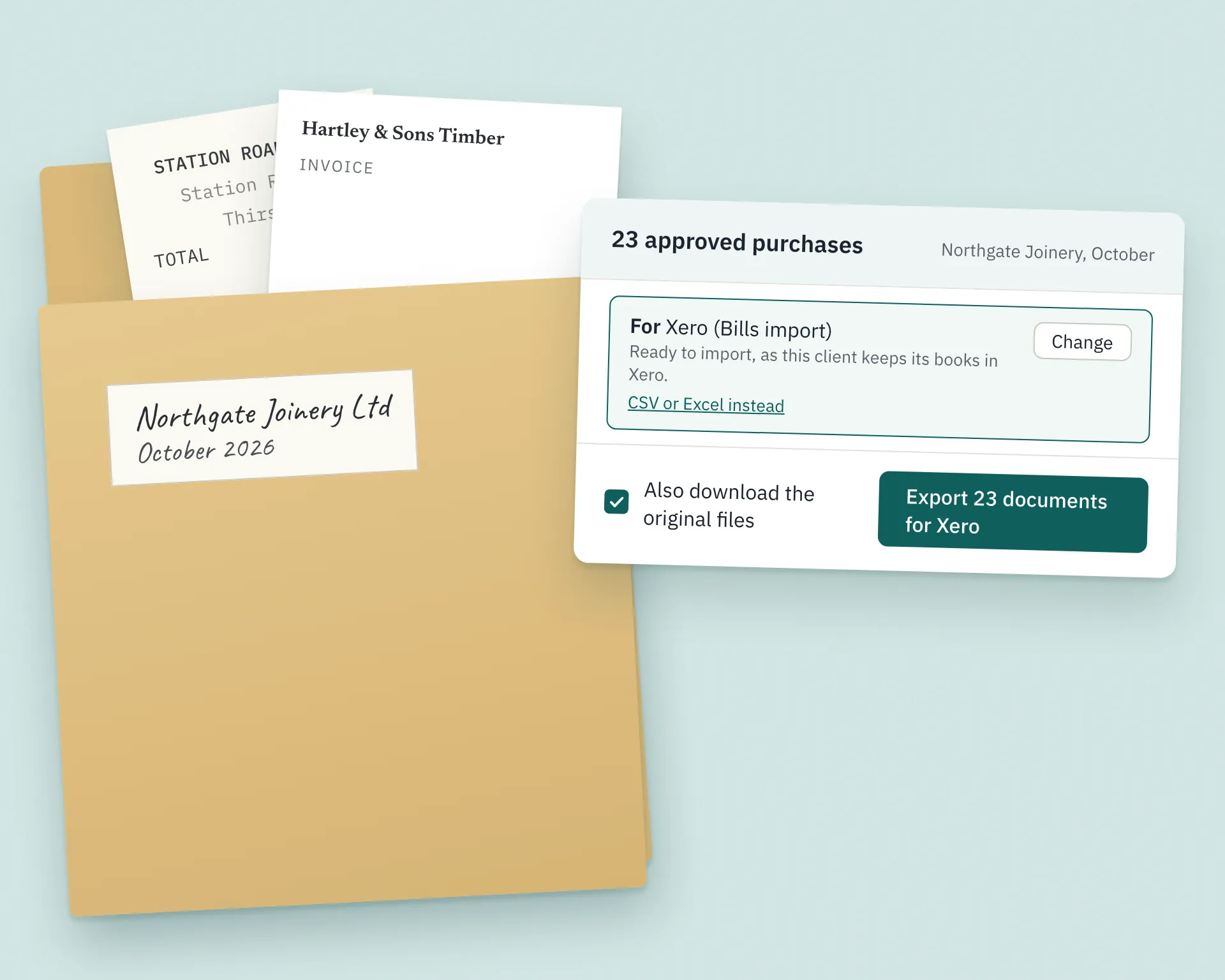
The client’s software chooses the file.
Set each client’s accounting software once, or your firm’s usual one for every new client, and its Exports tab opens on that program’s file, with the steps to import it in the program’s own words. CSV or Excel is one click away for a single export.
- Xero
- Bills import: drafts to approve, a line for each VAT rate, credit notes with minus amounts. The Xero import, step by step
- QuickBooks Online
- Bills import: a line for each VAT rate and new suppliers added. Credit notes are left out, as QuickBooks cannot import them. The QuickBooks Online import, step by step
- Sage 50
- Audit trail transactions: purchase invoices and credits on each supplier’s A/C, with the T1, T5, T0, T2 or T9 code for each VAT rate. The Sage 50 import, step by step
- Sage Accounting
- Purchase quick entries: an invoice or credit note for each VAT rate, found by the supplier’s reference. The Sage Accounting import, step by step
- FreeAgent
- Bills import for Practice Partners: a line for each VAT rate, credit notes as bill refunds. The FreeAgent import, step by step
- VT Transaction+
- Universal Input Sheet: one row a purchase, PIN or PCR on the supplier’s account, with the category as the analysis account. The VT Transaction+ import, step by step
- QuickFile
- Purchase invoices import: QuickFile’s own column names, so the columns match by themselves. The QuickFile import, step by step
- Anything else
- KashFlow, Pandle, Clear Books, Zoho Books, Capium or a spreadsheet: CSV or Excel with the columns you choose.
A line for each VAT rate.
Each file has the headings and VAT codes the program’s own UK import expects. A receipt with standard and zero rated goods becomes two lines, so the VAT reclaimed is the VAT on the receipt, not 20% of the whole shop. VT Transaction+ takes a purchase on one row, with its total VAT.
Credit notes go in as credits. QuickBooks Online and QuickFile cannot import them, and some files cannot take a purchase in another currency or a supplier without an account reference: those documents are left out, listed with the reason, and downloaded as a list to enter by hand. They stay approved for another file.
Step by step, with each program’s own words: importing into Xero, QuickBooks Online, Sage 50, Sage Accounting, FreeAgent, VT Transaction+ and QuickFile.
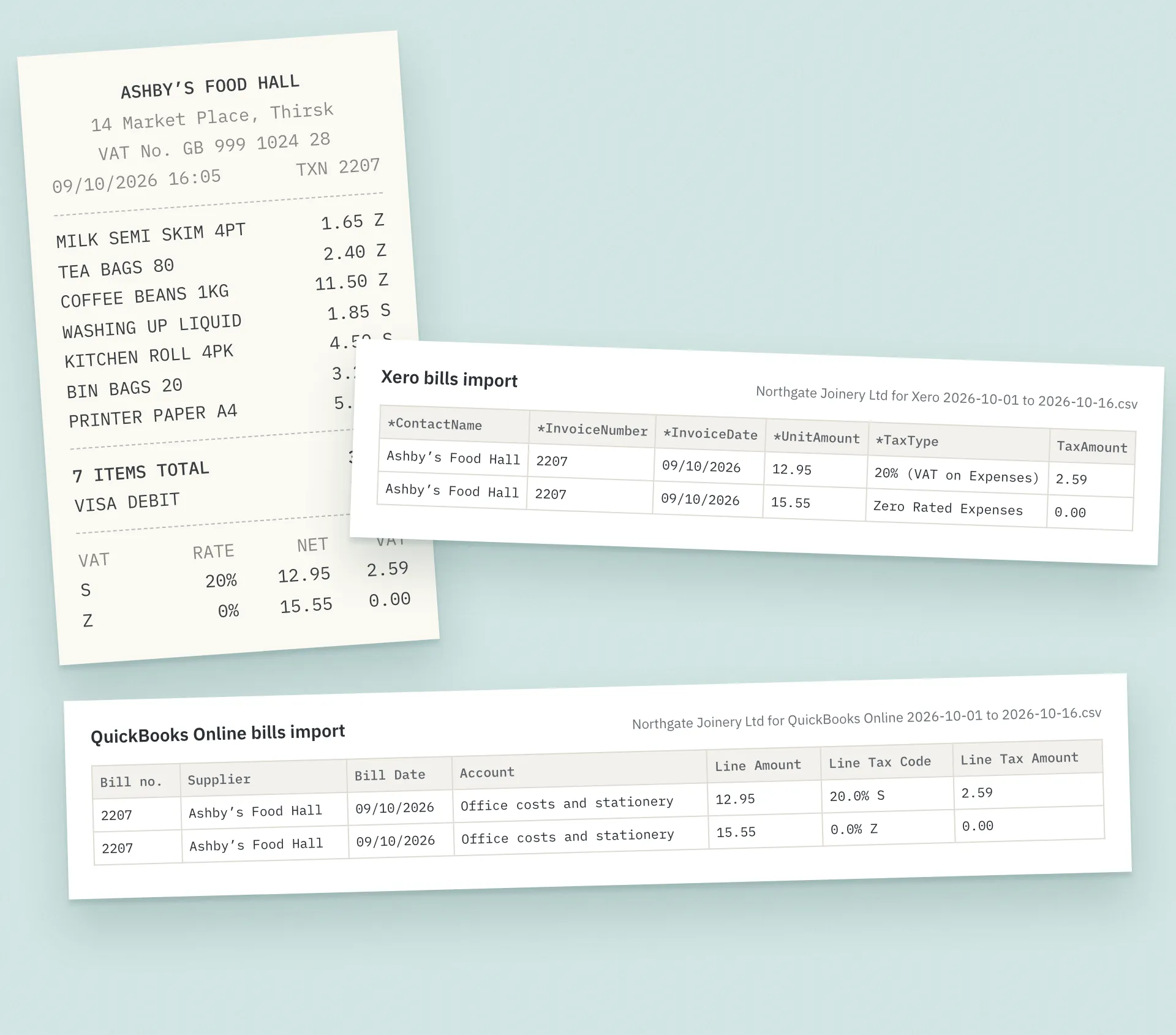
Checked before you import it.
Before importing lists the accounts in the file and the suppliers no earlier export for the client carried, with what the program does when one is missing. Each supplier goes in under the one name on your Suppliers tab, so a receipt printed “TESCO STORES 2187” does not make a second contact.
Documents dated on or before an earlier export’s last date are marked, as their period may be closed or its VAT return filed. Sage 50 and Sage Accounting find suppliers by their account reference, which you keep on the Suppliers tab or import from a CSV.
The first file for a program asks you to try a single day before the rest, and every program’s steps end with how to take an import back if it goes wrong.
Try it on one client’s receipts. Free for 14 days, up to 50 documents, no card needed. Start free trial
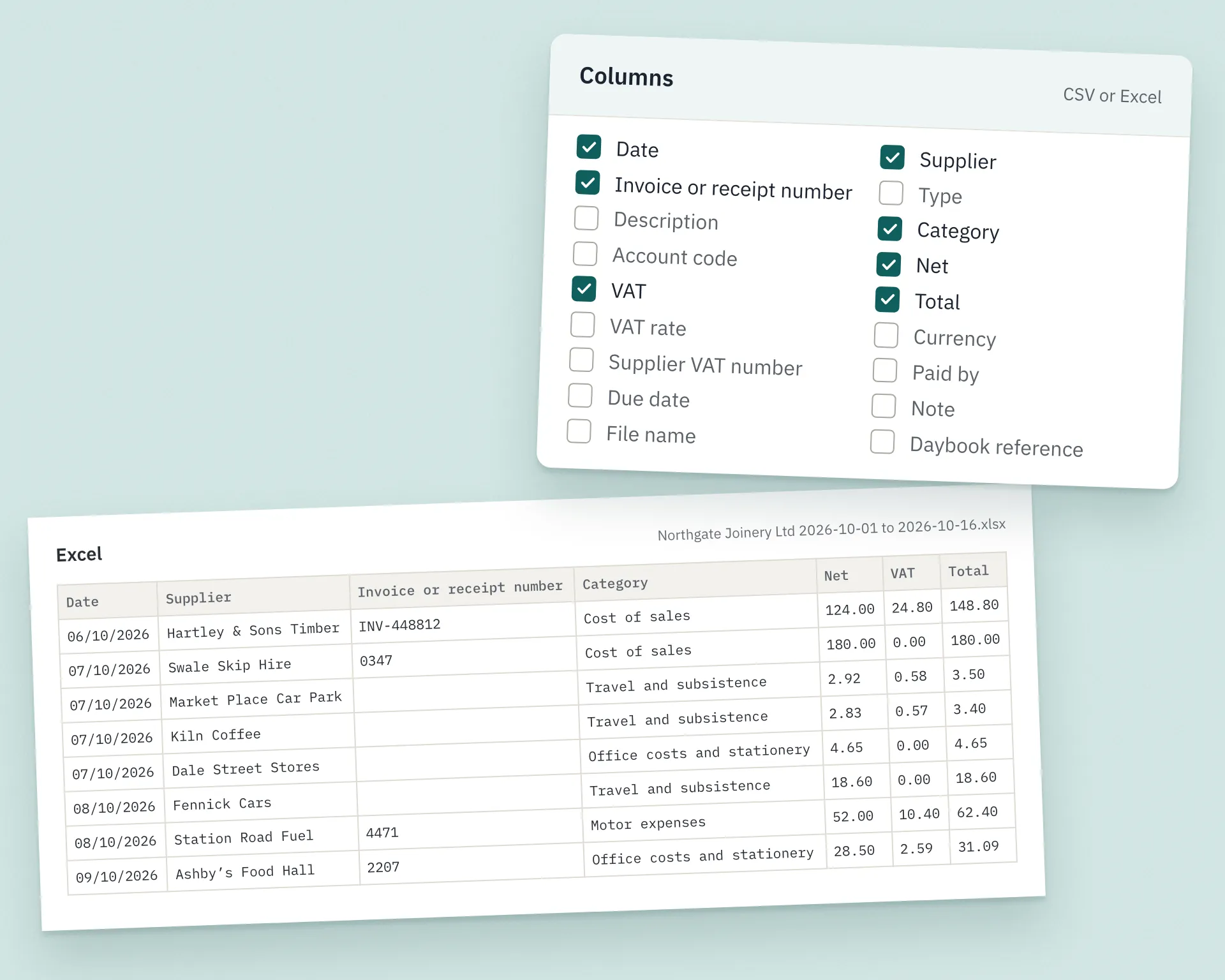
Any other software.
CSV or Excel with the columns you choose, kept for next time. UK dates, credit notes as negatives, the client’s note if you want it, and pound signs and accents that open cleanly in Excel.
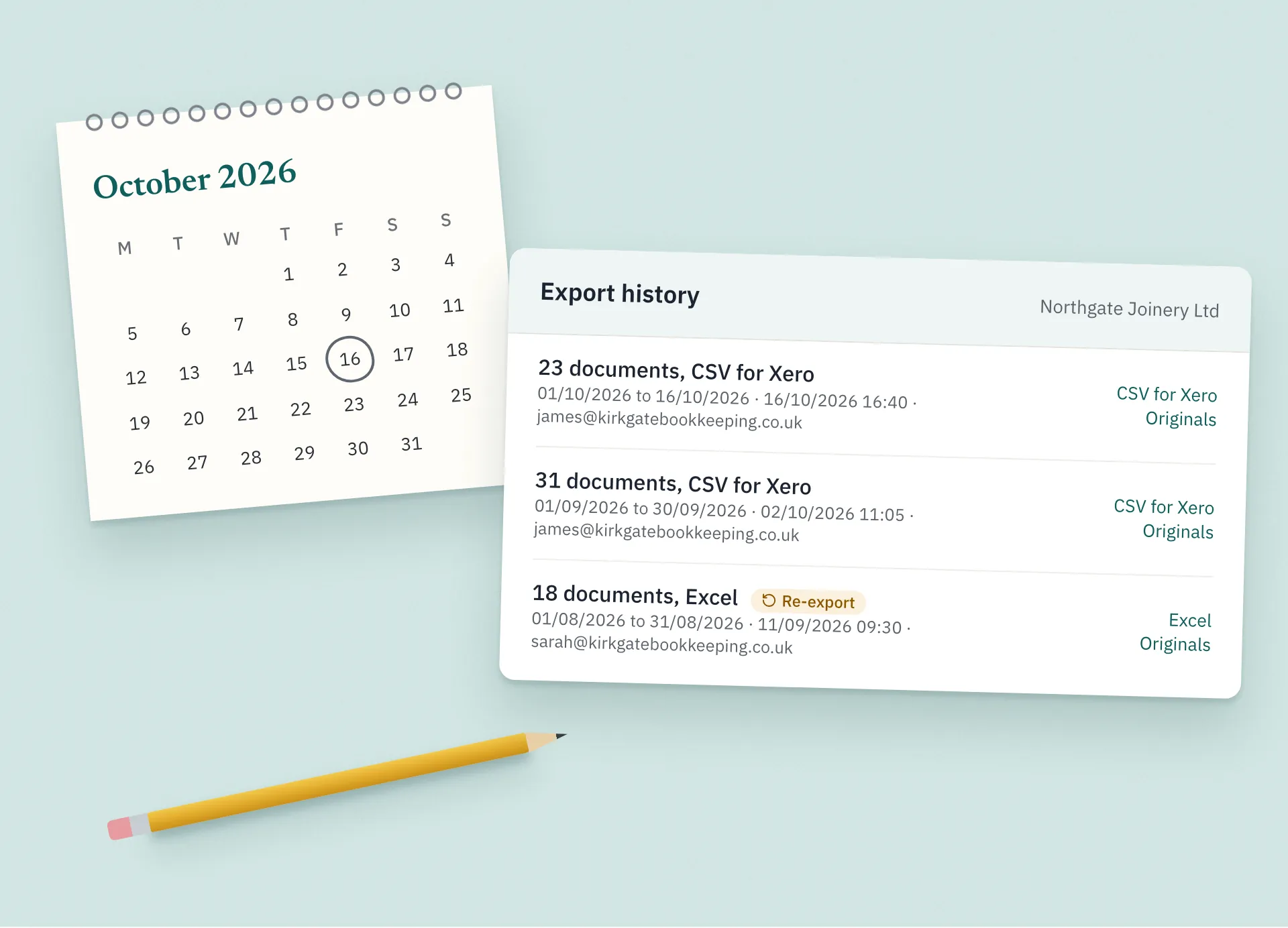
Exported once, on purpose.
Exported documents are locked, so Daybook and the books agree. Sending one again is a choice you make, and the export history marks it as a re-export.
The history keeps every file, with who exported it and when, to download again.
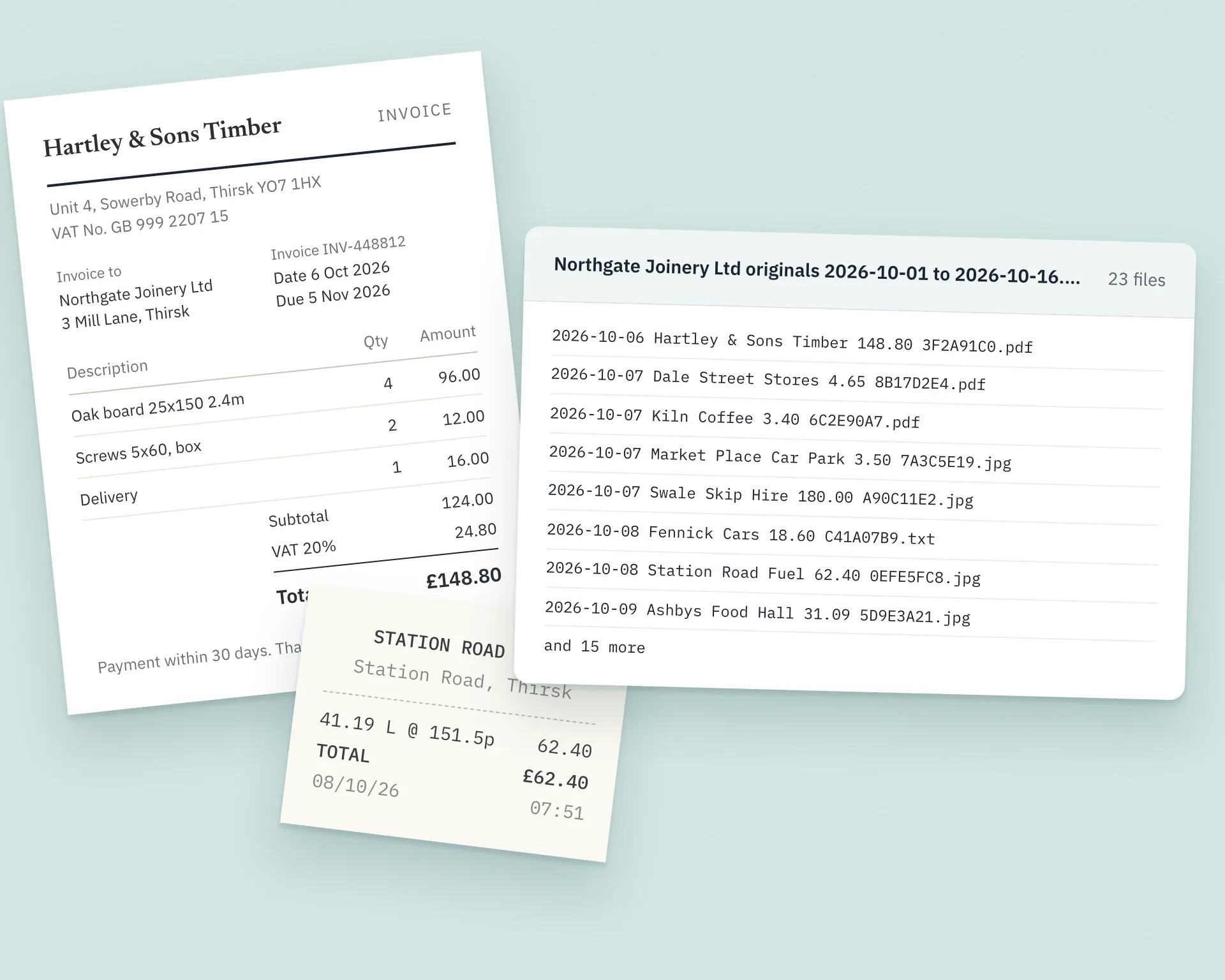
Every original, named and dated.
Download the originals of an export as a ZIP, each file named with its date, supplier and total, so they sort in order. The steps say where they go in each program: Xero’s Documents inbox, QuickBooks Online’s Receipts, QuickFile’s Receipt Hub or FreeAgent’s Files; Sage and VT users keep the ZIP with the client’s records.
Originals are kept for the period your firm sets, six years unless you change it, counted from each client’s year end.
Questions about exports.
Is there a live connection to my accounting software?
No. You import the file in your software, so nothing reaches the ledger until you decide, and Daybook never needs access to your clients’ books.
Which accounting software has a ready file?
Xero, QuickBooks Online, Sage 50, Sage Accounting, FreeAgent, VT Transaction+ and QuickFile. For any other software, CSV or Excel with the columns you choose, one row per document and dates as day, month, year.
What about a client that is not VAT registered?
Mark the client as not VAT registered and every program’s file books each purchase at its total with no VAT, at the program’s No VAT or out of scope code (T9 in Sage 50, Out_of_scope in FreeAgent), and at 0 in QuickFile and VT, and the VAT number warnings are left out. CSV and Excel keep the VAT as printed.
Which VAT code does a supplier that is not VAT registered get?
Set the supplier as Not VAT registered on the Suppliers tab and its purchases go in at the zero rate code (Zero Rated Expenses in Xero, 0.0% Z in QuickBooks Online, T0 in Sage 50), so they count in box 7 of the VAT return. An exempt supplier gets the exempt code. A purchase with no VAT, no supplier VAT number and no rule goes in as No VAT, off the return, as council rates and MOT certificates should; the Exports tab lists those suppliers before you import. More in VAT codes for purchases in each program.
Can I export the same documents again?
Yes, on purpose: tick the option to include documents exported before, confirm, and the export history marks it as a re-export.
How many documents go in one export?
Up to 1,000. For more, choose a shorter date range. The ZIP of originals holds up to 500 files, so a big export is downloaded in shorter ranges.
Can I take all of a client’s data with me?
Yes. An admin can download everything about a client as a ZIP: purchases and their lines, suppliers, categories, exports and every original. A client with more than 500 originals downloads in parts.
Import your first file.
Import a client’s chart of accounts, approve a week of their receipts and import the file into their accounting software.
Free for 14 days, up to 50 documents. No card needed.