
Receipts from your clients, however they send them.
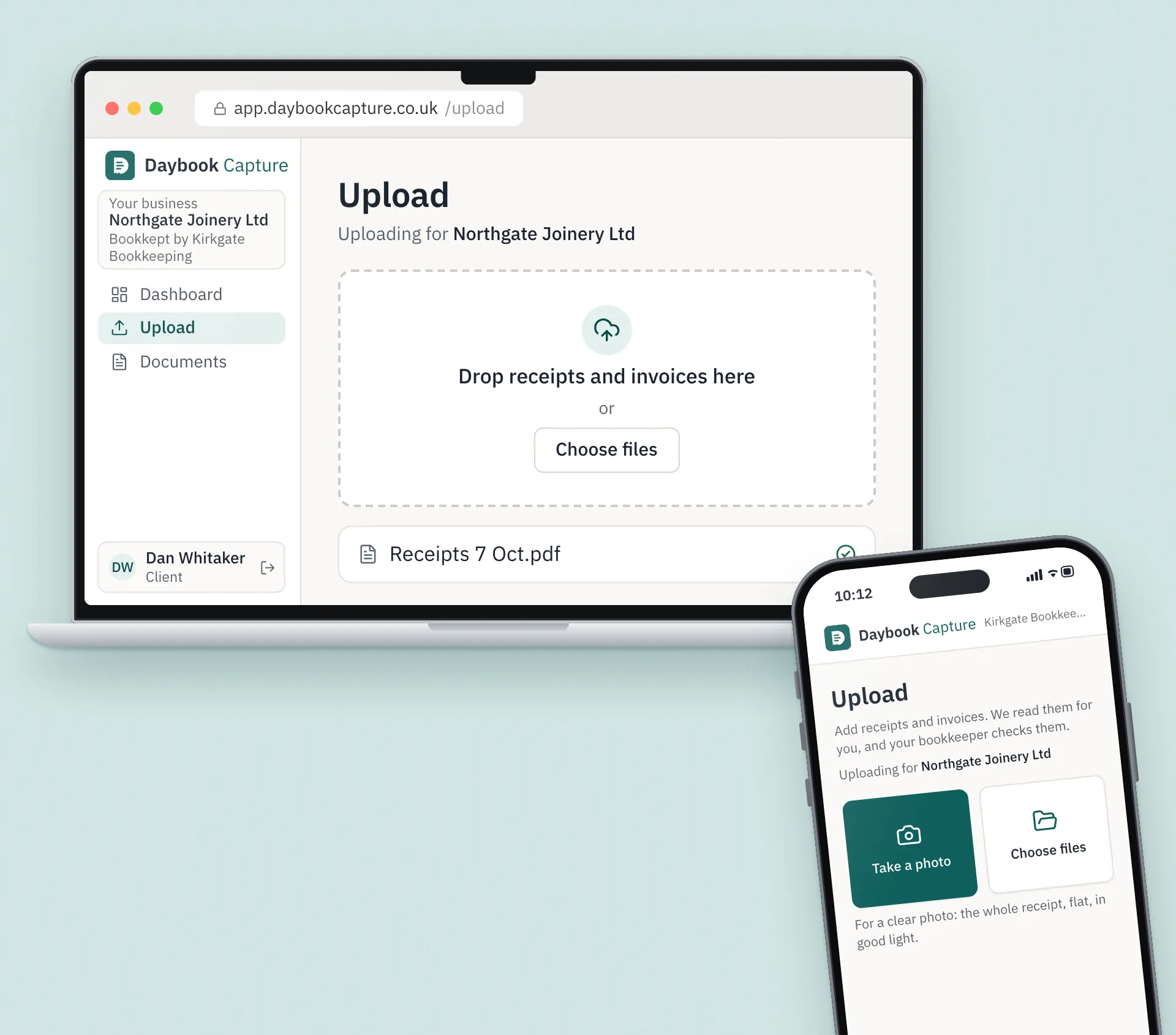
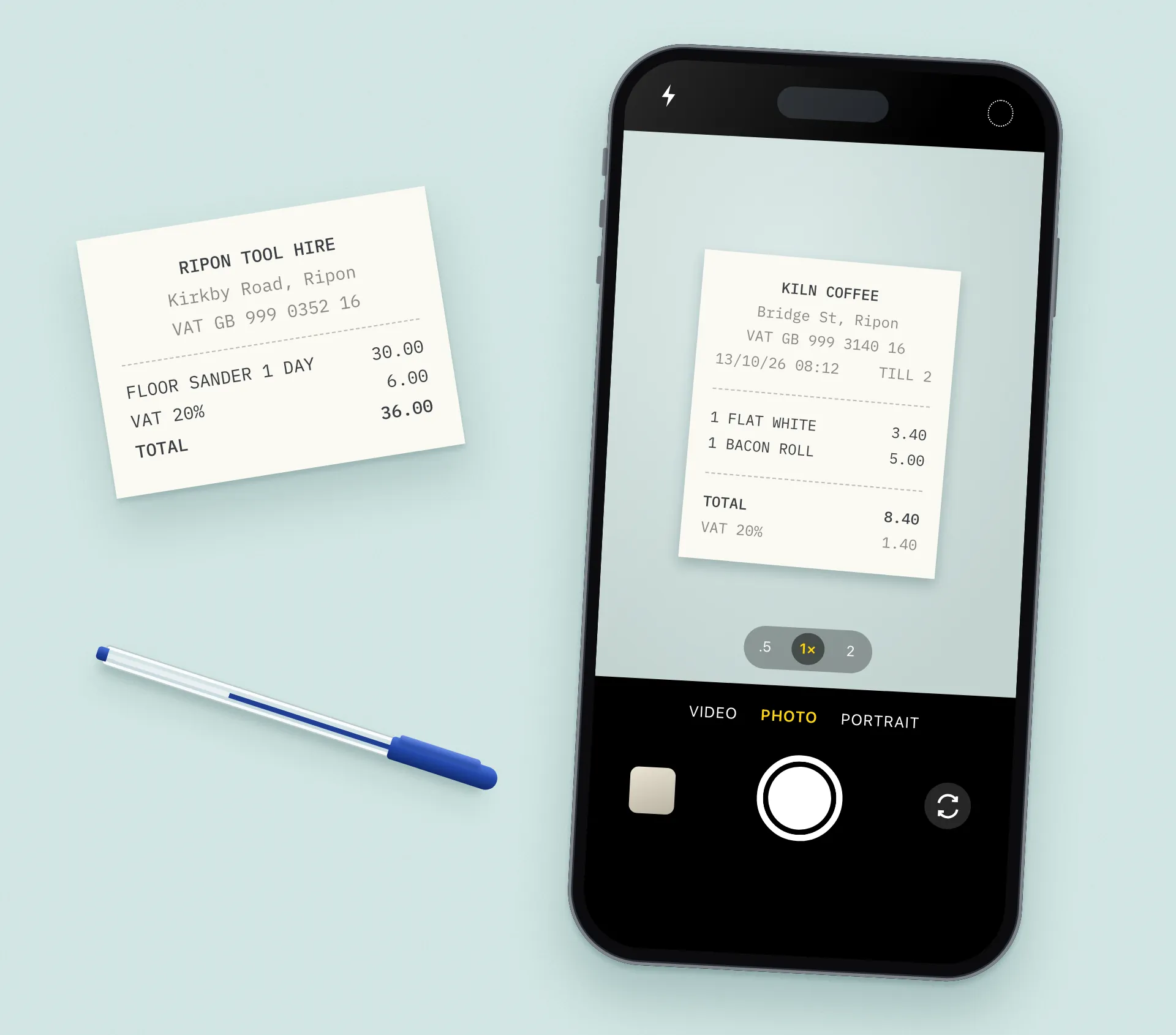
Collect receipts from clients the way they already work: they photograph receipts on their phone, choose PDFs on their computer, or email them to their own Daybook address. They sign in with a code, so there is no password to forget.
Free for 14 days, up to 50 documents. No card needed.
Nothing to install. Works in your web browser on a PC, Mac, tablet or phone.
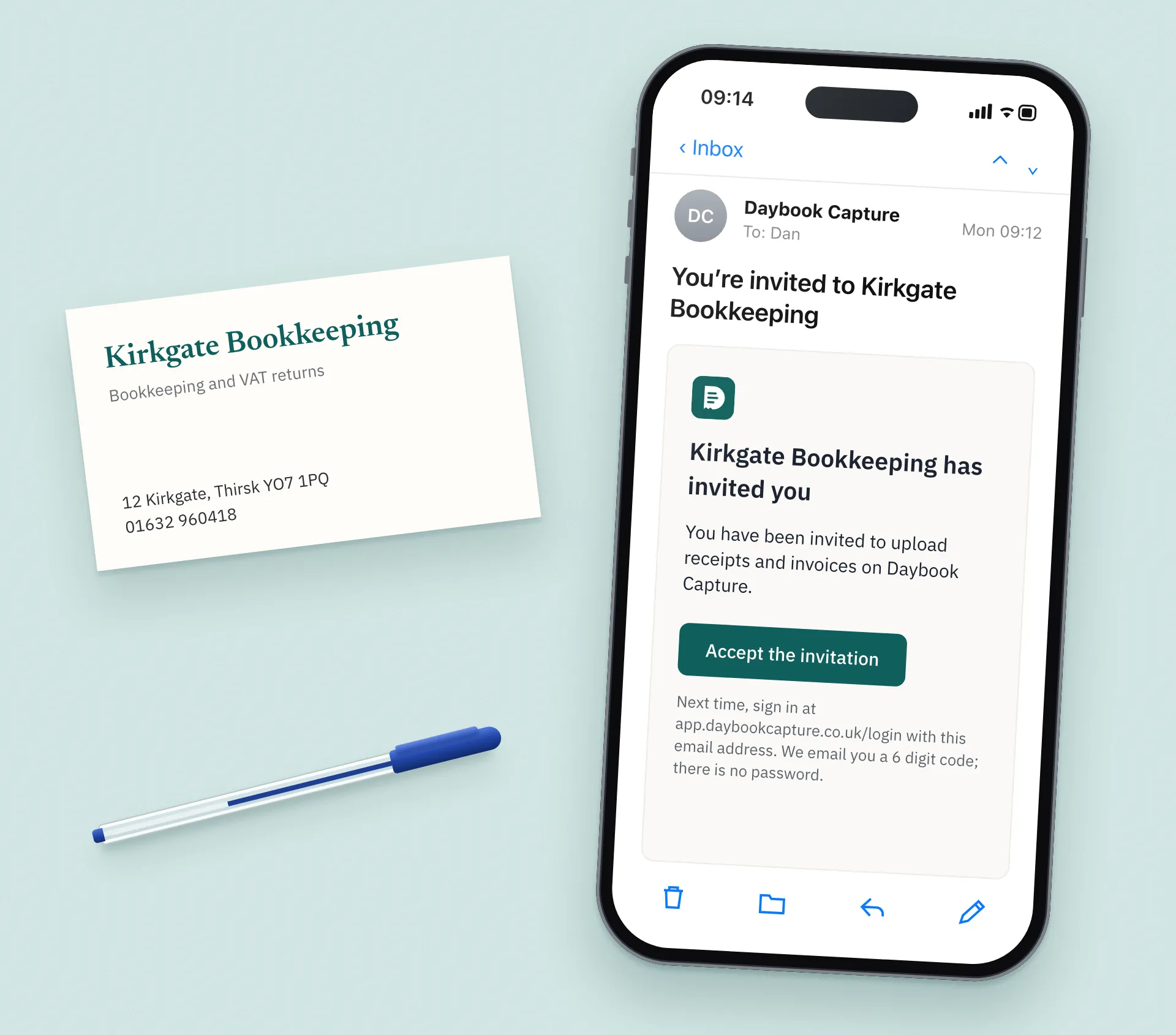
Invite them from the client’s page.
In the client’s People section, choose Invite to upload and type their email address. They accept the invitation from the email, and after that sign in with a 6 digit code sent to their inbox.
They only see their own uploads, each marked Reading, With your bookkeeper or Done, and can delete one until you approve or export it.
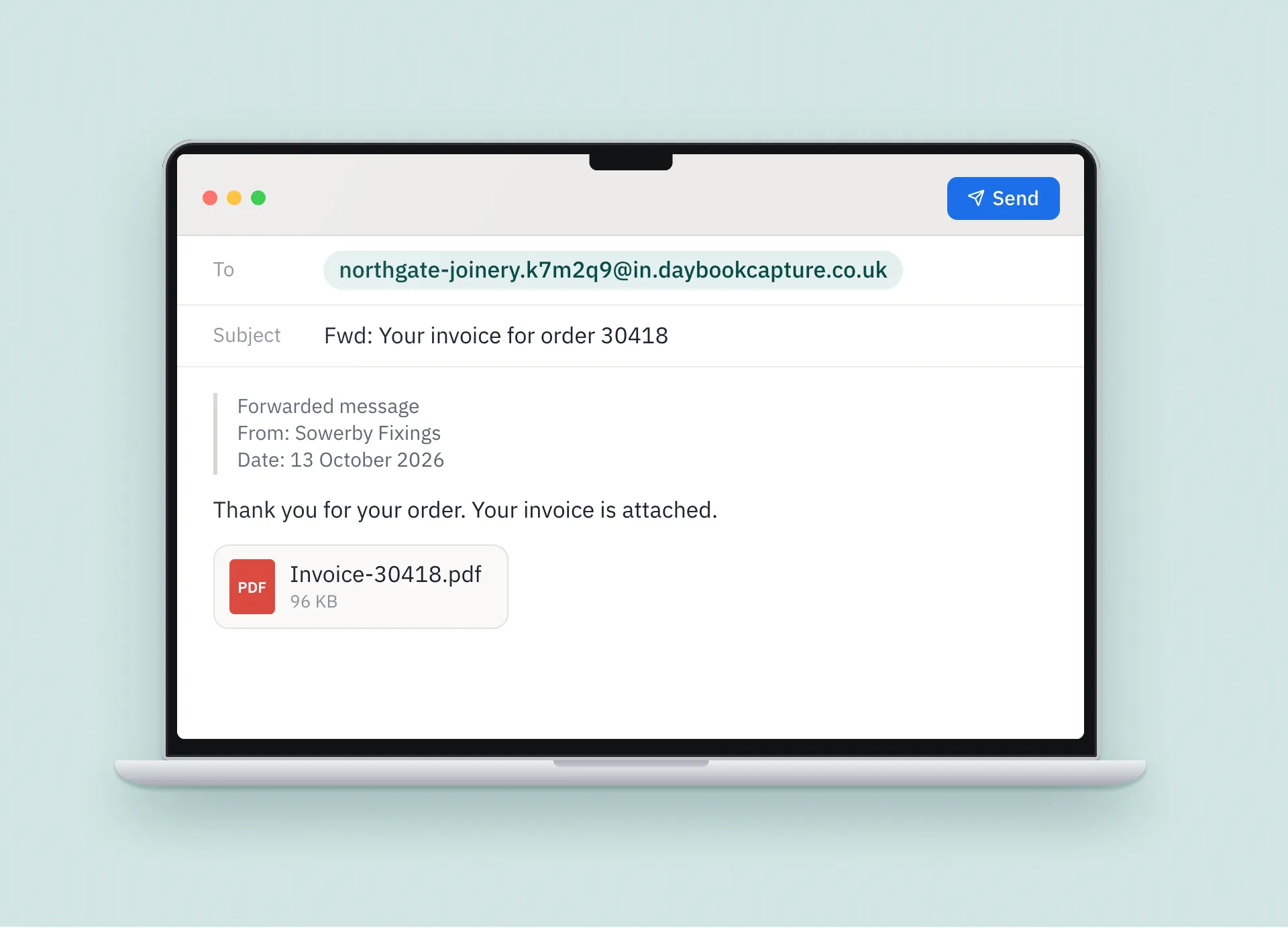
Their own Daybook address.
Each client has an email address of their own. They forward receipts from any mailbox and can give it to suppliers for their invoices. Emails from the address they sign in with show on their own page; the rest come straight to you.
A client who will not use an app or sign in can still send everything this way. The client’s Overview has Copy instructions: a short message in your firm’s name, with the address, to send by email or WhatsApp.
PDFs, photos, scans and Word documents attached are read, also from a ZIP or an email forwarded as an attachment, up to 20 files in one email. A receipt forwarded with no attachment, such as a taxi ride, is read from the email itself. The same file emailed twice is kept once.
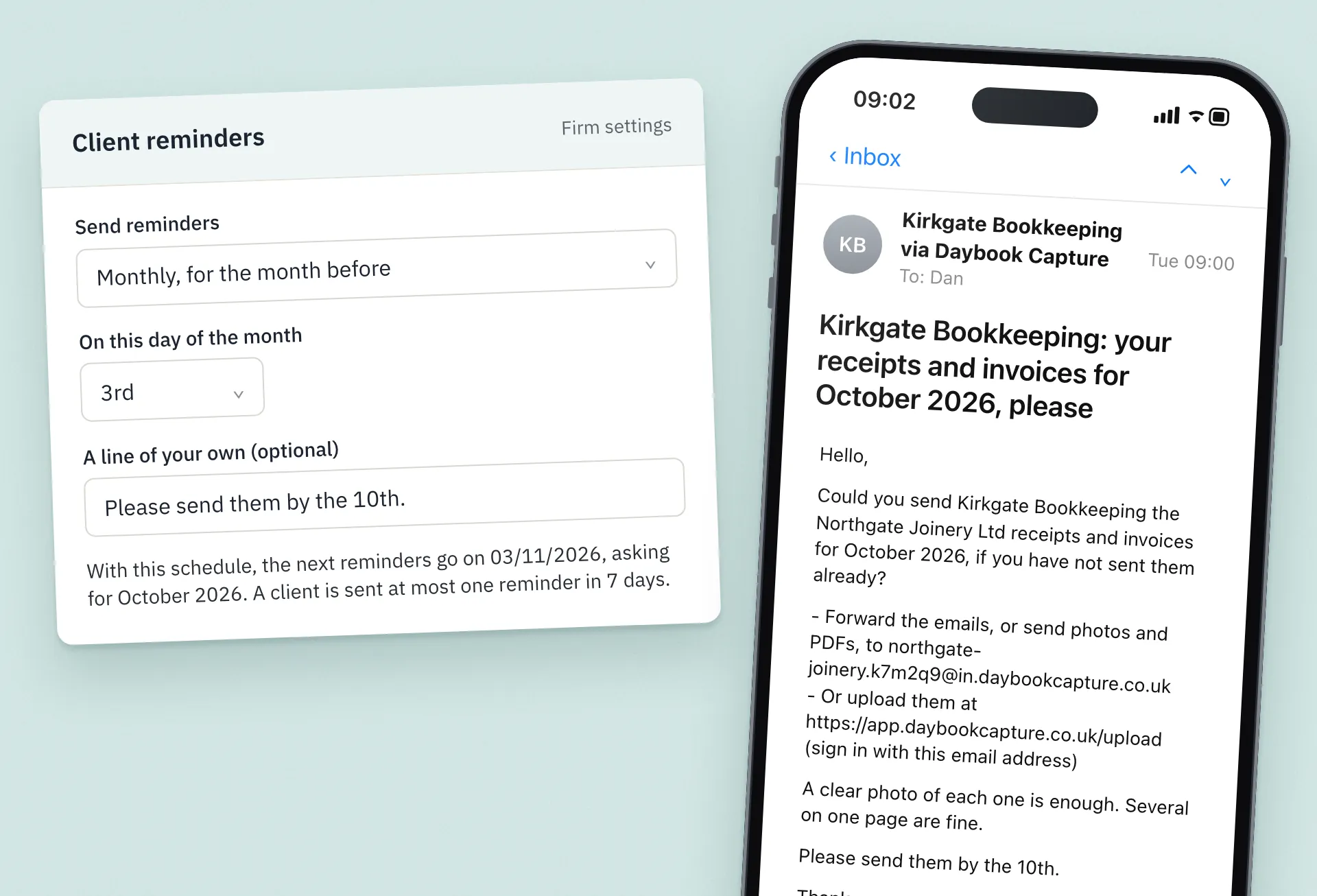
Reminders in your firm’s name.
Daybook can ask clients for their receipts each month, or after each VAT quarter, on the day you choose. The email gives the client’s own Daybook address and the upload page, with a line of your own such as the date you need them by.
It comes in your firm’s name and replies go to you. A client gets at most one reminder in 7 days, and each email has a link to stop them. Reminders are off until you turn them on, for the firm or for one client, and you can send one by hand.
Try it on one client’s receipts. Free for 14 days, up to 50 documents, no card needed. Start free trial
Photos that read well.
What clients are told before their first upload:
- The whole receipt, flat, in good light
- All four corners in the photo, no shadow over the numbers. One receipt per photo.
- Invoices sent as a PDF
- The file itself rather than a screenshot or a photo of the screen.
- Daybook on the home screen
- An Add to home screen button on the client's dashboard: on Android it opens the phone's own install, on an iPhone it shows the steps (Share, then Add to Home Screen).
Photos and scans (JPEG, PNG, HEIC, TIFF, WebP, GIF, BMP), PDFs and Word documents, up to 50 files at a time, or a ZIP of up to 200. Large photos are made smaller before they upload, so a weak signal is enough.
Questions about uploads.
Do my clients need to install an app?
No. Daybook works in the web browser on their phone, tablet or computer. Added to a phone’s home screen, it opens like an app.
Can clients send photos from WhatsApp?
Yes. They save the photo and upload it, or email it to their Daybook address. WhatsApp makes photos smaller, so ones taken on the upload page read better.
Can I upload for a client myself?
Yes. Drop the files on the upload page and choose the client. Anyone in your firm who works on that client can.
What does a client see?
Only what they sent: each file with its date, total and status. Never other clients, your categories or your exports.
Which files can clients send?
Photos and scans (JPEG, PNG, HEIC, TIFF, WebP, GIF, BMP), PDFs and Word documents (.docx), or a ZIP of them. A scan of several pages in one TIFF arrives as one PDF. From a Word document only the text is read, and the original is kept for you. Word files with macros and old .doc files are not taken: the client saves them as a PDF. Anything in a PDF that would run when it is opened is taken out before it is stored. Photos of a long receipt or an invoice of several pages can be joined into one document before uploading, and a note for you can go with them.
Is there a limit on uploads?
50 files at a time, or a ZIP of up to 200. Each file can be up to 15 MB, and a PDF can have up to 20 pages. Your plan counts the documents read, not the uploads.
Invite one client this week.
Set up your firm, add a client and send them an invitation. Their first receipts reach your dashboard as soon as they are read.
Free for 14 days, up to 50 documents. No card needed.