
Bank statements, checked to the penny.
Upload a client’s PDF bank statement, a scan or photos of each page. Daybook reads every line, checks it against the balances the bank printed, and exports the bank file for VT Transaction+, Xero, QuickBooks Online, FreeAgent, QuickFile or Sage 50, or CSV and Excel.
Free for 14 days, up to 50 documents. No card needed.
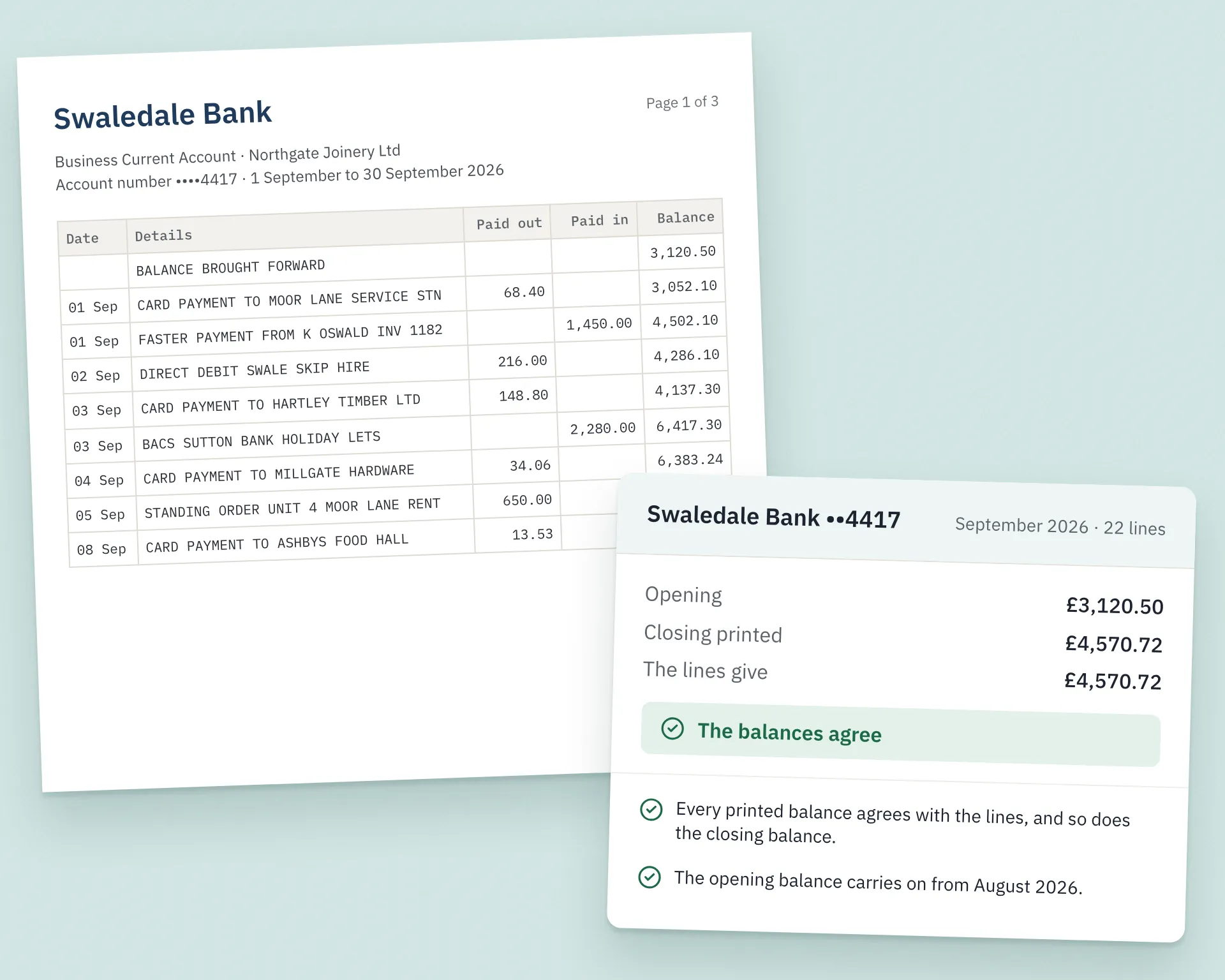
Checked against the bank’s own balances.
Every line read is added up from the opening balance, and each running balance the bank printed is checked, then the closing balance. When one does not agree, the line where it stops agreeing is marked with what the lines give, beside the page, so a misread amount is found in seconds rather than by adding up a month.
The opening balance is also checked against the closing balance of the account’s previous statement, so a statement missing in between shows. A statement whose balances agree is ready to export; any other goes to check, and only statements whose balances agree are exported.
PDFs, scans, photos, or the bank’s own file.
The bank’s PDF, of up to 120 pages, or a scan. For a paper statement, photos of each page are held together and joined into one statement, in name order or one after another, so its balances are checked from the first page to the last. Several statements, or a ZIP of them, go up at once.
The bank’s own CSV or Excel download is taken as it is, with nothing to read: Daybook finds the date, details, amounts and balance from the headings, turns a newest-first file round, and shows the first lines and the balances before it is added. The same reading is on the site as a free bank CSV converter, for one file at a time.
Each account, month by month.
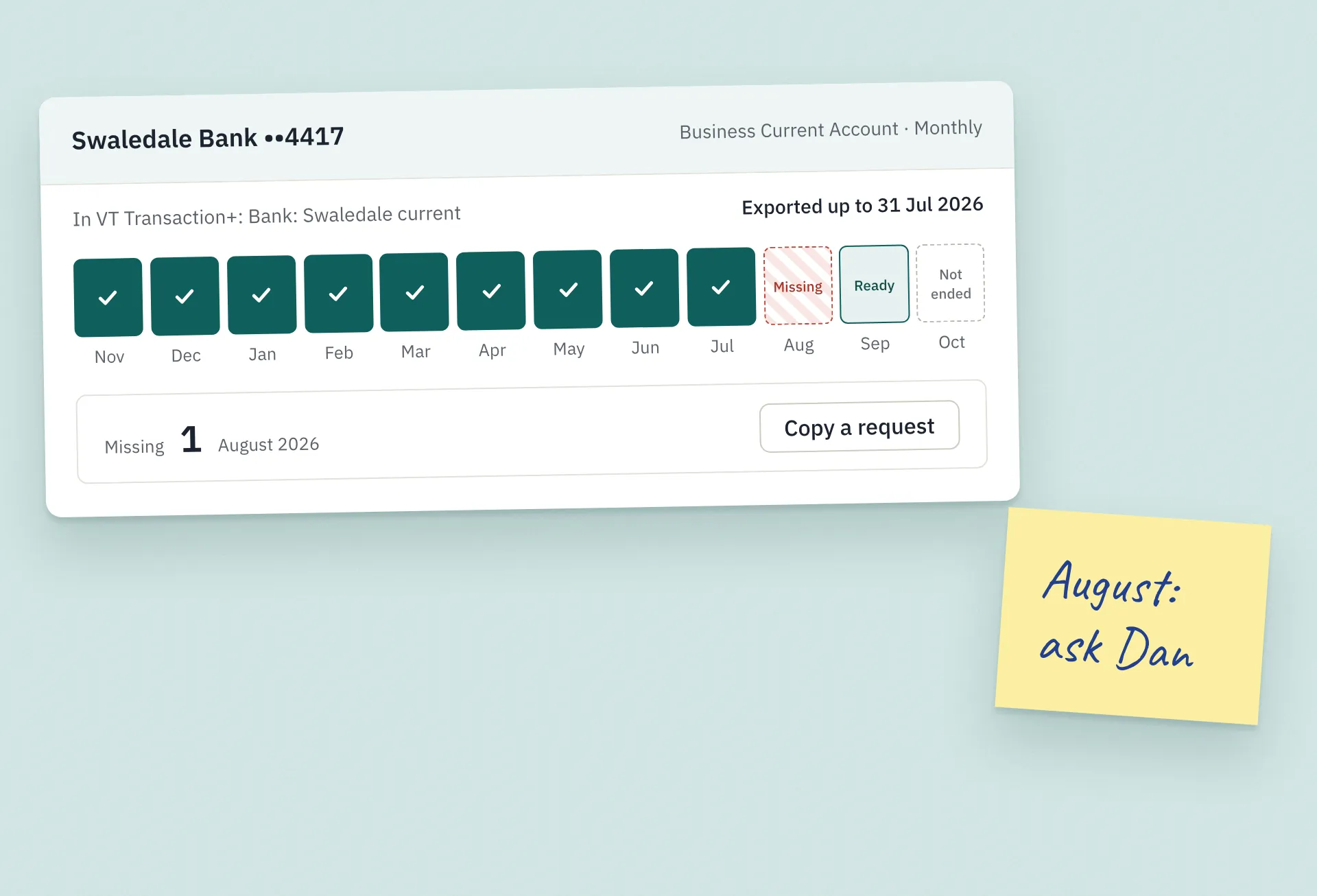
Each statement joins its account by the last four digits, the only part of the account number kept. Each account shows its last twelve months as boxes: exported, ready, to check, missing or not ended yet, and how far it has been exported. A missing month is a request to copy for the client.
For year end and catch-up work, choose a financial year that has ended, and its months are shown the same way, back to the earliest statement. Two statements that share days, such as one uploaded twice, are named.
Try it on one client’s receipts. Free for 14 days, up to 50 documents, no card needed. Start free trial
The bank file for the client’s program.
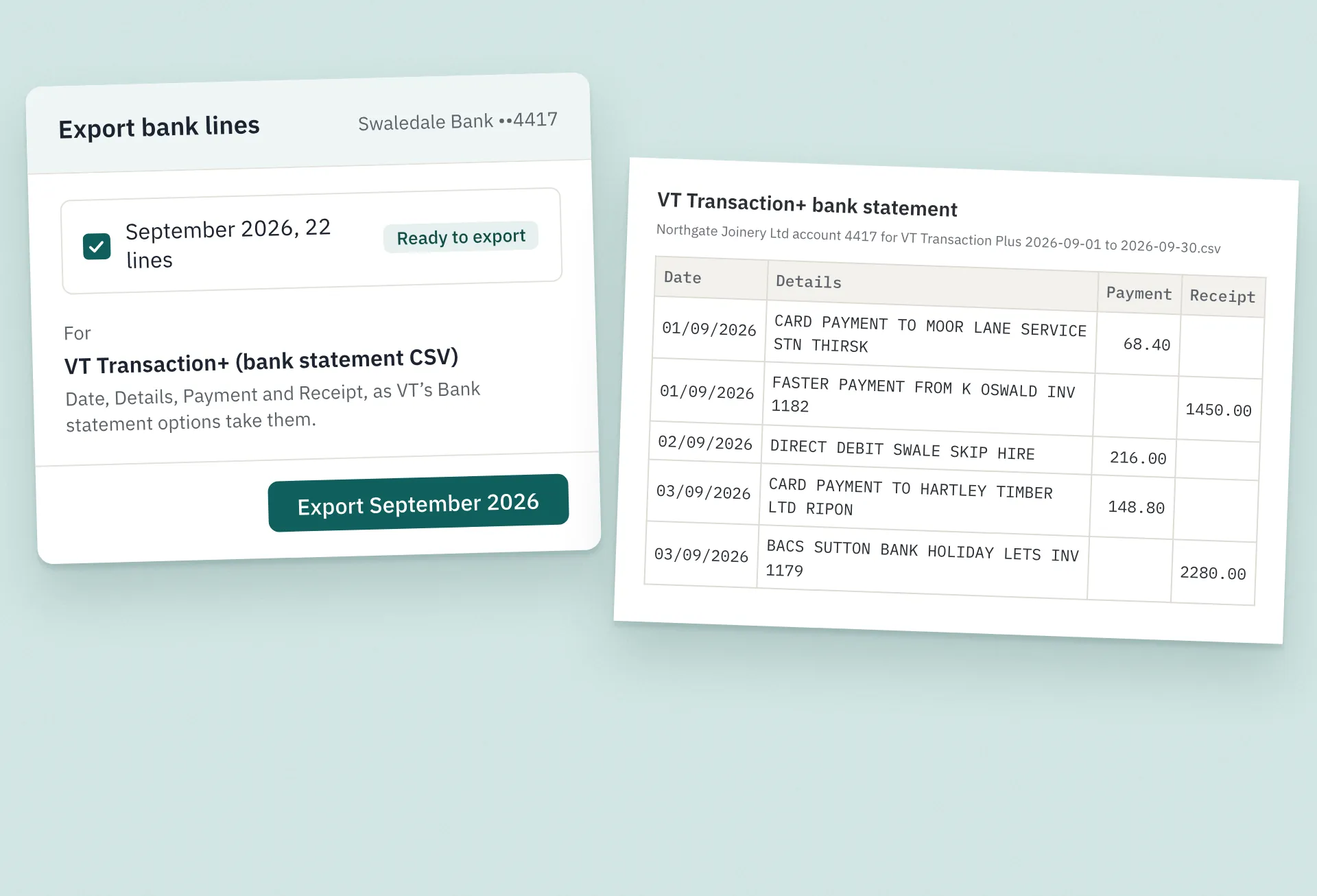
The client’s accounting software chooses the file, with the import steps in that program’s own words, and how to take an import back if it goes wrong. Days no export covers are named before the file is made, so the balance in the program agrees.
- VT Transaction+
- Date, Details, Payment and Receipt, for accounts in pounds.
- Xero
- Date, Amount and Payee, money out negative.
- QuickBooks Online
- Date, Description and Amount, up to 1,000 lines an upload.
- FreeAgent
- Date, amount and description, with no header row.
- QuickFile
- Transaction Date, Description and Amount.
- Sage 50
- Date, Description and Amount, for its bank feeds.
- Anything else
- CSV or Excel with money out, money in and the printed balance.
Step by step: a bank statement into Xero, bank statements into Sage 50 and what each program imports.
Questions about bank statements.
Can I convert a PDF bank statement to CSV?
Yes. Upload the PDF, and once its balances agree, export it as CSV or Excel, or as the bank file for the client’s program. A PDF can have up to 120 pages.
Does it work with scanned or photographed statements?
Yes. Scans are read like PDFs, and photos of a paper statement’s pages are joined into one statement before reading, so its balances are checked from the first page to the last. If the balances do not agree, ask the client for the bank’s PDF.
Does Daybook match bank lines to receipts?
No. It reads the statement, checks it and writes the bank file. Matching each line to its receipt or invoice happens in your accounting program, as it does with a bank feed.
Is the client’s full account number kept?
No. Only the account’s last four digits are kept, to find the account again. The full number and the sort code are never stored.
Can clients upload their own statements?
Yes, on their upload page under Bank statements. They see that it was sent to their bookkeeper; the checking and exporting are yours.
How are statements counted on a plan?
Each page with transactions counts as one document. Blank pages, summary pages, terms and conditions, and a file that turns out not to be a statement are not counted, nor is the bank’s own CSV or Excel file. See pricing.
How long are statements kept?
As long as the firm keeps documents: they are deleted after the same period, counted from the end of the client’s financial year, and go with the client’s data when it is downloaded or deleted.
Send a statement through.
Upload one of your clients’ statements in the free trial and see its balances checked.
Free for 14 days, up to 50 documents. No card needed.