
The same receipt goes in once.
A receipt uploaded on Monday and emailed again on Friday is marked as a possible duplicate before it is approved. Each supplier is kept once, with its other names and your rules.
Free for 14 days, up to 50 documents. No card needed.
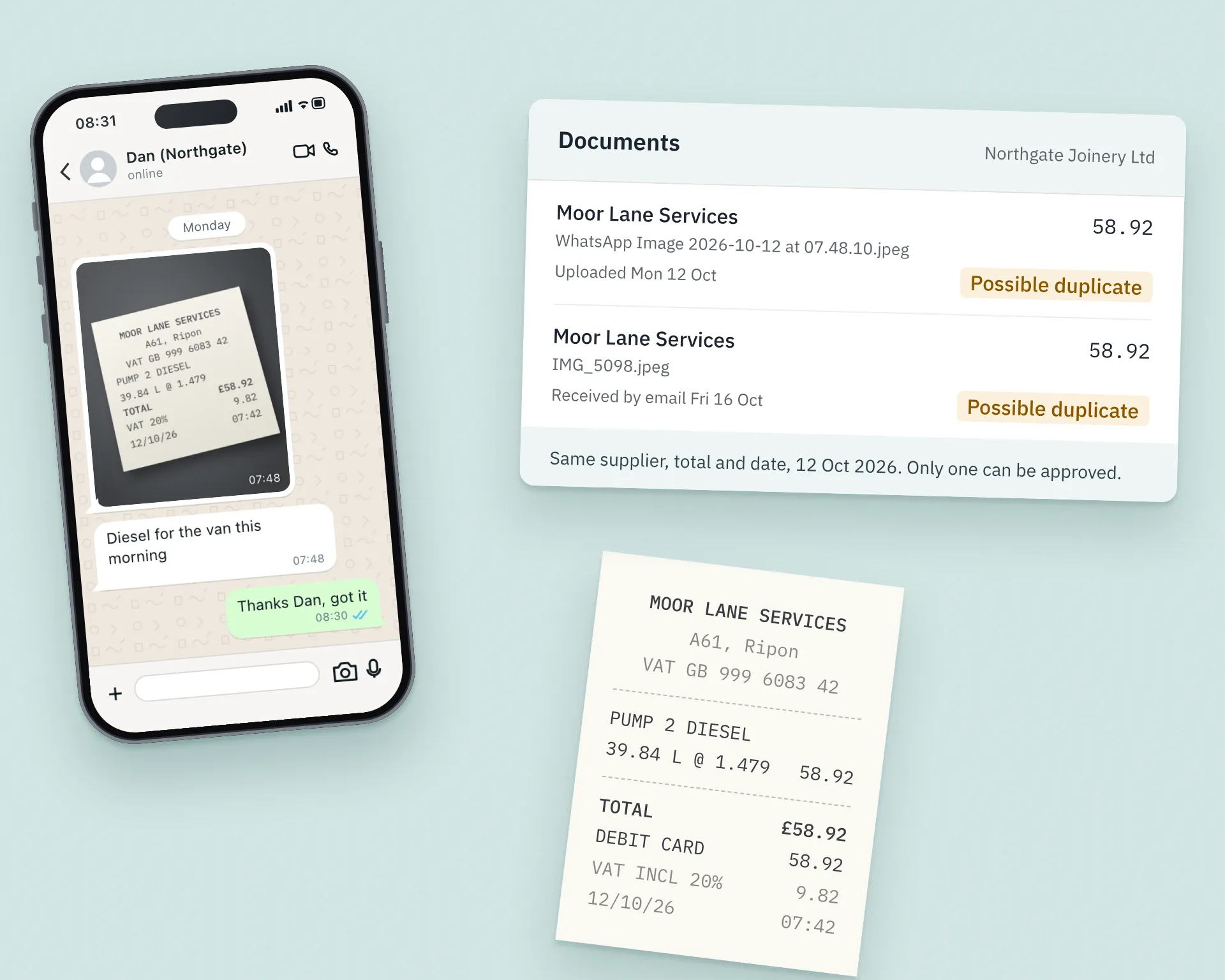
Duplicates matched, however they arrive.
The same file sent again is recognised at once. A copy that is a different photo, or the PDF of a receipt already photographed, is matched on supplier, total and date or number, against everything the client has sent, approved and exported documents included.
Copies uploaded together are matched too. The later copy is marked, only one of the two can be approved, and Approve ready leaves both out until you decide.
One supplier, whatever the receipt calls it.
Suppliers are added as you approve documents. Up to ten other names lead to the same supplier, and two that turn out to be one are merged, the old name kept as another name.
Each supplier’s category is suggested on its new documents. Mark a supplier zero rated, exempt or not VAT registered, and its receipts get no VAT; one that shows VAT is flagged.
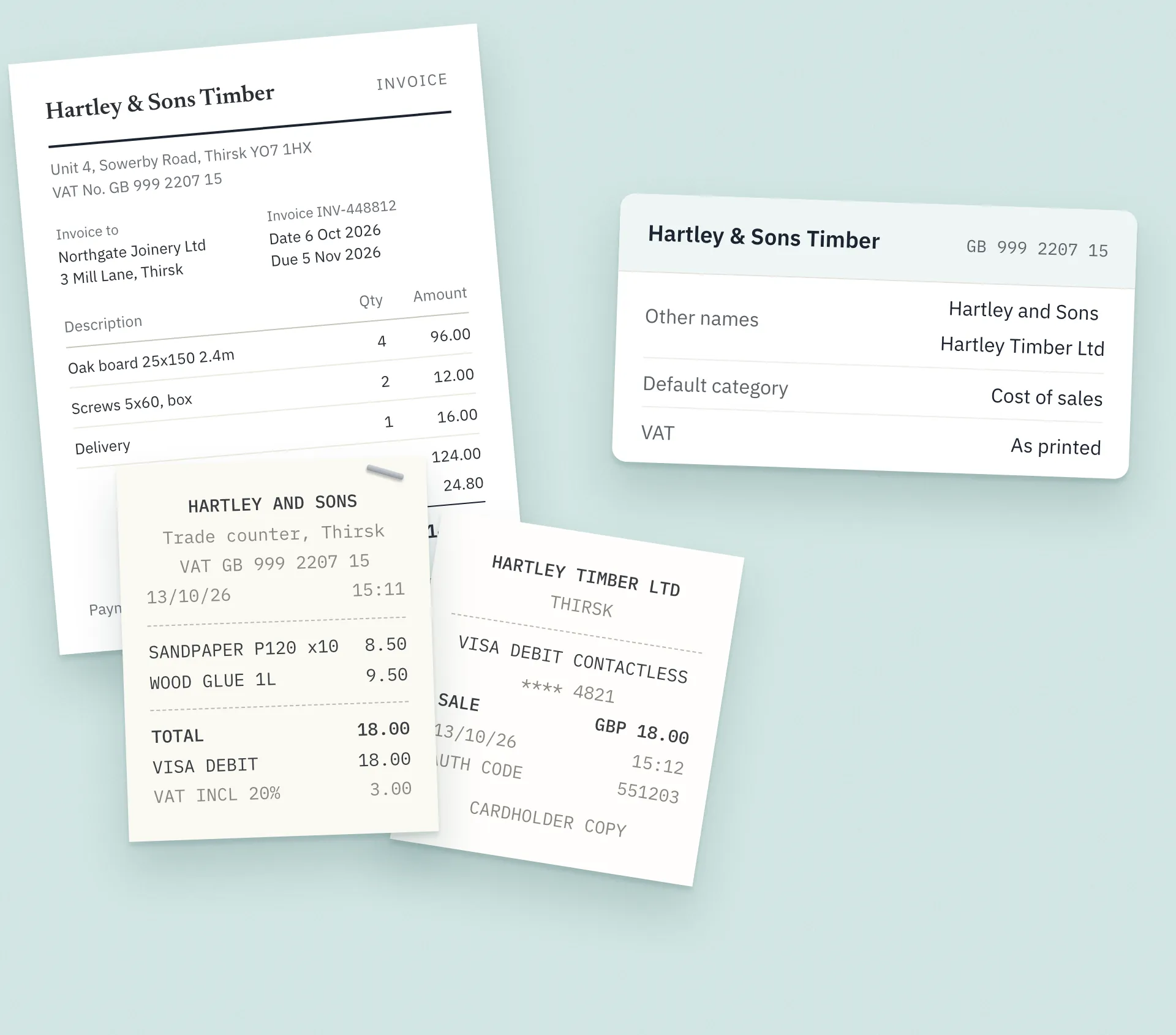
VAT numbers checked as they are read.
Every UK supplier VAT number is checked for valid check digits, a 9 digit number and the first 9 digits of a 12 digit one. A number that fails is usually a digit misread on a faded receipt, so it is flagged to compare with the original.
A number that is the client’s own means supplier and buyer were mixed up, and the document goes to review.
Questions about duplicates and suppliers.
How are duplicate receipts and invoices found?
The same client, the same total to the penny, a supplier name that matches once words like Ltd are set aside, and the same date or the same invoice number.
What if they really are two purchases?
Choose Not a duplicate. Both can then be approved, and the warning does not come back, even if they are read again.
Do copies count towards my plan?
The same file sent again is not counted. A different photo of the same receipt is read, so it counts, and it goes to review rather than reaching the books twice.
Can I bring in my suppliers from my accounting software?
Yes, from a CSV with name, VAT number, category and VAT treatment. Columns are matched by their headings where they can be, you match the rest, and you see every row before anything is saved.
Are VAT numbers looked up with HMRC?
Not online. Each number’s check digits are tested as it is read, which almost always catches a misread digit straight away.
Send the same receipt twice.
Try it in the trial: upload a receipt, then a second photo of it, and see the copy waiting for you.
Free for 14 days, up to 50 documents. No card needed.