
Sending receipts to your bookkeeper.
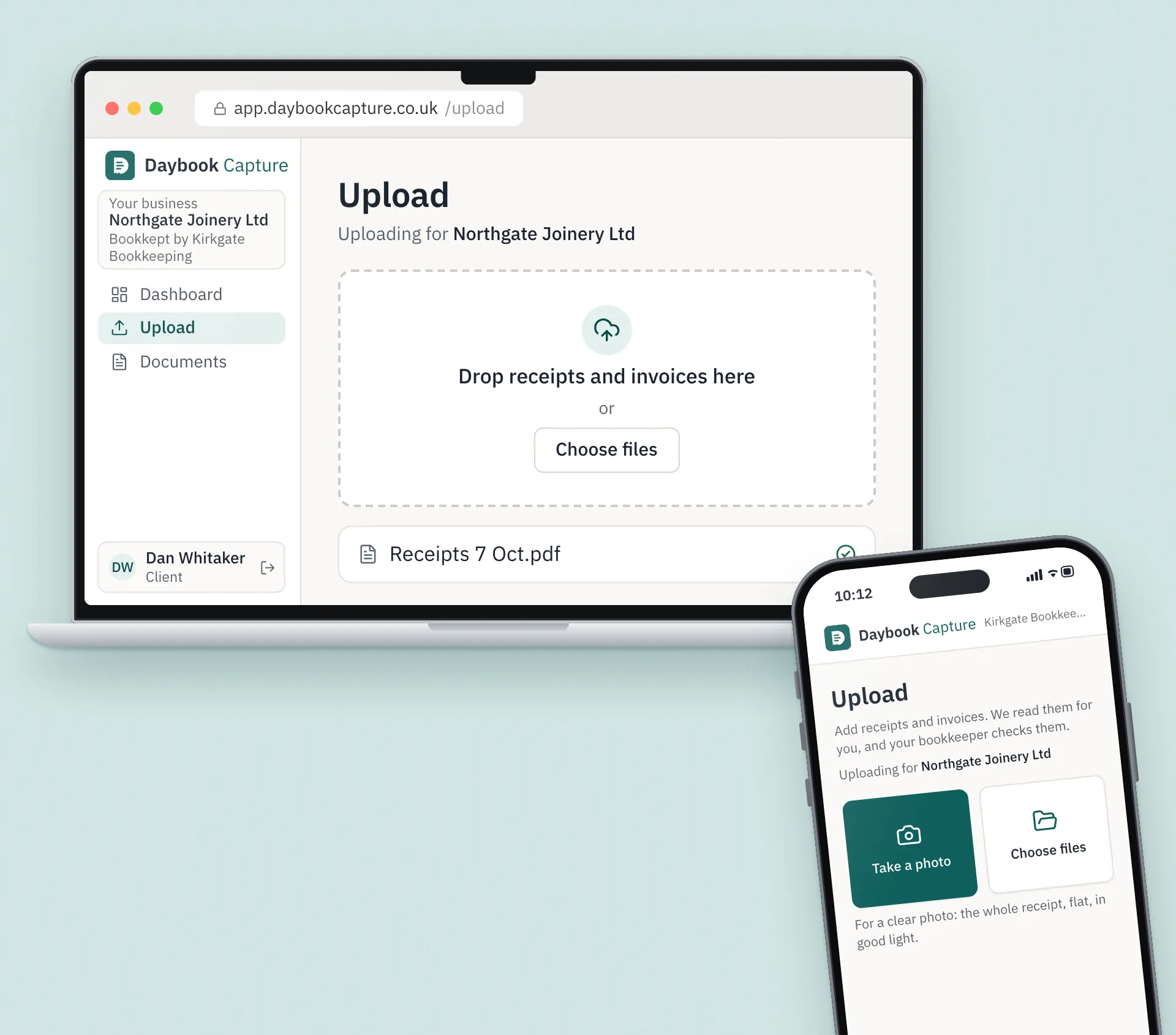
If your bookkeeper uses Daybook, photograph receipts on your phone, upload PDFs and Word files from your computer or email them to your own Daybook address. They go straight to your bookkeeper.
The free trial is for bookkeeping firms. If your bookkeeper uses Daybook, they invite you by email.
Nothing to install. Works in your web browser on a PC, Mac, tablet or phone.
A photo that reads well.
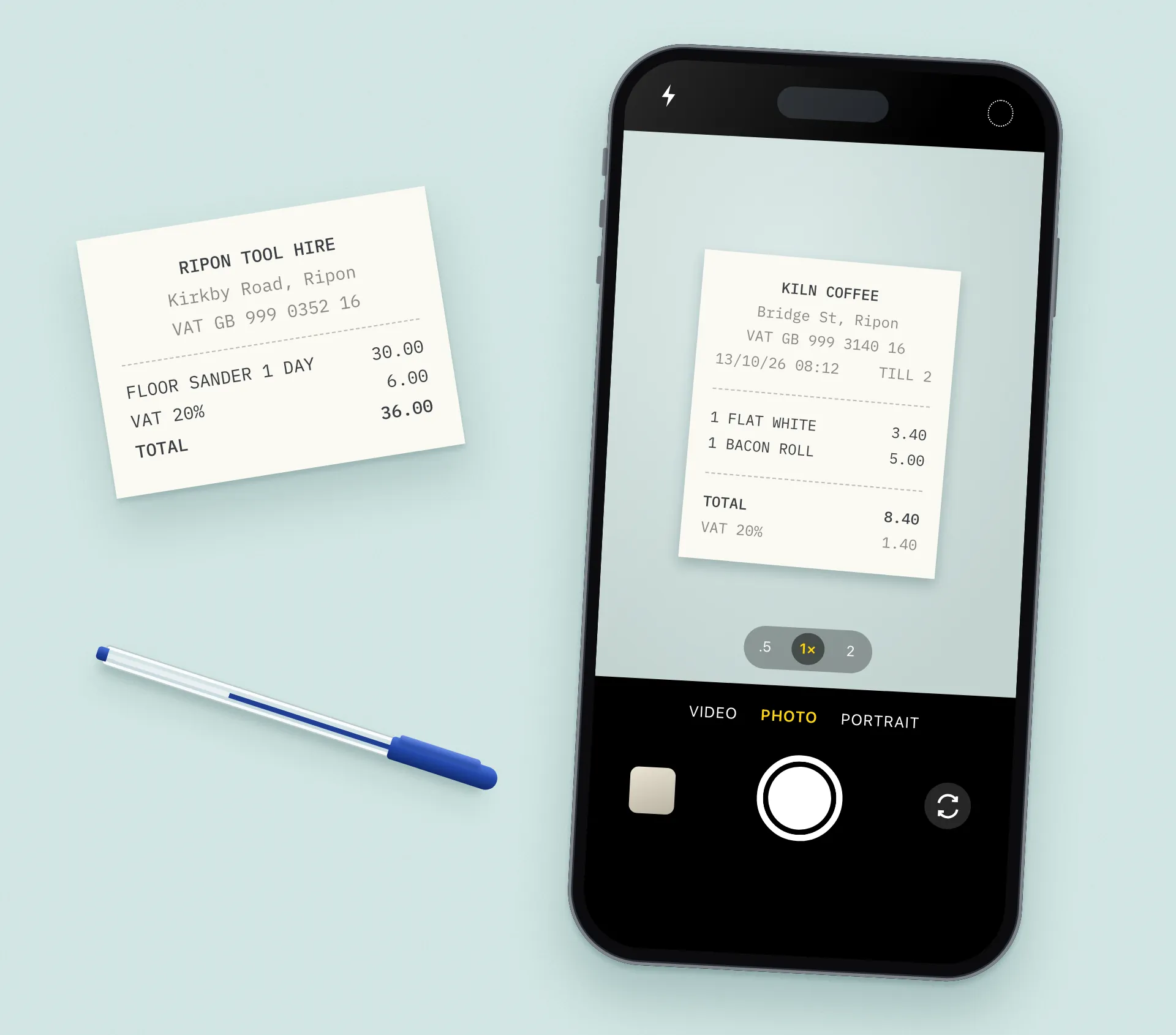
On your Daybook page, tap Take a photo. For the clearest reading, a few things help:
- The whole receipt, flat, in good light
- All four corners in the photo, no shadow over the numbers. One receipt per photo.
- Invoices sent as a PDF
- Choose the file itself rather than a screenshot or a photo of the screen.
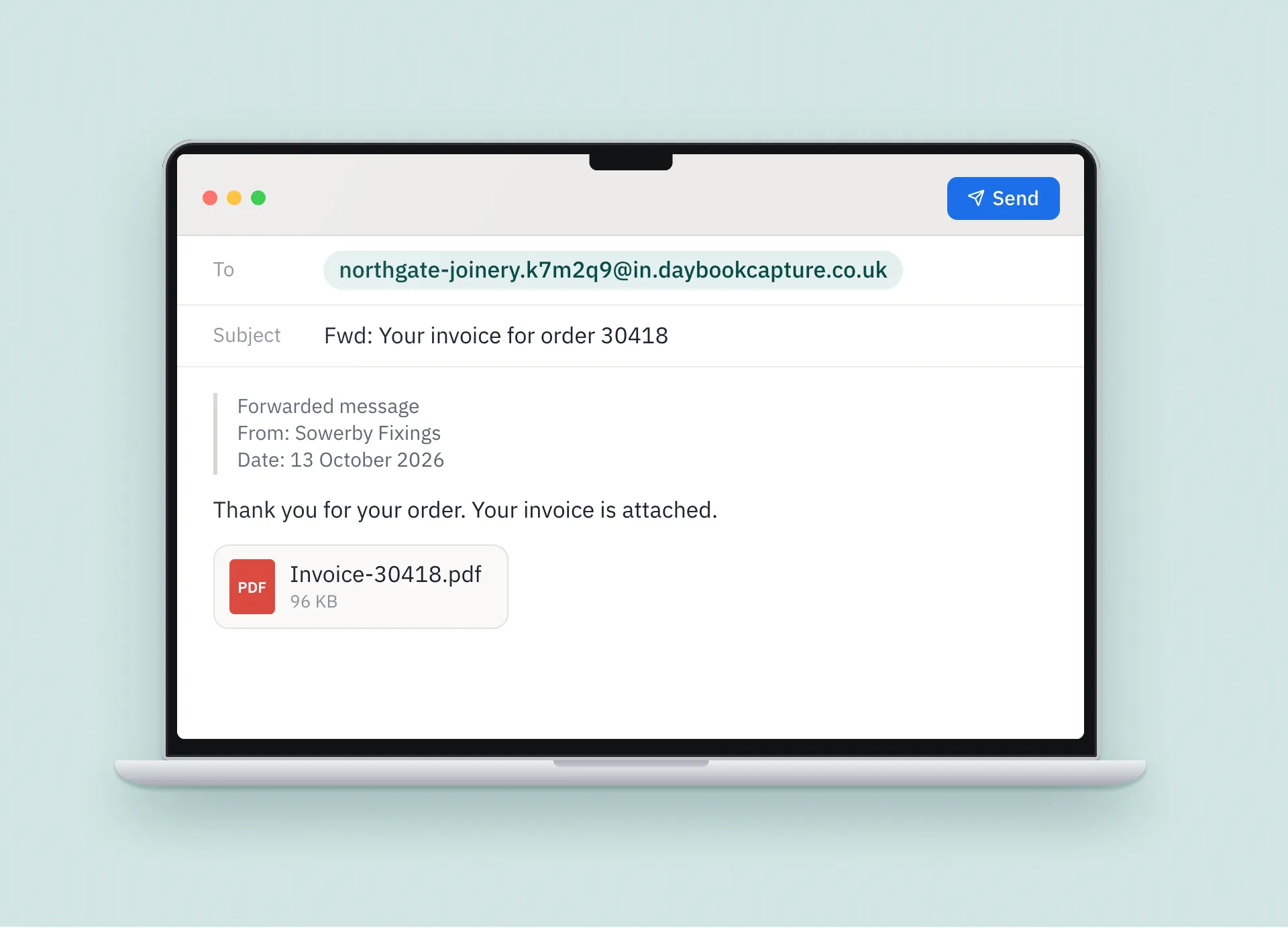
Or email it.
Your Daybook page shows an email address of your own. Forward receipts to it from any mailbox, several attachments at a time, and give it to suppliers to send their invoices to.
Emails from the address you sign in with show on your page. Others, such as suppliers’ invoices, go straight to your bookkeeper.
An email receipt with no attachment, such as a taxi ride, is read from the email.
What happens next.
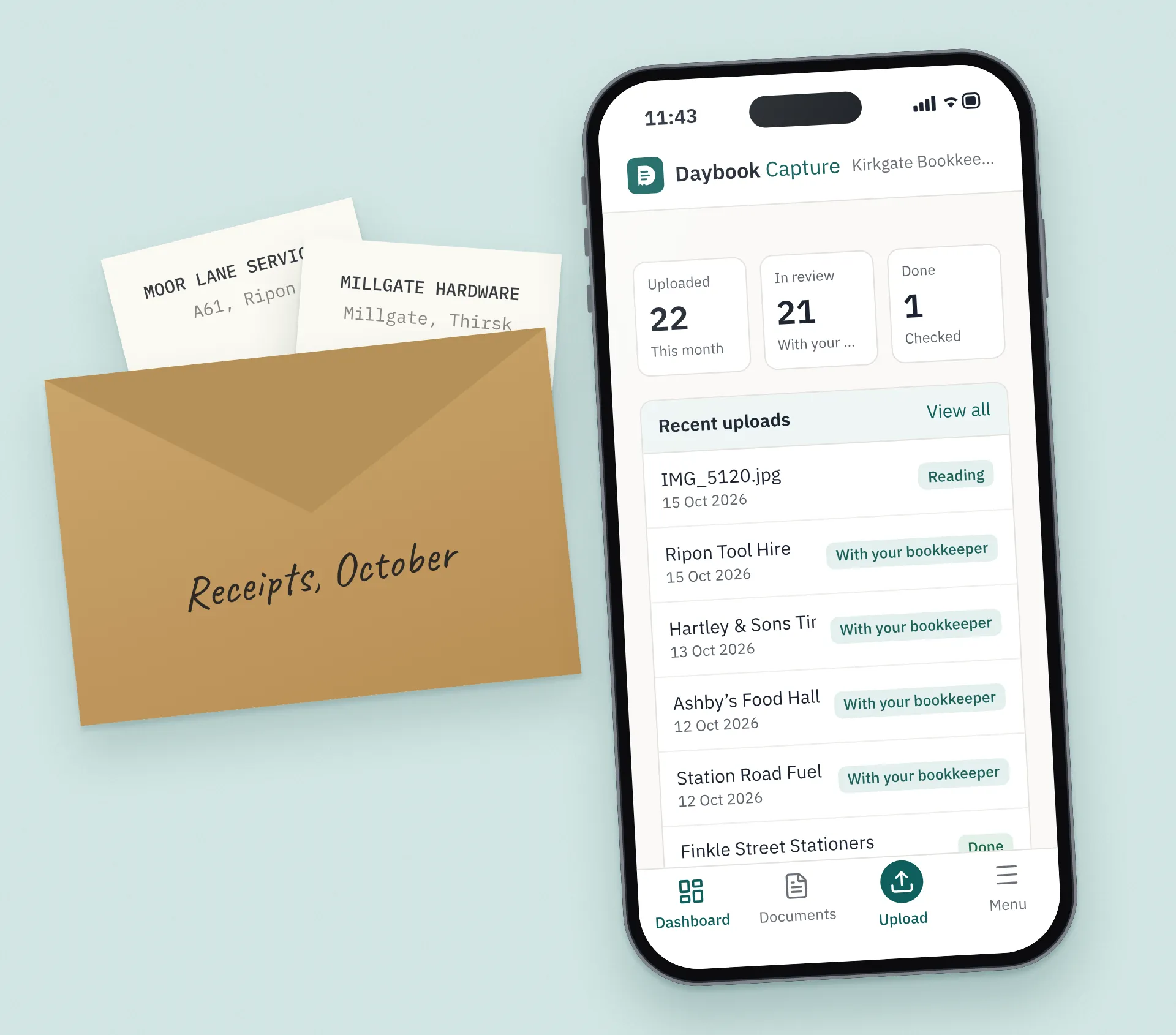
Each upload shows Reading, then With your bookkeeper, then Done once it is approved. If a photo is hard to read or cut off, it says so. Keep the paper until it shows Done, so a clearer photo can be sent.
You can delete something you sent by mistake until your bookkeeper approves or exports it, and you only ever see your own uploads.
Questions clients ask.
Do I need to install anything?
No. Daybook opens in your web browser, on your phone or your computer. Take photos of receipts on your phone, and upload PDF or Word invoices from your computer. To keep it to hand on your phone, add it to your home screen: on an iPhone, Share then Add to Home Screen; on Android, the browser menu then Add to Home screen.
Do I need a password?
No. Each time you sign in, Daybook emails you a 6 digit code to type in.
Who can see my receipts?
You, your bookkeeper’s admins and the bookkeepers they choose for your business. You see only what you sent yourself.
Can I send a receipt from WhatsApp?
Save the photo and upload it, or email it to your Daybook address. A photo taken on the upload page is sharper, as WhatsApp makes photos smaller.
Does it cost me anything?
No. Your bookkeeper’s firm pays for Daybook.
Bookkeepers can try it free.
Try Daybook free with your own clients’ receipts. Setting up takes a minute, with nothing but your email address.
Free for 14 days, up to 50 documents. No card needed.