
Emails to request receipts and documents from clients.
Six free email templates to copy and send, each with its subject line. Copy one with a click and fill in the parts in brackets; no sign-up needed.
Last updated
In short
- Say what to send, for which period, by when and where, and put the period and the date in the subject.
- After a VAT quarter, ask at once: the return and the payment are usually due one calendar month and 7 days after the quarter ends.
- Sole traders and landlords under Making Tax Digital for Income Tax send an update every 3 months, due 7 August, 7 November, 7 February and 7 May.
- For missing bank statements, name each account and each month, and ask for the PDF from online banking.
- Daybook can send monthly or quarterly reminders in your firm’s name, with the client’s own address to send to.
Daybook can send a monthly or quarterly request like these for you, in your firm’s name, with the client’s own address to send receipts to. Reminder emails sent for you
Contents
- What a request for documents should say
- Email subject lines for requesting documents
- A monthly email requesting receipts
- Requesting receipts after a VAT quarter
- For a quarterly update under Making Tax Digital
- Requesting missing bank statements
- Year end: requesting the year’s records
- An email reminder when nothing has come
- Reminder emails from Daybook
- Questions
- Sources
What a request for documents should say
One short email that answers four questions leaves the client nothing to ask about:
- What to send
- Receipts, purchase invoices, credit notes, sales invoices or bank statements, in the words the client uses.
- Which period
- A month, a VAT quarter or the year, with its dates, so nothing from the next period comes too early or is held back.
- By when
- A day and a date, early enough for you to do the work before the deadline behind it.
- Where
- One place to send them: an upload link, an email address, or both.
Say too what counts: the till receipt that lists what was bought, not only the card slip, and every page of an invoice. For clients who send photos on WhatsApp, the WhatsApp receipts guide has a request email that also asks for HD photos.
Email subject lines for requesting documents
Put the period and the date you need them by in the subject, so the email is easy to find again when the client sits down to do it:
- Receipts for October, by Tuesday 10 November
- Each month.
- Your VAT return for July to September: receipts by Friday 9 October
- After a VAT quarter.
- Your quarterly update to 5 October: records by Friday 23 October
- For a sole trader or landlord under Making Tax Digital for Income Tax.
- Bank statements for August and September, please
- For missing statements.
- Northgate Joinery Ltd: records for the year to 31 March 2026
- At the year end, with the business’s name for a client who has more than one.
- Re: Receipts for October, by Tuesday 10 November
- The reminder, as a reply in the same thread, so both emails are together.
A monthly email requesting receipts
Send it on the same day each month, a few days after the month ends, and fill in the parts in brackets.
Subject: Receipts for [October], by [Tuesday 10 November]
Hi [name], Could you send me your business receipts and purchase invoices for [October] by [Tuesday 10 November]? Please send: - every receipt and supplier invoice, on paper or by email, and any credit notes - the till receipt that lists what you bought, not only the card slip - every page of each invoice Where to send them: [your upload link or email address] If you bought nothing for the business in [October], a quick reply saying so is enough. Thank you, [your name]
Daybook can send this for you each month, in your firm’s name, with the client’s own address to send receipts to. Reminder emails
Requesting receipts after a VAT quarter
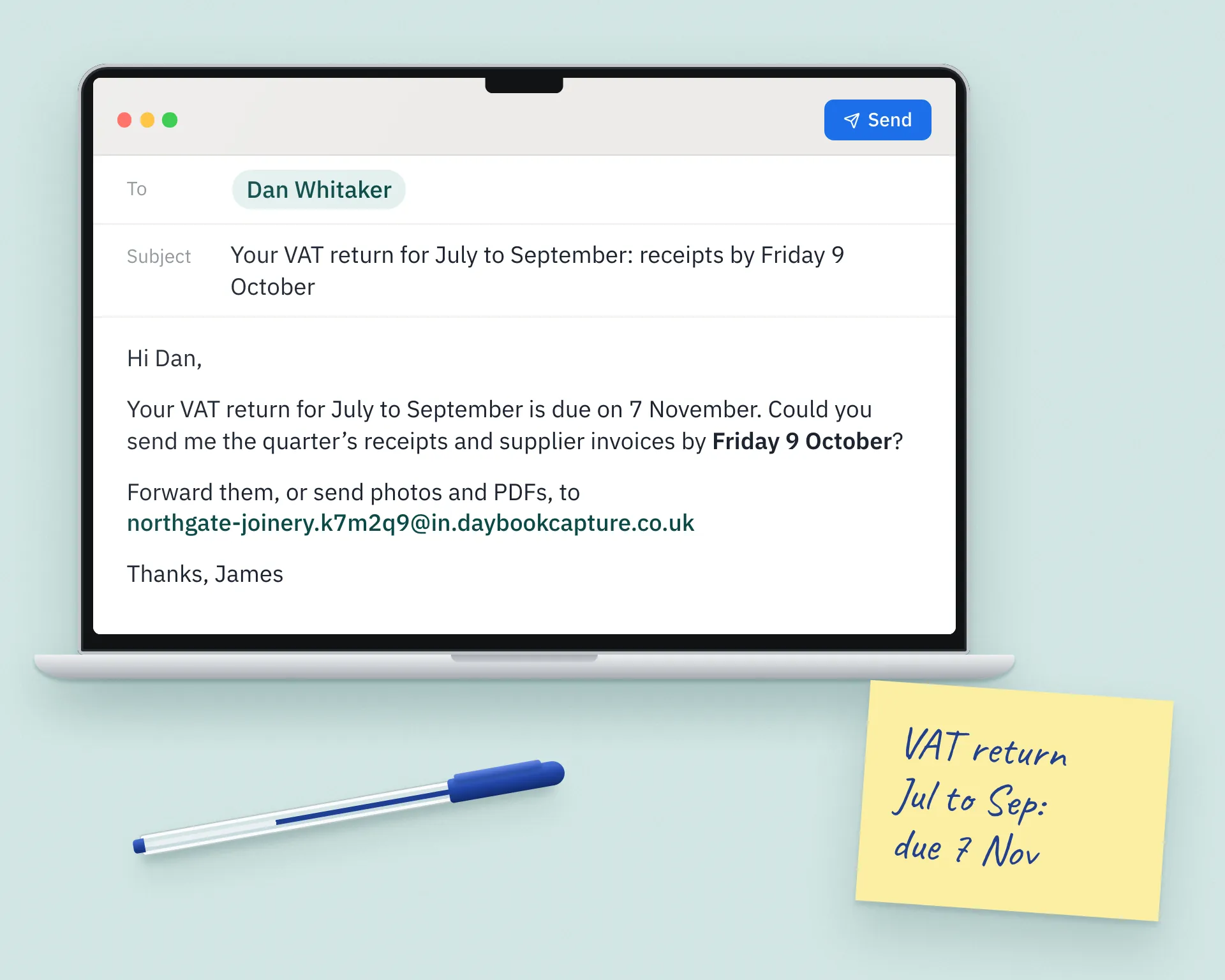
The deadline for a VAT return is usually one calendar month and 7 days after the end of the period, and it is also the deadline for paying HMRC.1 For a quarter ending 30 September, that is 7 November. Ask for the quarter’s documents as soon as it ends, with a date that leaves you time to prepare the return.
Subject: Your VAT return for [July to September]: receipts by [Friday 9 October]
Hi [name], Your VAT return for [July to September] is due on [7 November], and the VAT has to reach HMRC by then too. So that I can prepare it in good time, could you send me everything for the quarter by [Friday 9 October]? - receipts and supplier invoices for [July, August and September], and any credit notes - your sales invoices, if they are not in [your software] already - bank statements for [September], every page Where to send them: [your upload link or email address] If something is missing, send what you have and tell me what is still to come. Thank you, [your name]
Daybook can send this for you after each VAT quarter, on a schedule for the client’s stagger. Reminder emails
For a quarterly update under Making Tax Digital
Sole traders and landlords with qualifying income over £50,000 in the 2024 to 2025 tax year use Making Tax Digital for Income Tax from 6 April 2026. Those over £30,000 in 2025 to 2026 join from 6 April 2027, and over £20,000 in 2026 to 2027 from 6 April 2028.2
They send a quarterly update every 3 months for each self-employment and property business: the standard periods end on 5 July, 5 October, 5 January and 5 April, and the updates are due by 7 August, 7 November, 7 February and 7 May. Calendar periods, ending 30 June, 30 September, 31 December and 31 March, have the same deadlines. An update is still sent when there was no income and no cost in the period.3
The updates are totals: HMRC does not receive the receipts or invoices themselves.3 The records behind them still have to be in the software, so the request goes out every quarter instead of once a year.
Subject: Your quarterly update to [5 October]: records by [Friday 23 October]
Hi [name], Your income and expenses now go to HMRC every three months, under Making Tax Digital for Income Tax. The update to [5 October] is due on [7 November]. Could you send me your receipts, purchase invoices and sales invoices from [6 July] to [5 October] by [Friday 23 October]? If you had no income and no costs in that time, please tell me: HMRC still needs an update. Where to send them: [your upload link or email address] Thank you, [your name]
For calendar periods, Daybook’s quarterly reminder after quarters ending March, June, September and December asks for the same three months. Reminder emails
HMRC applies no penalty points for late quarterly updates in the 2026 to 2027 tax year.3
Requesting missing bank statements
Bank statements are among the proof a sole trader keeps,4 and a company keeps them with its other records.5 Name each account and each month that is missing, so the client does not send the ones you already have.
Subject: Bank statements for [August and September], please
Hi [name], Could you send me the bank statements I do not have yet? - [Business current account ending 4417]: [August and September 2026] - [Credit card ending 9031]: [September 2026] The PDF downloaded from online banking is best, with every page. A clear photo of each page also works. Thank you, [your name]
In Daybook, the client’s Bank statements section shows which months each account is missing and copies a request like this one (bank statements in Daybook).
Year end: requesting the year’s records
A company files its annual accounts with Companies House 9 months after its financial year ends, and its Company Tax Return within 12 months of the end of its accounting period.7 A sole trader’s online Self Assessment return for the tax year to 5 April 2026 is due by 31 January 2027.6
The list below follows what GOV.UK says a company’s accounting records include: money in and out, assets, debts owed and owing, and stock at the end of the year.5
Subject: [Northgate Joinery Ltd]: records for the year to [31 March 2026]
Hi [name], Your company’s year ended on [31 March 2026], and I would like to start the accounts. Could you send me these by [date]? - bank statements for every business account, credit card and loan, [1 April 2025] to [31 March 2026] - any receipts and purchase invoices you have not sent yet - the sales invoices you issued, if they are not in [your software] - a list of customers who still owed you money on [31 March 2026], and of bills you still had to pay - the value of stock and work in progress on [31 March 2026], and how you counted it - invoices for anything bought to keep, such as equipment, tools or a vehicle - loan, lease and hire purchase statements If something does not apply, just say so. Thank you, [your name]
For a sole trader using traditional accounting, GOV.UK’s list also has the year end bank balances, money put into the business and money taken out for their own use.4
An email reminder when nothing has come
Send it as a reply to the first email, a few days before your date. Keep it shorter than the first, and make it easy to send part of it now.
Subject: Re: Receipts for [October], by [Tuesday 10 November]
Hi [name], Just checking you saw my email of [3 November] about your receipts for [October]. I need them by [Tuesday 10 November] to [have your VAT return ready in time]. A photo of each receipt is fine, and you can send what you have now and the rest later. If there was nothing for [October], a quick reply saying so is enough. Thank you, [your name]
In Daybook, the clients list shows who has sent nothing for 30 days, and from there you can remind every client on the page at once, in your firm’s name. Reminder emails
The records themselves are kept for years after: VAT records for at least 6 years,8 and a sole trader’s for at least 5 years after the 31 January deadline of the tax year they belong to.9
Reminder emails from Daybook
Daybook can send the monthly or quarterly request for you, in your firm’s name. It is off until you turn it on, in Firm settings, Client reminders:
- When
- Monthly for the month before, or quarterly after VAT quarters ending March, June, September and December (or January, April, July and October, or February, May, August and November), on the day of the month you choose, at 9am. Each client follows the firm’s schedule, has its own, or none.
- Who gets it
- The client’s people who sign in to Daybook, and the contact email in the client’s details, each address once.
- What it says
- The period, the client’s own Daybook address to forward emails or send photos and PDFs to, and the upload page for those who sign in. You can add a line of your own, such as the date you need them by.
- Replies
- It comes in your firm’s name via Daybook Capture, and replies go to the address you choose.
- Stopping
- Each email has a link that stops reminders for that address and that client.
- By hand
- From the client’s Reminders section, for last month, this month so far, the last VAT quarter or no period; from the clients list, every client on the page that has sent nothing for 30 days, at once.
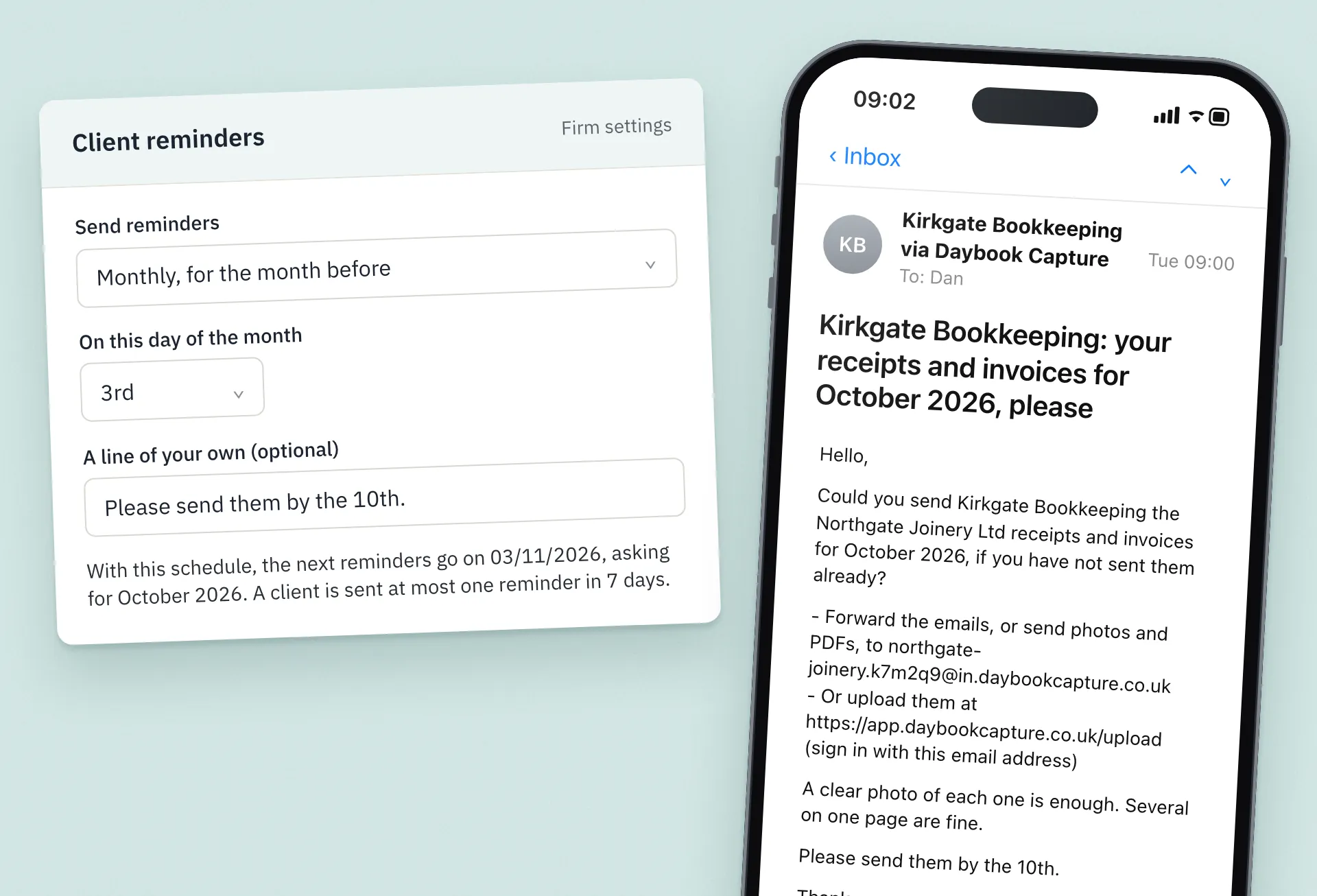
A client is sent at most one reminder in 7 days, and a period already asked for by hand is not asked for again on the schedule. The quarterly schedule ending March, June, September and December asks for the same months as the calendar periods of Making Tax Digital for Income Tax. The reminder asks for receipts and invoices; for bank statements, copy the request from the client’s Bank statements section.
What clients send to their Daybook address or upload is read as it arrives, with anything that cannot be read left empty and marked, never guessed (how clients send receipts).
Doing this for clients every month? Try Daybook on one client’s month: free for 14 days, no card needed.
Questions
How do I ask a client for documents politely?
In one short email that says what to send, for which period, by when and where, and thanks them. The emails above do that, with a reminder that lets them send part of it now and the rest later.
What should the subject line say when requesting documents?
The period and the date you need them by, such as “Receipts for October, by Tuesday 10 November”. Send the reminder as a reply, so it keeps the same subject.
When should I ask clients for receipts before a VAT return?
As soon as the quarter ends. The return and the payment are usually due one calendar month and 7 days after the end of the period,1 so ask for the documents by a date that leaves you time to prepare it.
Can Daybook send the reminders for me?
Yes, once you turn them on: monthly, or after each VAT quarter, in your firm’s name, with the client’s own Daybook address to send to. Replies come to you, and each email has a link to stop them.
What if a client has nothing to send?
Ask them to reply saying so, so you know the month is complete. Under Making Tax Digital for Income Tax, an update is still sent for a period with no income and no costs.3
Read next
- VAT stagger groupsThe months each stagger’s VAT quarters end, the return deadlines, and changing a stagger.
- Year end records checklistTwo checklists to send clients, a limited company and a sole trader, from GOV.UK’s lists.
- Receipts from clients on WhatsAppSharp photos, saved out of the chat, and a receipt request email to copy.
- Reminder emails sent for youThe same job in Daybook Capture, for every client.
Sources
Every fact on this page was checked against these on 18 October 2026.
- Sending a VAT Return: when to do a VAT Return (opens in a new tab), GOV.UK.
- Find out if and when you need to use Making Tax Digital for Income Tax (opens in a new tab), HMRC, updated 26 March 2026.
- Use Making Tax Digital for Income Tax: send quarterly updates (opens in a new tab), HMRC, updated 16 October 2026.
- Business records if you’re self-employed: what records to keep (opens in a new tab), GOV.UK.
- Running a limited company: company and accounting records (opens in a new tab), GOV.UK.
- Self Assessment tax returns: deadlines (opens in a new tab), GOV.UK.
- Accounts and tax returns for private limited companies (opens in a new tab), GOV.UK.
- Record keeping (VAT Notice 700/21), paragraph 2.4: keeping records (opens in a new tab), HMRC, updated 18 March 2024.
- Business records if you’re self-employed: how long to keep your records (opens in a new tab), GOV.UK.