
Faded till receipts, kept before they go.
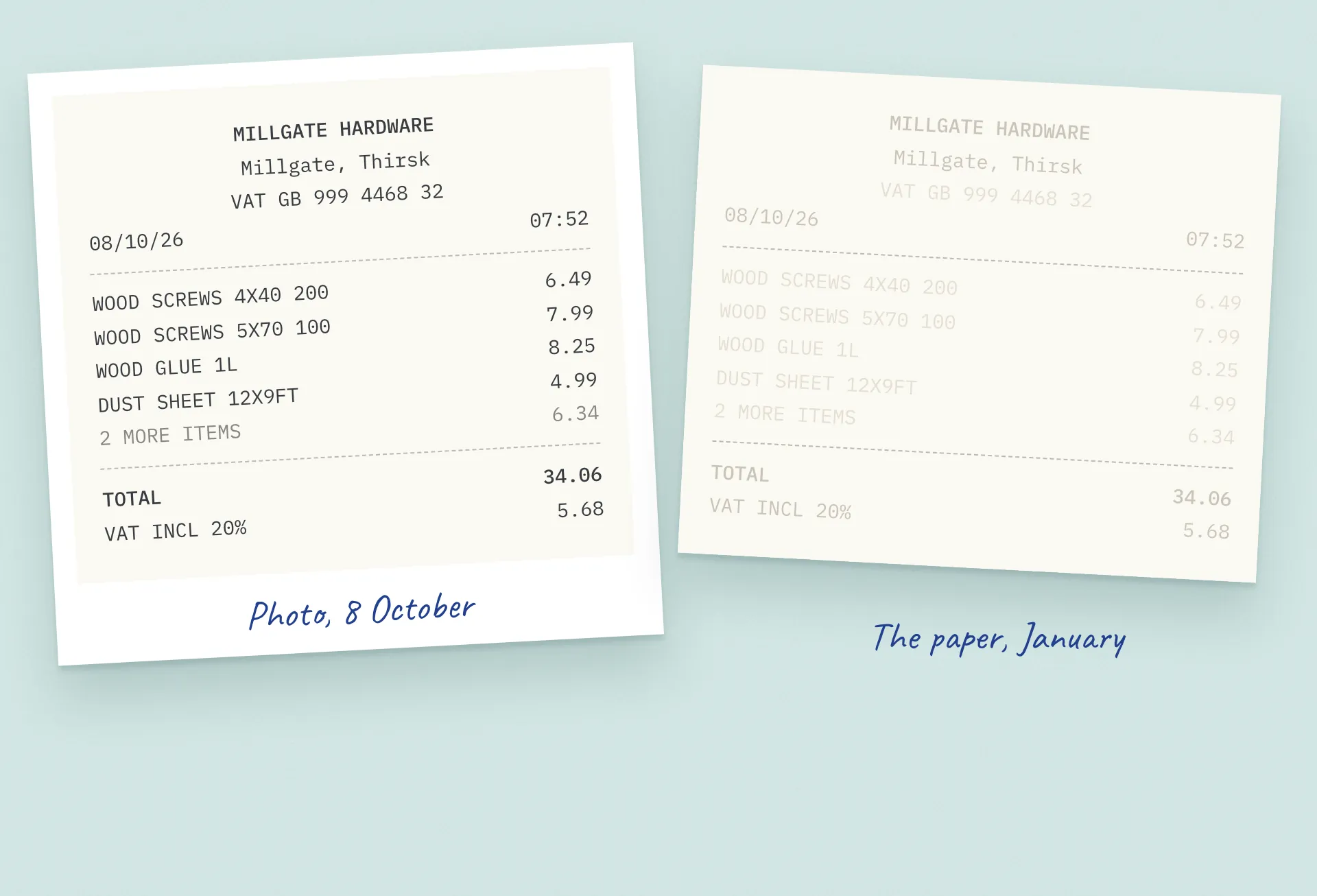
Till receipts fade long before the years they must be kept for are up. Here is why to photograph them the day they arrive, how to photograph a faint one, and what to do when a receipt has already faded.
Last updated
In short
- Till receipts fade, but VAT records are kept at least 6 years.
- A photo with all the detail required for VAT can stand in for the paper: take it the day the receipt arrives.
- Photograph a faint receipt flat, in daylight, close up; a scanner’s filter can help.
- Already faded? Ask the supplier for a copy or a VAT invoice.
Clients photograph receipts on Daybook’s upload page the day they get them, and a field too faint to read is left empty and marked, never guessed. What Daybook reads from a receipt
Contents
Why till receipts fade before you are done with them
Most till receipts are printed by heat, not ink, and the print fades with time, warmth and light. The records they back up are kept for years: VAT records for at least 6 years,1 and a sole trader’s for at least 5 years after the 31 January deadline of the tax year.2
HMRC accepts a kept image in place of the paper when it contains all the detail required for VAT.3 A photo taken the day the receipt arrives is the copy that lasts.
Photographing a faint receipt
- Lay it flat on a dark surface in even daylight, with no flash glare.
- Hold the phone straight above it, close enough for the small print to fill the frame.
- Check the VAT number, the date and the VAT line on the screen before you keep the photo.
A phone’s scanner can help a faint receipt: Notes on an iPhone has Filters before it captures,4 and Google Drive on Android has Filter to adjust the colours or make the image greyscale.5 Compare the result with the paper; a filter can also lose faint marks.
When a receipt has already faded
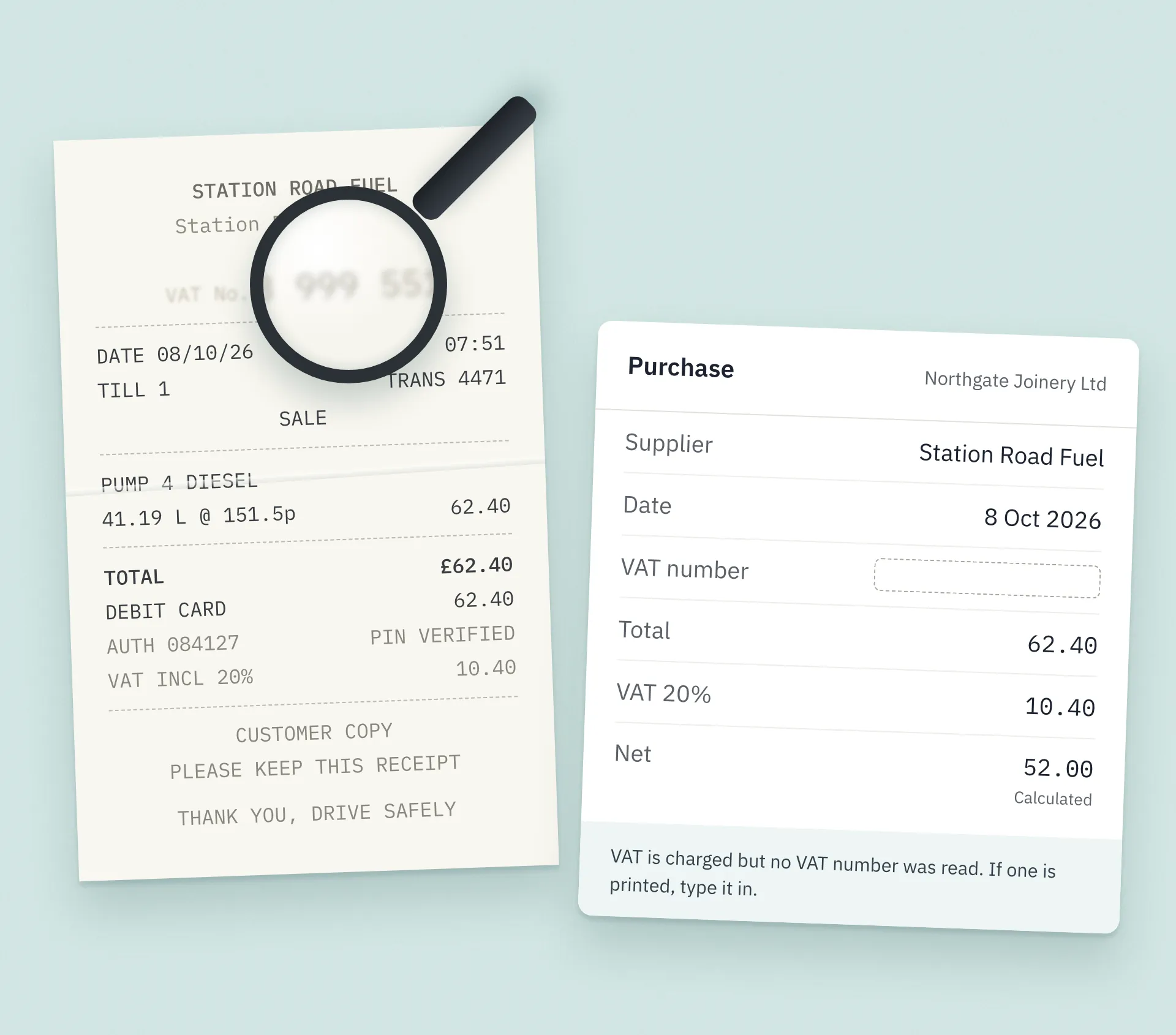
Photograph what is left, whatever can still be read. For the VAT, HMRC’s first step without a valid VAT invoice is to go back to the supplier and ask for one; only if that fails can other evidence show the VAT was charged by a registered business.6
A shop may be able to reprint a receipt from the date and the card used, and a supplier can send an invoice again by email. The card or bank statement shows the payment, but not the VAT.
Keeping the paper while it lasts
Keep paper receipts flat, in the dark, away from heat: not on a dashboard or a sunny windowsill. And photograph them anyway: the photo is what will still be readable at the end of the six years.
Faded receipts in Daybook
Clients photograph receipts on Daybook’s upload page the day they get them, so the copy kept is the sharp one. Each is read as it arrives; a photo that is hard to read is marked, and a field that cannot be read, such as a faded VAT number, is left empty and marked, never guessed, with a note to type it in if it is printed (how Daybook reads receipts).
Doing this for clients every month? Try Daybook on one client’s month: free for 14 days, no card needed.
Questions
How do I scan a faded receipt?
Can I restore a faded receipt?
Not reliably. Photograph what is left, and ask the supplier for a copy or a VAT invoice instead.6
Do I have to keep the paper receipt?
HMRC accepts a kept image when it contains all the detail required for VAT, unless the original is needed for another purpose.3
Read next
- Photographing a long receiptIn overlapping parts from the top down, as pages of one PDF, read as one receipt.
- Handwritten receipts and VATWhen a receipt written by hand is a VAT receipt, one with no VAT number, and cash payments.
- Receipts for an HMRC compliance checkHMRC’s upload form, 15MB a file and 10 at a time, and a period’s receipts as one PDF.
- What Daybook reads from a receiptThe same job in Daybook Capture, for every client.
Sources
Every fact on this page was checked against these on 27 October 2026.
- Record keeping (VAT Notice 700/21), paragraph 2.4: keeping records (opens in a new tab), HMRC, updated 18 March 2024.
- Business records if you’re self-employed: how long to keep your records (opens in a new tab), GOV.UK.
- Record keeping (VAT Notice 700/21), section 6: keeping digital and original records (opens in a new tab), HMRC, updated 18 March 2024.
- Scan text and documents in Notes using the iPhone camera (opens in a new tab), Apple, iPhone User Guide.
- Scan documents with Google Drive, Android phone and tablet (opens in a new tab), Google Drive Help.
- VAT Notice 700, paragraph 19.5.3: if you do not hold a VAT invoice (opens in a new tab), HMRC, updated 25 June 2026.