
Several receipts in one scan.
Scanning multiple receipts on one page gets through a client’s pile in fewer scans. The receipts have to be laid out so each one can be read, the scan has to show what HMRC expects, and each receipt still becomes a purchase of its own.
Last updated
In short
- Several receipts can share one scan or photo, with a clear gap around each and none overlapping.
- Each receipt must be whole, from the shop’s name and VAT number to the total and the VAT rate.
- Notes on an iPhone and Google Drive on Android crop to the edges they detect: check the crop takes in every receipt before you keep it.
- A scan can stand in for the paper when it is kept and shows all the detail required for VAT for each receipt on it.
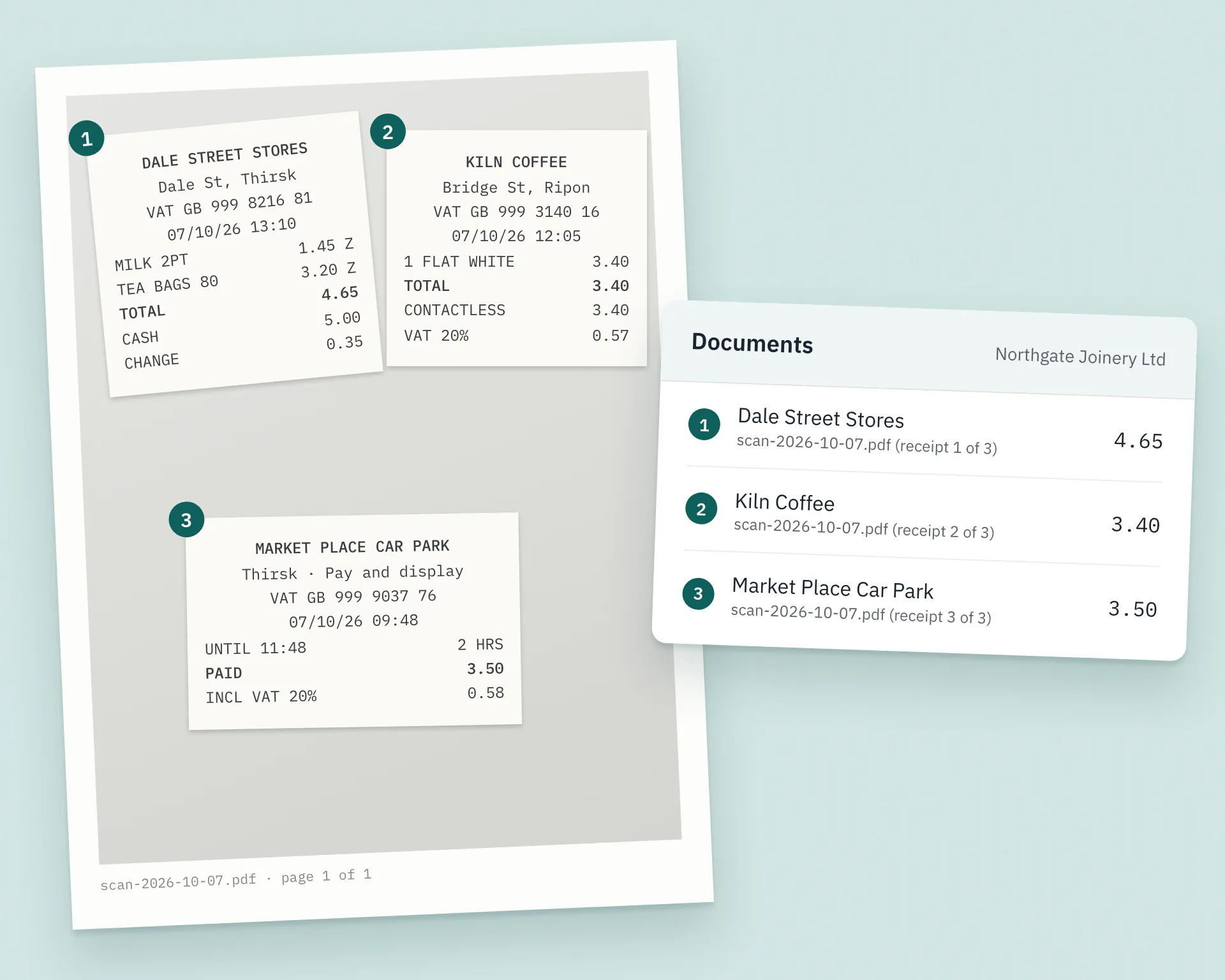
- Each receipt is a purchase of its own. Daybook splits a scan into one purchase for each receipt, up to 20 in a file.
Daybook splits a scan of several receipts into one purchase for each and reads each one on its own. What Daybook reads from a receipt
Contents
Laying out receipts for one scan
To scan multiple receipts at once, lay them on the scanner glass or a plain surface so that each one can be read on its own:
- A gap around each one
- Receipts that touch or overlap can hide each other’s figures. Leave a clear gap so each one is whole and clearly apart from the next.
- Each one whole
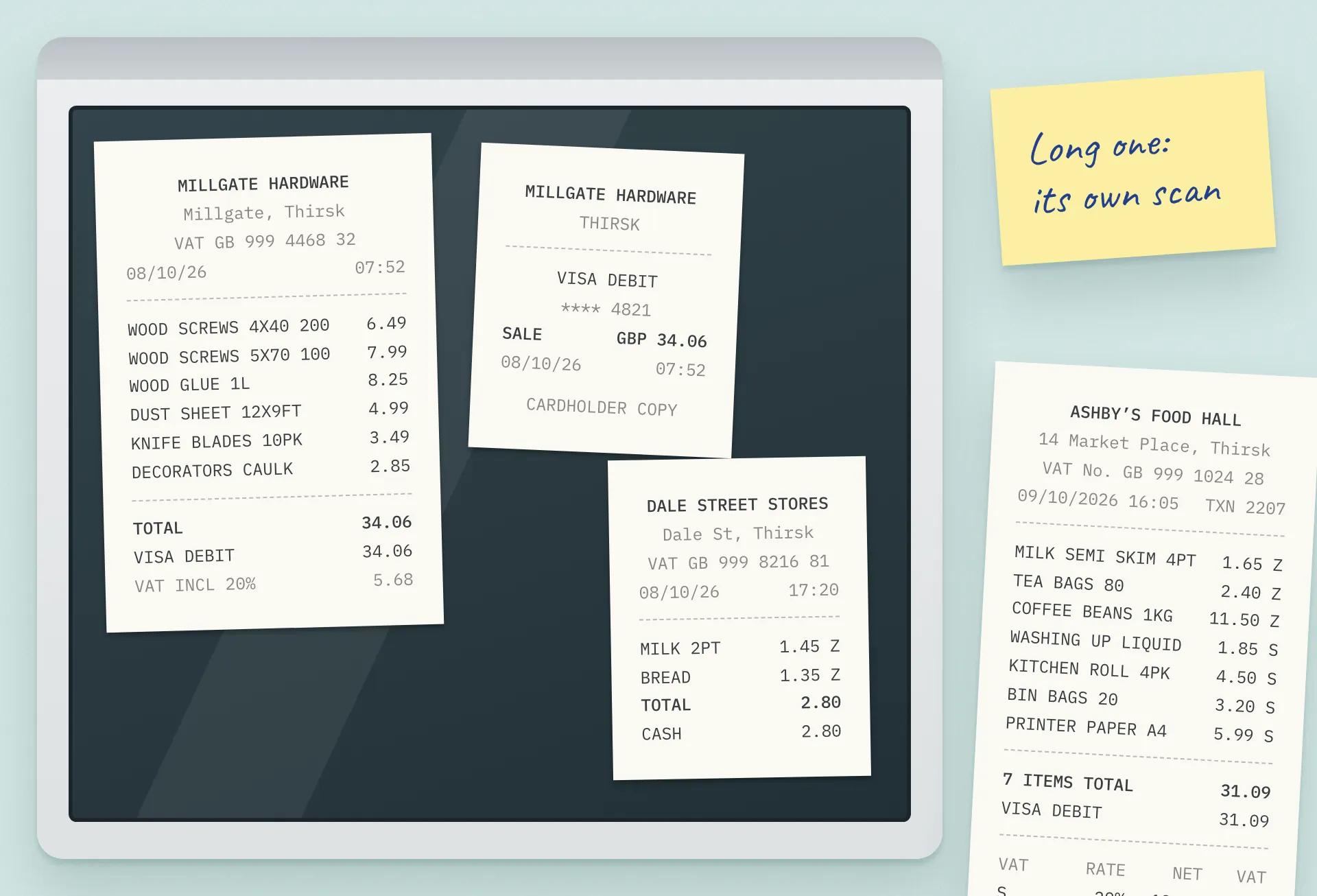
- Everything a VAT receipt has to show must be in the scan: the shop’s name, address and VAT number, the date, what was bought, and the total with the VAT rate.1 A long receipt can take a scan of its own.
- Flat, with nothing behind
- Smooth out creases and keep other papers out of the picture, so nothing is half in the frame.
- Card slips beside their receipt
- A card machine slip lying next to its till receipt belongs with it. Daybook reads it with its receipt, not as a purchase of its own.
- Up to 20 in a file
- Daybook splits a file of up to 20 receipts. Scan a bigger pile in batches.
Scanning receipts with a phone
On an iPhone, the Notes app scans documents: in a note, tap the attachments button, then Scan Documents. It captures automatically when it detects the page’s edges; with manual capture you can adjust the corners. The scan is saved as a PDF.2
On Android, the Google Drive app scans from its camera button. A blue line outlines the document to show where the picture will be cropped, the scan area can be changed with Crop and rotate, and it is saved as a PDF or a JPG.3
Both outline the page they detect. With several receipts on the table, check the outline takes in every receipt before you keep the scan, and drag the corners out if it does not. An ordinary photo taken from straight above, in good light, works as well, and so does a PDF of several pages: Daybook finds the receipts page by page.
Is one scan of several receipts enough for HMRC?
HMRC’s record keeping notice gives the example of software that scans the invoices a business receives: if the image is kept and contains all the detail required for VAT, the original does not need to be kept, unless it is needed for another purpose.4
For a simplified VAT invoice, which a business can give for a supply of £250 or less, that detail is the supplier’s name, address and VAT registration number, the time of supply, a description of what was bought, and for each VAT rate the total including VAT and the rate.1
A scan of several receipts has to show that for each receipt on it. Keep the scan as it is: it is the record of every receipt on the page. The same applies to photos (receipts from clients on WhatsApp).
One purchase for each receipt
However many receipts share a scan, each is a purchase of its own, with its own supplier, date and VAT. In Daybook, a scan of several receipts is split into one purchase for each, and each is read on its own.
Before a file is split, a second reading confirms how many receipts it holds. Each purchase then says where it sits, such as “Receipt 2 of 4 in this file, at the top right”, with links to the others, and keeps the whole scan as its original.
In the documents list, and in a CSV or Excel export with the File name column, the file name says which receipt it is, such as “scan.pdf (receipt 2 of 4)”. Deleting one receipt asks whether to delete the others from the same file too.
Doing this for clients every month? Try Daybook on one client’s month: free for 14 days, no card needed.
Questions
What is the best way to scan multiple receipts?
Lay them out flat with a gap around each one, each receipt whole and nothing else in the picture, then scan or photograph them together. Software that splits the scan, such as Daybook, turns it into one purchase for each receipt.
Does a scan of four receipts count as one document?
In Daybook it counts as four, one for each receipt, as each becomes a purchase of its own (what counts as a document).
How many receipts can go in one scan?
Daybook splits a file of up to 20 receipts. A file with more is not split, so scan a large pile in batches.
Do I need to keep the paper receipts after scanning them?
In HMRC’s record keeping notice, a business whose software scans its invoices need not keep the originals when the image is kept and contains all the detail required for VAT, unless they are needed for another purpose.4 Check each receipt on the scan can be read before the paper goes.
Read next
- Photographing a long receiptIn overlapping parts from the top down, as pages of one PDF, read as one receipt.
- Faded till receiptsPhotographing them the day they arrive, a faint receipt, and one that has already faded.
- Receipts for an HMRC compliance checkHMRC’s upload form, 15MB a file and 10 at a time, and a period’s receipts as one PDF.
- What Daybook reads from a receiptThe same job in Daybook Capture, for every client.
Sources
Every fact on this page was checked against these on 15 October 2026.
- VAT Notice 700, paragraph 16.6.1: simplified VAT invoices (opens in a new tab), HMRC, updated 25 June 2026.
- Scan text and documents in Notes using the iPhone camera (opens in a new tab), Apple, iPhone User Guide.
- Scan documents with Google Drive, Android phone and tablet (opens in a new tab), Google Drive Help.
- Record keeping (VAT Notice 700/21), section 6: keeping digital and original records (opens in a new tab), HMRC, updated 18 March 2024.