
Downloading bank transactions as CSV from UK banks.
Most banks let a customer download transactions as a file, but where, in which formats and how far back differ from bank to bank. Here is what HSBC, Lloyds, NatWest, Santander, Nationwide, Tide, Monzo, Starling and Barclays’ own help pages say, and what to ask clients for.
Last updated
In short
- Most banks export transactions as CSV or Excel from web banking; Monzo, Starling and Tide from the app too.
- Downloads reach back from 12 months to 7 years, depending on the bank; PDF statements cover what a download does not.
- Ask for the file for the exact period, for every account, and the PDF where no file can be downloaded.
Daybook’s statements upload takes the bank’s own CSV or Excel file as it is, checks the balances it prints, and does not count it against the plan. How Daybook reads bank statements
Contents
Downloading transactions, bank by bank
What each bank’s own help says about getting transactions out as a file. Business and personal online banking often differ, and a bank’s app usually offers less than its website.
- HSBC UK
- Personal: the transactions list, Search and filter, then Download, as Excel or CSV.1 Business Internet Banking downloads in Quicken, QuickBooks, Microsoft Money and spreadsheet formats.2
- Lloyds Bank
- Online for Business: Statement options, then Export transactions, as CSV or QIF.3 For personal accounts the help describes PDF statements, not a CSV export.4
- NatWest
- Personal: Statements & transactions, View transactions, then export to Excel.5 Business Online Banking: View transactions, search, then Download, as PDF, OFX or CSV.6
- Santander
- Download transactions as Excel, Quicken, PDF or Microsoft Money: up to 600 transactions at a time on a personal account,7 3,000 on Business Banking.8
- Nationwide
- Transactions can be viewed for 15 months and PDF statements for 36 months; the help does not list the download formats.9
- Tide
- Filter the transactions, then Export and choose a CSV type, in the app or on the web.10
- Monzo
- Bank statements in the app, as PDF, CSV or QIF;11 Monzo Business also has Export statement on the web.12
- Starling
- Statements are PDF; a CSV is a transaction summary from Statement history, Go to feed exports, for any dates in the last 12 months.13
- Barclays
- Barclays’ own help describes PDF statements, viewable for up to 7 years while the account is open, but not a transactions export.14
How far back a download goes
It depends on the bank. Starling’s CSV covers the last 12 months,13 Lloyds Online for Business searches up to 12 months in its new layout,3 and Nationwide shows 15 months of transactions.9 NatWest and Santander let you search transactions from the last 7 years.57 Where a download stops short, PDF statements go back up to 7 years at Barclays14 and 6 at HSBC.1
For year end and catch-up work on older months, the PDF statement is often the only file left (PDF and paper bank statements into your software).
What to ask clients for
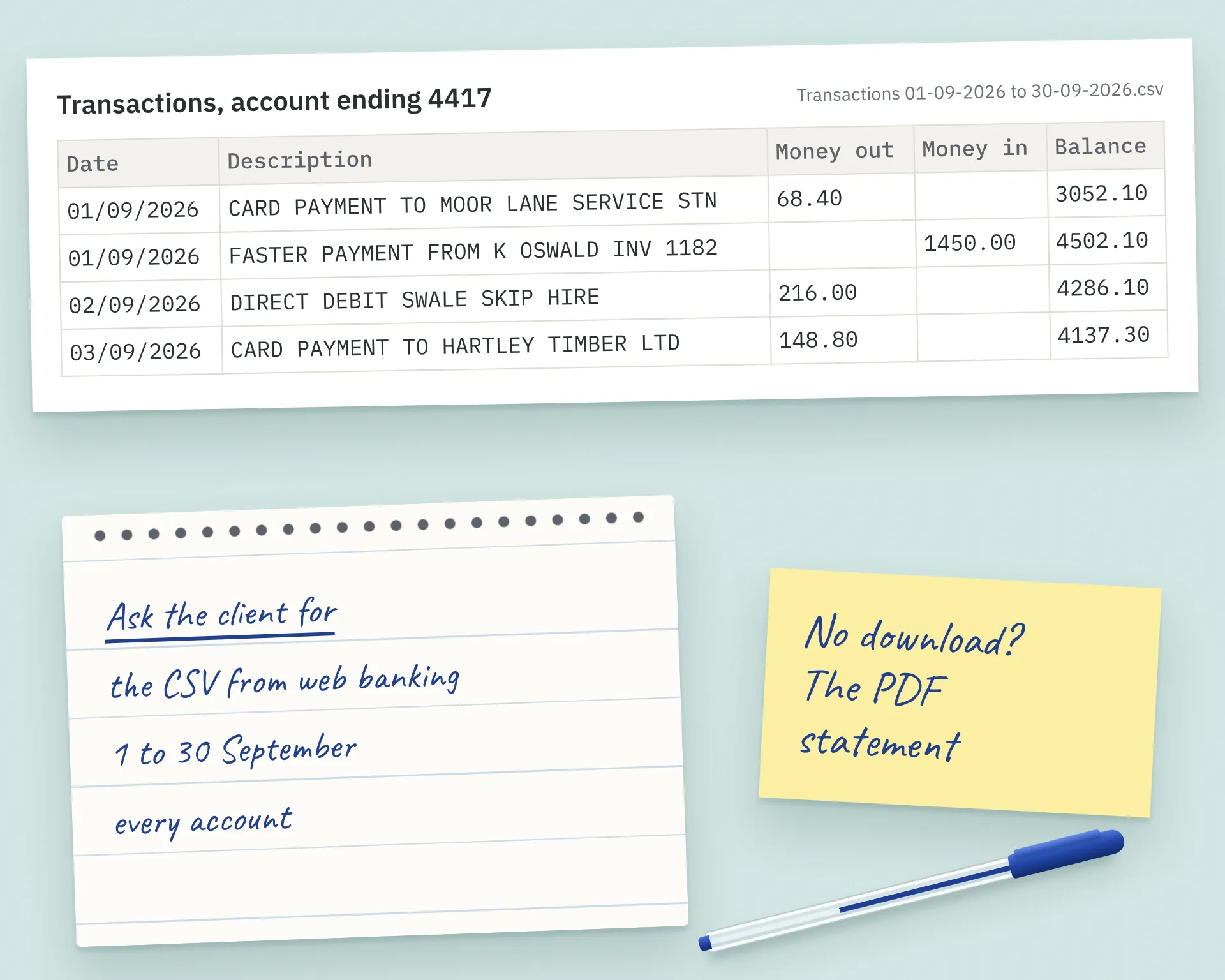
- The CSV or Excel file from web banking, where the bank offers one, rather than a screenshot or a photo of the screen.
- The exact dates: the whole month or quarter, from the first day to the last.
- Every account: current, savings, credit card and loan.
- Where no file can be downloaded, the PDF statement as the bank issued it.
Bank files in Daybook
Daybook’s statements upload takes the bank’s own CSV or Excel workbook as it is: the columns are found from their headings, the account from the digits in the file, and when the file has a balance on each line every line is checked against it. A bank’s own file is not counted against the plan. Older .xls files, OFX and QIF are not taken, and the page says what to send instead. To turn one download into a program’s file without signing up, use the free bank CSV converter, which checks the balances the same way in your browser.
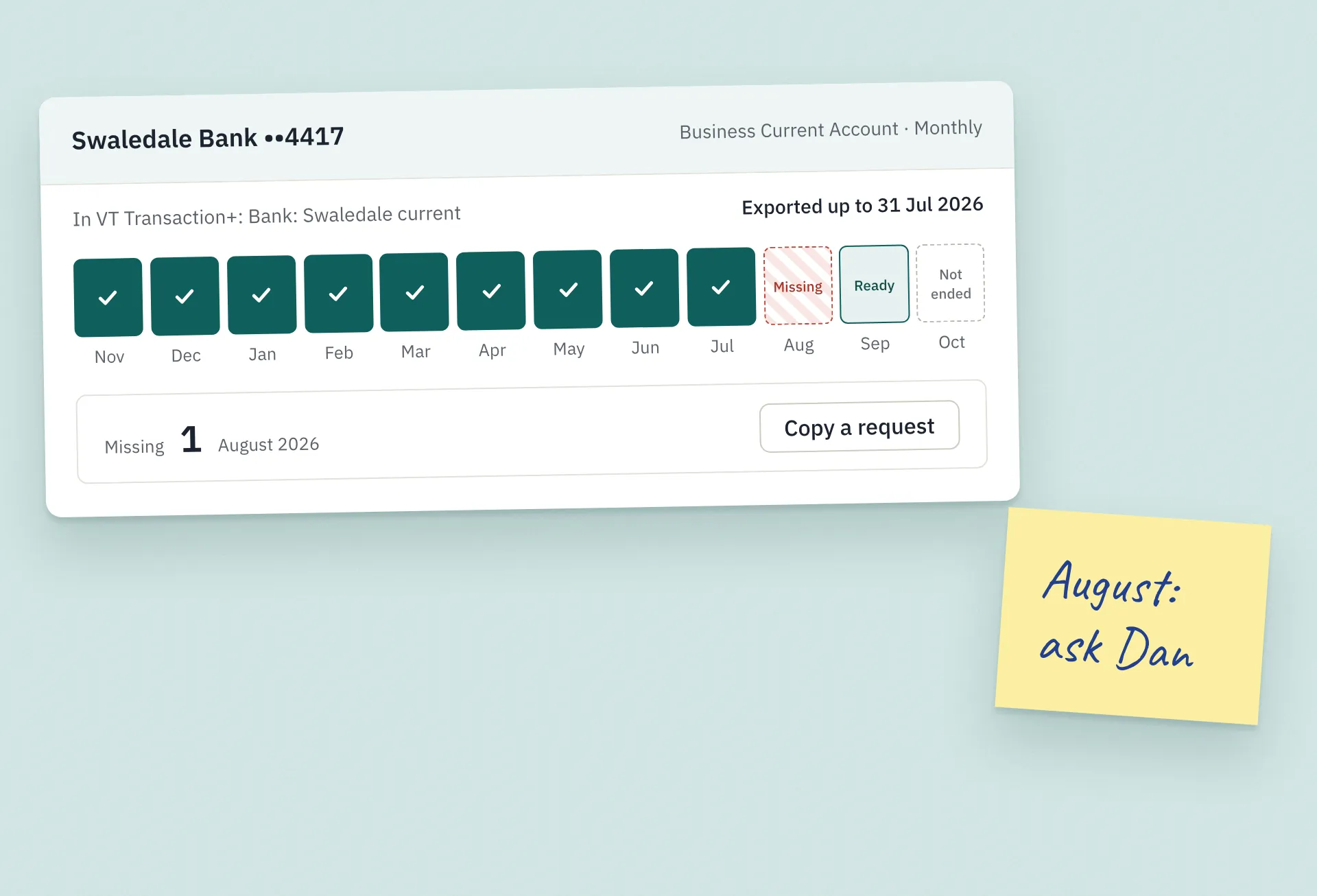
PDFs, scans and photos of statements are read and checked the same way, and each account’s statements sit on a timeline that names a missing month (bank statements in Daybook).
Doing this for clients every month? Try Daybook on one client’s month: free for 14 days, no card needed.
Questions
How far back can I download bank transactions?
Can I download a CSV from a banking app?
What if the bank only gives a PDF statement?
No accounting program imports a PDF statement, so it has to be converted, and its balances checked, before it goes in.
Read next
- Bank CSV converterA bank’s CSV or Excel download as the file Xero, QuickBooks, Sage 50, VT and others import.
- PDF bank statements into your softwareWhat each program imports, converting a PDF or paper statement, and checking the balances.
- Importing a bank statement into XeroThe CSV template, the two columns Xero needs, duplicates and deleting a statement.
- How Daybook reads bank statementsThe same job in Daybook Capture, for every client.
Sources
Every fact on this page was checked against these on 19 October 2026.
- Online statements (opens in a new tab), HSBC UK.
- Business Internet Banking help: using Business Internet Banking (opens in a new tab), HSBC UK Business.
- View your bank statements (Online for Business) (opens in a new tab), Lloyds Bank.
- Download statements (opens in a new tab), Lloyds Bank.
- How do I search for transactions online? (opens in a new tab), NatWest.
- How can I get help with eBanking for business? (opens in a new tab), NatWest.
- Online Banking help: download transactions (opens in a new tab), Santander UK.
- Business Banking help: download transactions (opens in a new tab), Santander UK.
- Account balance and statements online (opens in a new tab), Nationwide.
- Download Tide account statements and transactions (opens in a new tab), Tide.
- How do I get a bank statement? (opens in a new tab), Monzo.
- Business bank statement (opens in a new tab), Monzo.
- How do I receive my statements? (opens in a new tab), Starling Bank.
- How long can I view statements online? (opens in a new tab), Barclays.