
PDF and paper bank statements into your accounting software.
No accounting program imports a PDF bank statement. Here is what Xero, QuickBooks Online, Sage 50, FreeAgent, QuickFile and VT Transaction+ take, how to get the bank’s own file, what to do with a PDF or paper statement, and how to check the balances before importing.
Last updated
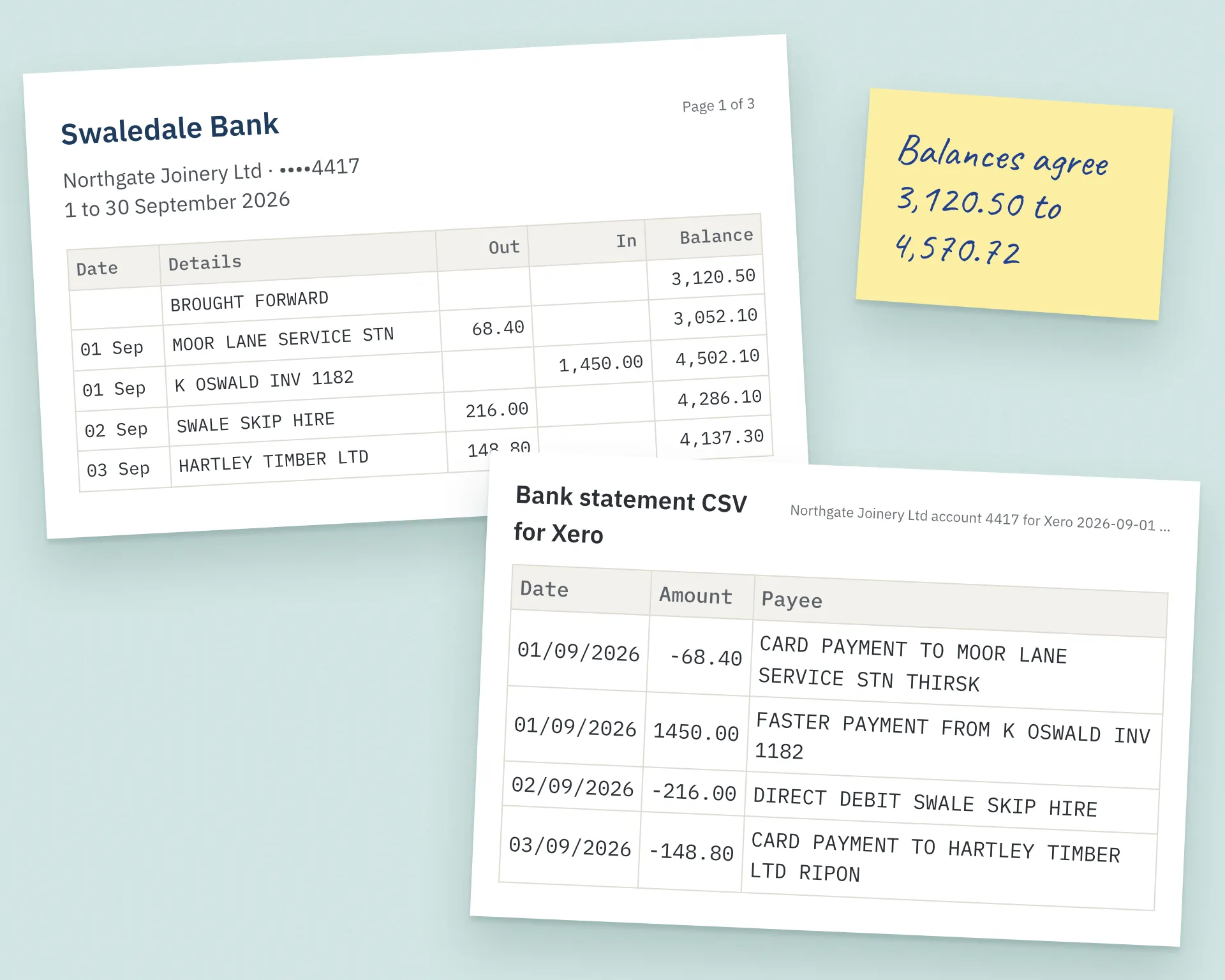
In short
- No program imports a PDF statement: they take CSV, or bank formats such as OFX.
- Ask for the bank’s own CSV first, usually from web banking, for the exact period.
- For a PDF or paper statement, type it, copy it into Excel, or have it read, then check every balance before importing.
- Each program wants its own columns: Xero and QuickBooks take one signed amount, VT a Payment and a Receipt column.
- Daybook reads PDFs, scans and photos, checks the balances and writes the file for each program.
Daybook reads PDF, scanned or photographed statements, checks every balance, and writes the bank file for the client’s program. How Daybook reads bank statements
Contents
What each program imports
None of the accounting programs UK bookkeepers use for small clients imports a bank statement as a PDF. They take a CSV, or a bank format such as OFX:
- Xero
- OFX, QFX or QuickBooks files, or a CSV made to its template.1
- Sage 50 Accounts
- Through Bank Feeds, from version 30.1: CSV, BAI, XML, TXT, OFX, ASO, QBO, QFX, QIF or XLS.8
- FreeAgent
- OFX or QIF, or a CSV laid out its way when the bank offers neither.4
- VT Transaction+
- A CSV file, or the clipboard, onto the Universal Input Sheet with Bank statement options.9
First, ask for the bank’s own file
Most banks let a customer download transactions as a CSV, and QuickFile’s team points out it is usually from the web banking rather than the app.7 Ask the client for that file, for the exact period you need, before anyone converts a PDF.
A download is not always the whole answer. Xero asks for the opening and closing balance columns and the account number to be taken out of a CSV, as it works the balance out from the lines itself.1 And a downloaded CSV has no printed totals to check it against, so compare its first and last lines with the statement. The free bank CSV converter turns the download into each program’s layout and checks its balance column, in your browser.
When there is only a PDF or paper
Year end and catch-up work often meet statements no download covers: months past what web banking keeps, closed accounts, savings and loan accounts, and clients who post paper. Xero’s Hubdoc converts PDF statements to CSV in the US and Canada only, and Xero said on 26 June 2026 that no work is planned on it.10
- Typing it in
- Fine for a dozen lines; slow and easy to slip on a busy month.
- Copying from the PDF into Excel
- Works on a PDF the bank made, not a scan. Columns often run together, and money out and money in can lose their signs.
- A converter
- Reads text PDFs, and scans when it can read images. Check what it gives back before importing it.
Check the balances before you import
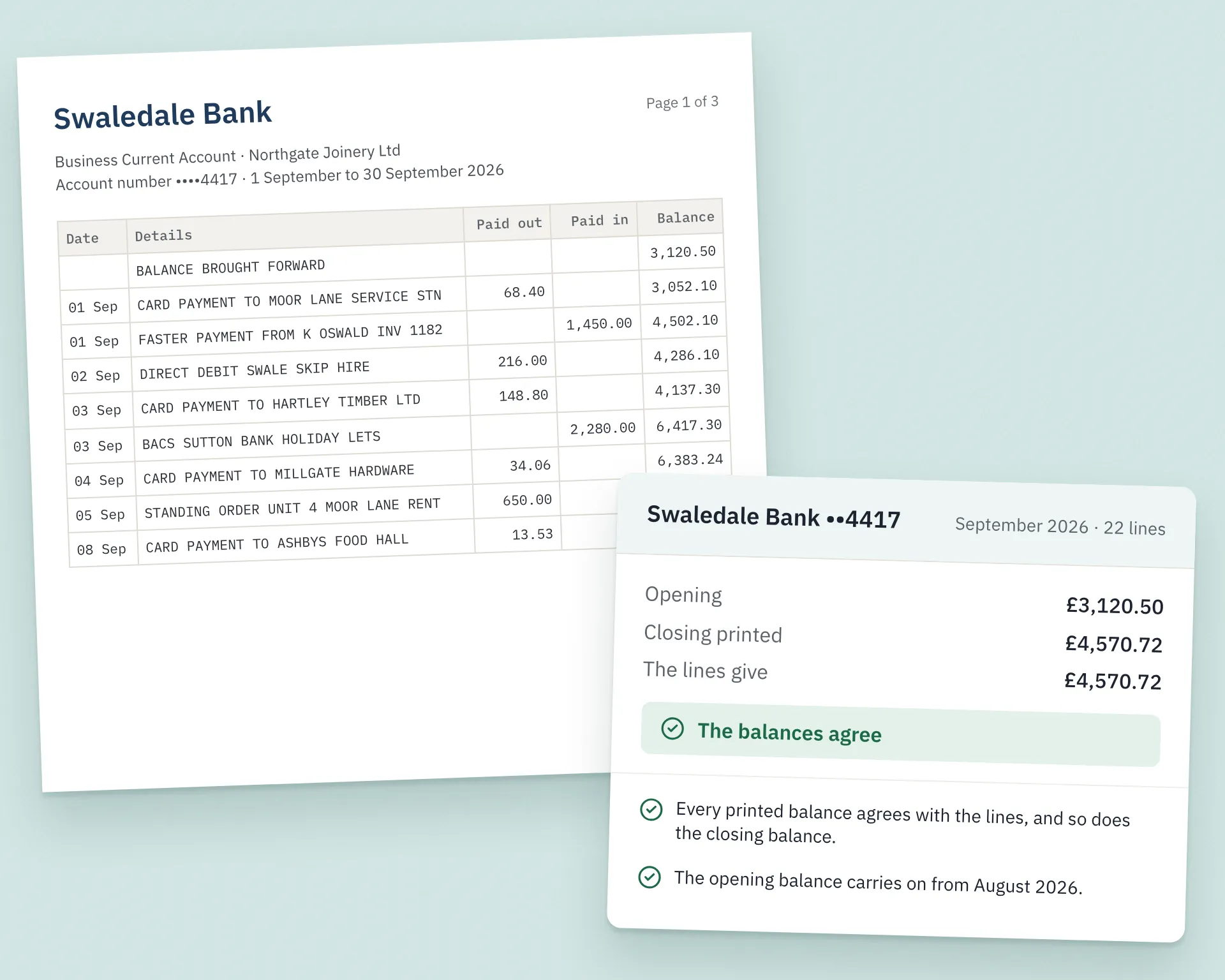
However the lines were made, a statement checks itself. Before importing, confirm three things:
- The closing balance is the opening balance plus everything paid in, less everything paid out.
- Each running balance the bank printed is the one before it plus or minus that line. The first one that does not agree is the line to look at.
- The opening balance is the closing balance of the statement before, so no month is missing.
On a credit card statement the balance is what is owed, so it goes up with spending and down with payments.
The columns each program wants
- Xero
- Date and Amount at least, money in positive and money out negative in one column, with Payee, Description and Reference if wanted.1 Step by step: importing a bank statement into Xero.
- QuickBooks Online
- Date, Description and Amount, money out negative, or four columns with Credit and Debit apart; dates as dd/mm/yyyy.2
- Sage 50 Accounts
- Bank Feeds asks for the date order as it imports, and lets you switch money in and out if they come the wrong way round.8 Step by step: importing bank statements into Sage 50.
- FreeAgent
- Three columns with no header row: the date as dd/mm/yyyy, the amount with money out as a minus, and the description, with no commas in amounts and no quote marks.4
- QuickFile
- Transaction Date, Description and Amount, or two amount columns, marked in its preview.5
- VT Transaction+
- Normally Date, Description or Details, Payment and Receipt.9
PDF and paper bank statements in Daybook
Daybook reads the bank’s PDF, up to 120 pages, a scan, or photos of a paper statement’s pages joined into one. It checks every balance as above and marks the first line that does not agree, so a misread amount is found before anything is exported. Only the account’s last four digits are kept.
Each account’s statements sit on a year’s timeline, with any missing month named, and are exported as the bank file for VT Transaction+, Xero, QuickBooks Online, FreeAgent, QuickFile or Sage 50, or as CSV or Excel. A page with transactions counts as one document; the bank’s own CSV or Excel file is taken as it is and not counted (bank statements in Daybook).
Doing this for clients every month? Try Daybook on one client’s month: free for 14 days, no card needed.
Questions
Can you import a PDF bank statement into Xero?
Can you import PDF bank statements into QuickBooks?
How do I convert a scanned bank statement to Excel?
A scan has no text to copy, so it has to be read: by hand, by a converter that reads images, or in Daybook, which reads scans and photos and exports the lines as Excel or as each program’s file. Check the balances before using it.
How do I check a converted bank statement is right?
The opening balance plus money in, less money out, gives the closing balance, and each printed running balance follows from the line before. The first balance that does not agree points to the line to fix.
Read next
- Downloading bank transactions as CSVWhat HSBC, Lloyds, NatWest, Santander, Monzo, Starling and others offer, and how far back.
- Importing a bank statement into XeroThe CSV template, the two columns Xero needs, duplicates and deleting a statement.
- Bank CSV converterA bank’s CSV or Excel download as the file Xero, QuickBooks, Sage 50, VT and others import.
- How Daybook reads bank statementsThe same job in Daybook Capture, for every client.
Sources
Every fact on this page was checked against these on 18 October 2026.
- Import a bank statement in CSV format (opens in a new tab), Xero Central.
- Prepare your CSV file for bank upload to QuickBooks (opens in a new tab), QuickBooks UK support.
- Manually upload transactions into QuickBooks Online (opens in a new tab), QuickBooks UK support.
- Format a CSV file to upload a bank statement (opens in a new tab), FreeAgent support, updated 18 October 2026.
- Importing your bank statement (opens in a new tab), QuickFile knowledge base.
- Convert from pdf. to ofx. files (opens in a new tab), QuickFile community, QuickFile’s answer of 21 August 2022.
- Bank Account without feed (opens in a new tab), QuickFile community, QuickFile’s answer of 4 June 2025.
- Import bank transactions with Bank Feeds (opens in a new tab), Sage 50 knowledge base, last modified 30 June 2026.
- Importing from a bank statement (opens in a new tab), VT Transaction+ help.
- Hubdoc: convert bank statement to CSV file (product idea) (opens in a new tab), Xero Product Ideas, Xero’s reply of 26 June 2026.