
Importing a bank statement into Xero.
When a client’s bank has no feed into Xero, its statements go in as a file. Here is Xero’s CSV template, the two columns it needs, the import step by step, what Xero does with duplicates, and how to delete a statement that went in wrong.
Last updated
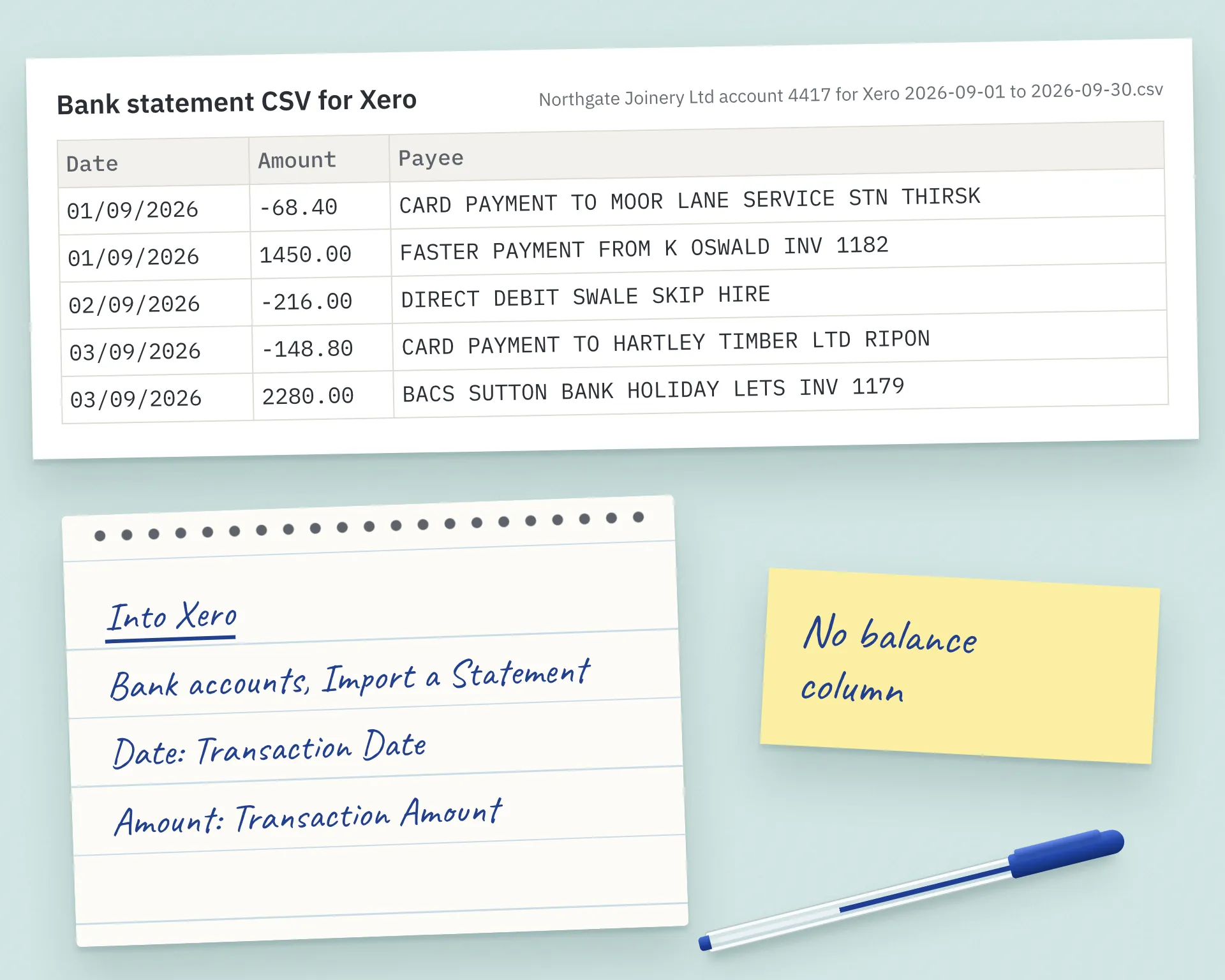
In short
- Needs the administrator or standard + bank accounts role.
- Only Date and Amount are required, money out negative; take out balance columns and the account number.
- Bank accounts, the account’s menu, Import a Statement, then assign the columns.
- Duplicates are dropped; a statement can be deleted whole but not restored.
- Xero does not take a PDF statement: it has to become a CSV first.
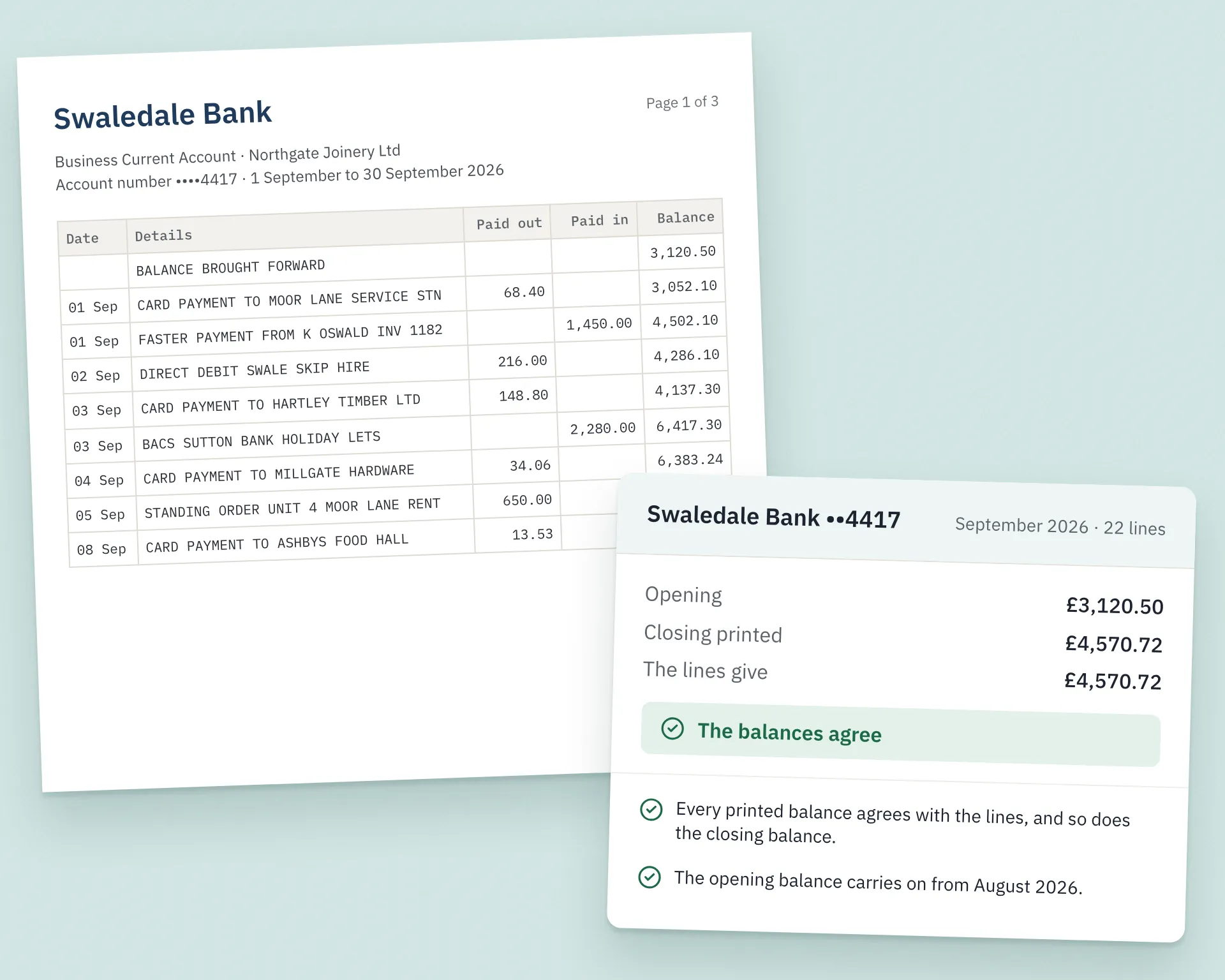
Daybook reads a client’s PDF or paper statements, checks every balance, and writes this bank statement file for Xero. How Daybook reads bank statements
Contents
Before importing a bank statement into Xero
Importing a statement needs the administrator or the standard + bank accounts user role. Xero recommends OFX, QFX or QuickBooks files where the bank offers them, and a CSV otherwise.1
Download the statement for the period after the last line already in Xero, so the two do not overlap. Xero drops lines it already has, but a gap stays a gap.
The Xero bank statement CSV template
Xero’s template is downloaded from the bank account’s Import a Statement screen, and it is regional, so a UK organisation gets the UK layout.1 Its columns:
- Date and Amount
- The only two Xero needs to make a statement line. Money in and money out go in the same Amount column: money in positive, money out negative.1
- Payee, Description and Reference
- Payee is recommended; Description shows under Particulars. A cheque number, analysis code and transaction type are optional too.1
- What to take out
- Opening and closing balance columns, as Xero works the balance out from the lines, and the bank account number if the bank’s file has it. A file can have up to 100,000 rows.1
Dates can be written as DD/MM/YYYY, among other formats.1
How to import a CSV bank statement into Xero
- In the Accounting menu, select Bank accounts.
- Beside the account, click the menu icon and select Import a Statement, then choose the file.
- Assign the columns: Transaction Date and Transaction Amount must be assigned. Xero keeps the assignment for the next CSV import.
- If a date could be read either way, Xero asks which format the file uses.
- Complete the import; the lines wait to be reconciled.
Lines that match ones already in Xero are treated as duplicates and are not imported.1
Deleting a bank statement in Xero
A statement imported by mistake, or twice, can be deleted whole: open the account’s Bank Statements, show Statements, click the statement’s date and choose Delete Entire Statement, with the option to delete the reconciled transactions too.2
A deleted statement cannot be restored, and deleting needs the same administrator or standard + bank accounts role.2
Importing a PDF bank statement into Xero
Xero does not take a PDF. Its Hubdoc converts PDF statements to CSV in the US and Canada only, and on 26 June 2026 Xero said no work is planned on it.3 The statement has to become a CSV first, and its balances checked: see PDF and paper bank statements into your software.
Xero bank files from Daybook
Daybook reads a client’s PDF, scanned or photographed statements, checks every balance, and exports the lines as a bank statement CSV for Xero:
- Date, Amount and Payee, the columns Xero’s steps above assign.
- Money out as minus amounts, money in as plus, in one Amount column.
- No balance columns and no account number, as Xero asks.
- The steps beside the export, with the account’s name in Xero when you give it, and how to delete the statement if the import goes wrong.
The same statement can be exported for the client’s other software, and only the account’s last four digits are kept (bank statements in Daybook). For the purchases themselves, see importing bills into Xero.
Doing this for clients every month? Try Daybook on one client’s month: free for 14 days, no card needed.
Questions
Can I manually import a bank statement into Xero?
Yes: Bank accounts, the account’s menu, Import a Statement, with an OFX, QFX or QuickBooks file or a CSV.1
What columns does a Xero bank statement CSV need?
Only Date and Amount, with money out negative. Payee, Description and Reference are optional, and balance columns should be taken out.1
Read next
- Downloading bank transactions as CSVWhat HSBC, Lloyds, NatWest, Santander, Monzo, Starling and others offer, and how far back.
- PDF bank statements into your softwareWhat each program imports, converting a PDF or paper statement, and checking the balances.
- Xero bill or spend moneyCard receipts as bills matched to the bank line, or as spend money, and never both.
- How Daybook reads bank statementsThe same job in Daybook Capture, for every client.
Sources
Every fact on this page was checked against these on 18 October 2026.
- Import a bank statement in CSV format (opens in a new tab), Xero Central.
- Delete a bank statement (opens in a new tab), Xero Central.
- Hubdoc: convert bank statement to CSV file (product idea) (opens in a new tab), Xero Product Ideas, Xero’s reply of 26 June 2026.