
Duplicate bills, and catching them before the import.
The same supplier invoice arrives by email, by post and in a photo, and goes into the books twice. Here is what Xero, QuickBooks Online, Sage and the others check for duplicate bills, how to find duplicate invoices already entered, and how to remove them.
Last updated
In short
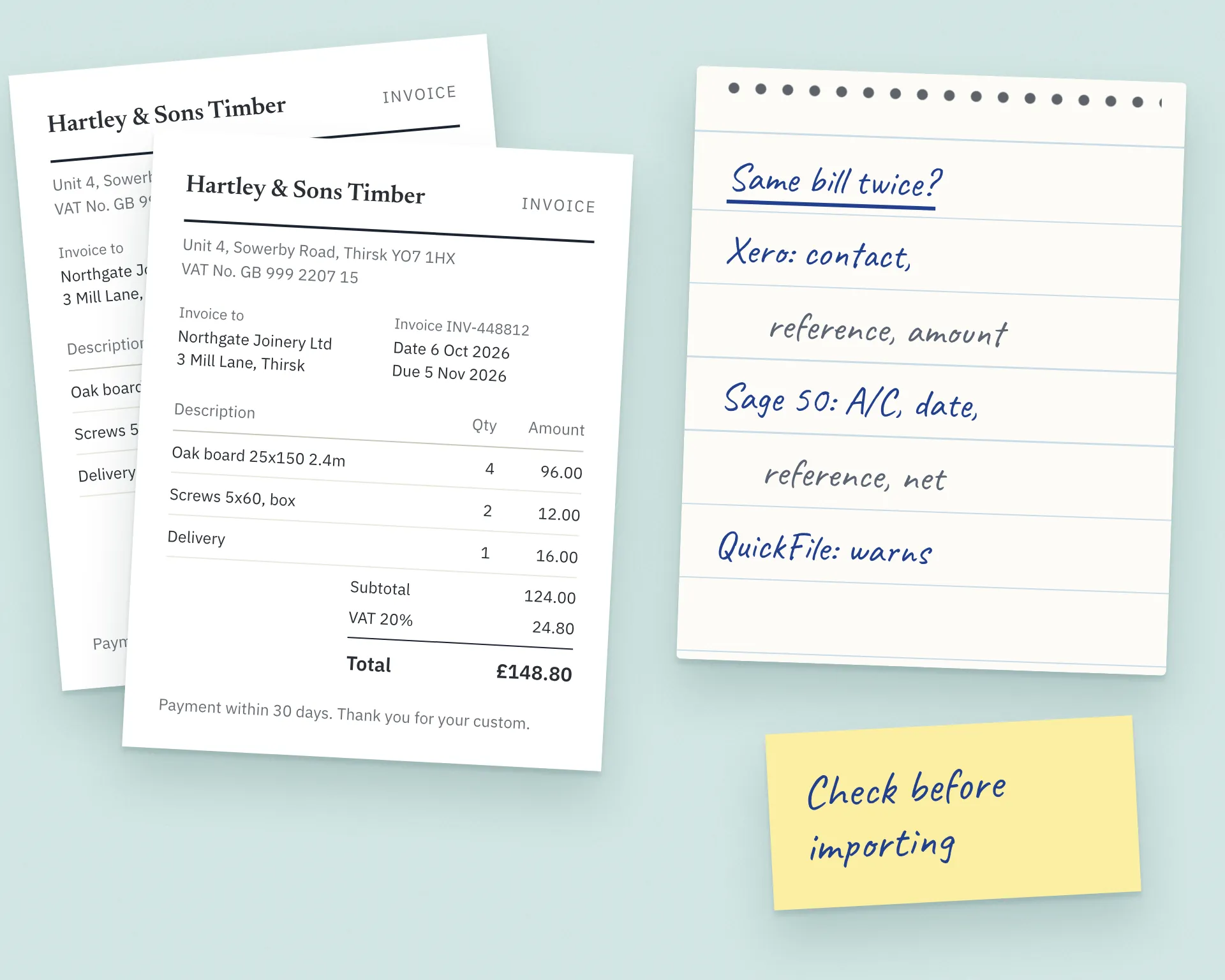
- Xero compares contact, reference and amount, and offers Review duplicate bills.
- Sage 50 flags the same account, date, reference and net in batch entry, and finds duplicates in Accounts audit.
- QuickFile warns but does not block; Sage says Sage Accounting checks references as you post; QuickBooks Online’s UK help names duplicate number warnings, not bills; FreeAgent describes no check.
- Remove a duplicate by deleting or voiding it, after taking off any payment.
Daybook checks each document against the client’s others as it is read, and marks the later copy of a receipt sent twice before it reaches the import file. How Daybook catches a receipt sent twice
Contents
How the same bill gets in twice
A client photographs a receipt on Monday and forwards the email copy on Friday. A supplier emails an invoice and posts it too. A statement lists invoices already entered. Xero names the routes: bills emailed in, uploaded, or imported in bulk from its template.3
Each copy claims the same VAT again. HMRC encourages recording each invoice digitally because it lowers the risk of invoices being missed or entered twice,2 and invoices received are kept so that, given the date and the supplier, they can be found.1
What each program checks for duplicate bills
- Xero
- Compares the contact, reference and amount of all bills and credit notes, and shows a notification on the bills tabs to review them.3 Adding a bill by hand, it warns when the reference and contact match an existing one, but does not stop you.4
- QuickBooks Online
- Account and settings, Advanced, Other preferences holds the warnings about duplicate numbers.6 Intuit’s UK help does not say whether they cover bill numbers, or whether a warning stops you.
- Sage 50 Accounts
- In supplier batch entry, flags a transaction with the same account, date, reference and net amount as one entered before; the check is in Settings, Company Preferences, Parameters.9
- Sage Accounting
- Sage’s staff say it checks for duplicate references as you post.12
- QuickFile
- Warns when a supplier reference is used again for the same supplier, but lets you enter it.14
- FreeAgent
- Its help describes no duplicate bill warning.
How to find duplicate invoices already entered
- Xero
- Purchases, Bills, the menu icon, Review duplicate bills; click a supplier to see its possible duplicates, then Void, Delete or Keep all.3
- Sage 50 Accounts
- Transactions, Accounts audit, Identify possible duplicate transactions: transactions with the same type, details, account, nominal, date, reference, net and tax.10
- Everywhere else
- Sort or search the supplier’s bills by reference and amount, and compare dates.
Deleting or voiding a duplicate bill
- Xero
- Delete a draft or awaiting approval bill; void one awaiting payment; a paid bill needs its payment removed first. Neither can be restored.5
- QuickBooks Online
- Bills are deleted, not voided: Expense transactions, then Delete from the Action column.7,8
- Sage 50 Accounts
- The supplier’s Activity, unallocate any payment, then Delete transaction. One already VAT reconciled cannot be deleted: Sage posts a reversing credit instead.11
- FreeAgent
- Remove any payment, then Edit bill details, Delete bill. On a filed VAT return, the change goes to the next open return.13
Catching duplicates before the import, in Daybook
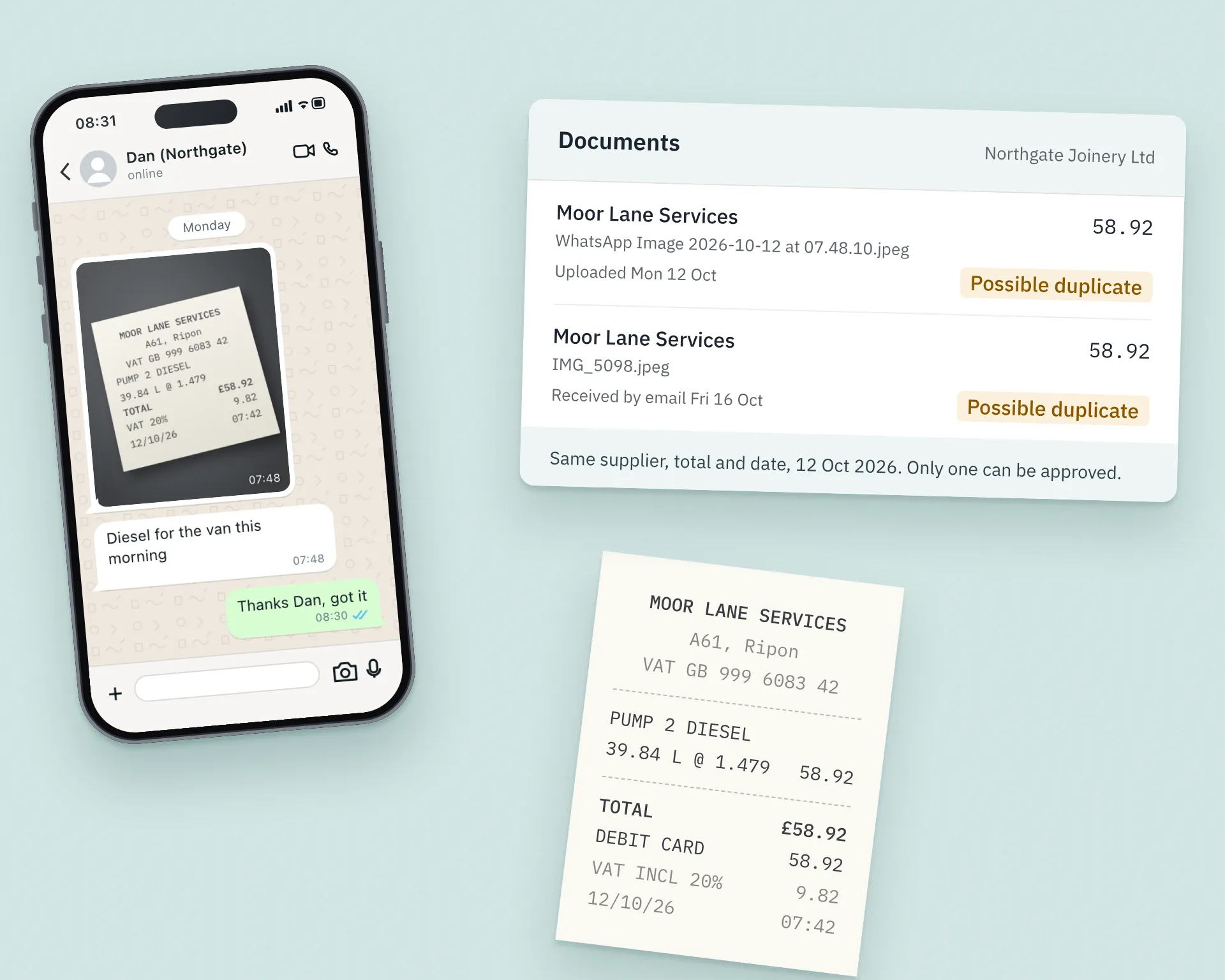
Every document is checked as it is read against the client’s others: the same supplier and total, and the same date or number. The copy that came later is marked as a possible duplicate, kept out of bulk approval and never approved on its own. Compare shows both originals side by side, with how each arrived, before you delete the later copy or mark them as two purchases.
Exported documents are locked, and a file that includes one again says so. The program files name each supplier as on the Suppliers tab, and before the import the Exports tab lists the suppliers no earlier export carried, so a new name can be made to match the program’s contact first (duplicates and suppliers).
Doing this for clients every month? Try Daybook on one client’s month: free for 14 days, no card needed.
Questions
What does Xero use to detect duplicate bills?
The contact, reference and amount of all bills and credit notes; bills from the same repeating template are not compared.3
How do I find duplicate invoices in QuickBooks Online?
Does importing a CSV stop duplicate bills?
Not reliably. Xero includes bills imported from its template among the duplicates it asks you to review after the import,3 so check for copies before the file goes in.
Read next
- Importing bills into XeroBills and credit notes from one CSV file, then each receipt matched to its bill.
- Supplier credit notesWhat a valid credit note shows, the VAT on it, and how each program imports one.
- Xero bill or spend moneyCard receipts as bills matched to the bank line, or as spend money, and never both.
- How Daybook catches a receipt sent twiceThe same job in Daybook Capture, for every client.
Sources
Every fact on this page was checked against these on 27 October 2026.
- VAT Notice 700, paragraph 19.5.1: evidence for reclaiming VAT (opens in a new tab), HMRC, updated 25 June 2026.
- Record keeping (VAT Notice 700/21), paragraph 7.5: use of supplier statements (opens in a new tab), HMRC, updated 18 March 2024.
- Review duplicate bills or credit notes (opens in a new tab), Xero Central.
- Add and approve a bill (opens in a new tab), Xero Central.
- Delete or void a bill (opens in a new tab), Xero Central.
- Set up advanced account settings in QuickBooks (opens in a new tab), QuickBooks UK support.
- Delete a bill (opens in a new tab), QuickBooks UK support.
- Void or delete transactions (opens in a new tab), QuickBooks UK support.
- Check for duplicates as you enter batch transactions (opens in a new tab), Sage 50 knowledge base, last modified 27 August 2026.
- How to check for potential audit issues (opens in a new tab), Sage 50 knowledge base, last modified 7 July 2023.
- Delete a supplier invoice (PI) transaction (opens in a new tab), Sage 50 knowledge base, last modified 18 August 2026.
- Duplicated purchase invoices not being picked up (opens in a new tab), Sage Community Hub, Sage’s answer of 12 September 2023.
- Delete a bill (opens in a new tab), FreeAgent support, updated 22 August 2026.
- Supplier reference (opens in a new tab), QuickFile community, QuickFile’s answer of 23 July 2024.