
Supplier credit notes, from the VAT to the import.
A credit note from a supplier takes VAT off what you reclaim, and each accounting program takes it in a file its own way. Here is what a valid credit note shows, the VAT on it, and how Xero, QuickBooks Online, Sage 50, Sage Accounting, FreeAgent, VT Transaction+ and QuickFile import supplier credit notes.
Last updated
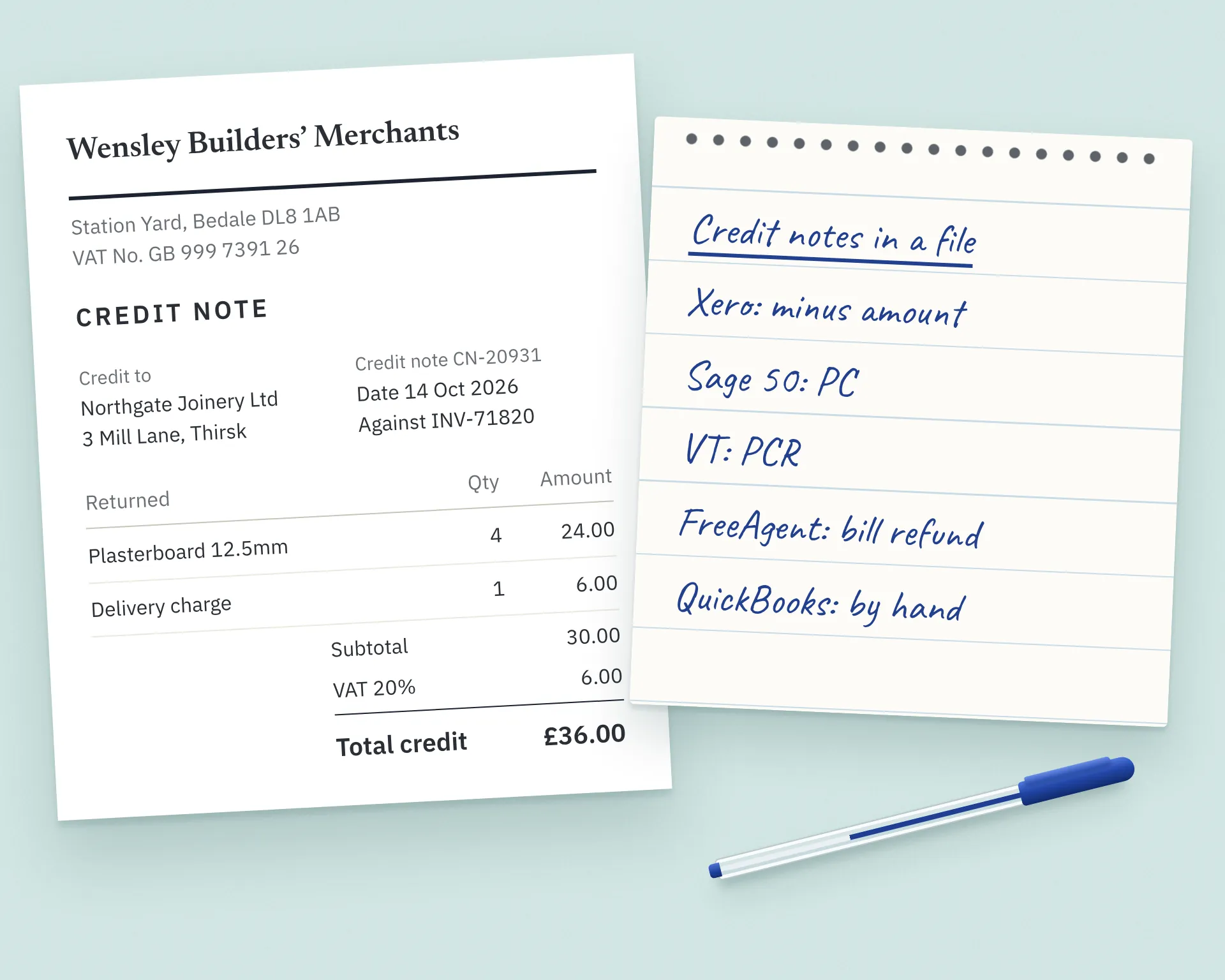
In short
- A valid credit note shows its number and date, both parties, the items, the VAT at its rate, and the original invoice.
- Its VAT comes off what you reclaim: deduct it in box 4, at the rate of the original supply.
- Xero and FreeAgent take a credit note as minus amounts in the import file; Sage 50 as a PC, Sage Accounting as a Cr Note, VT as a PCR.
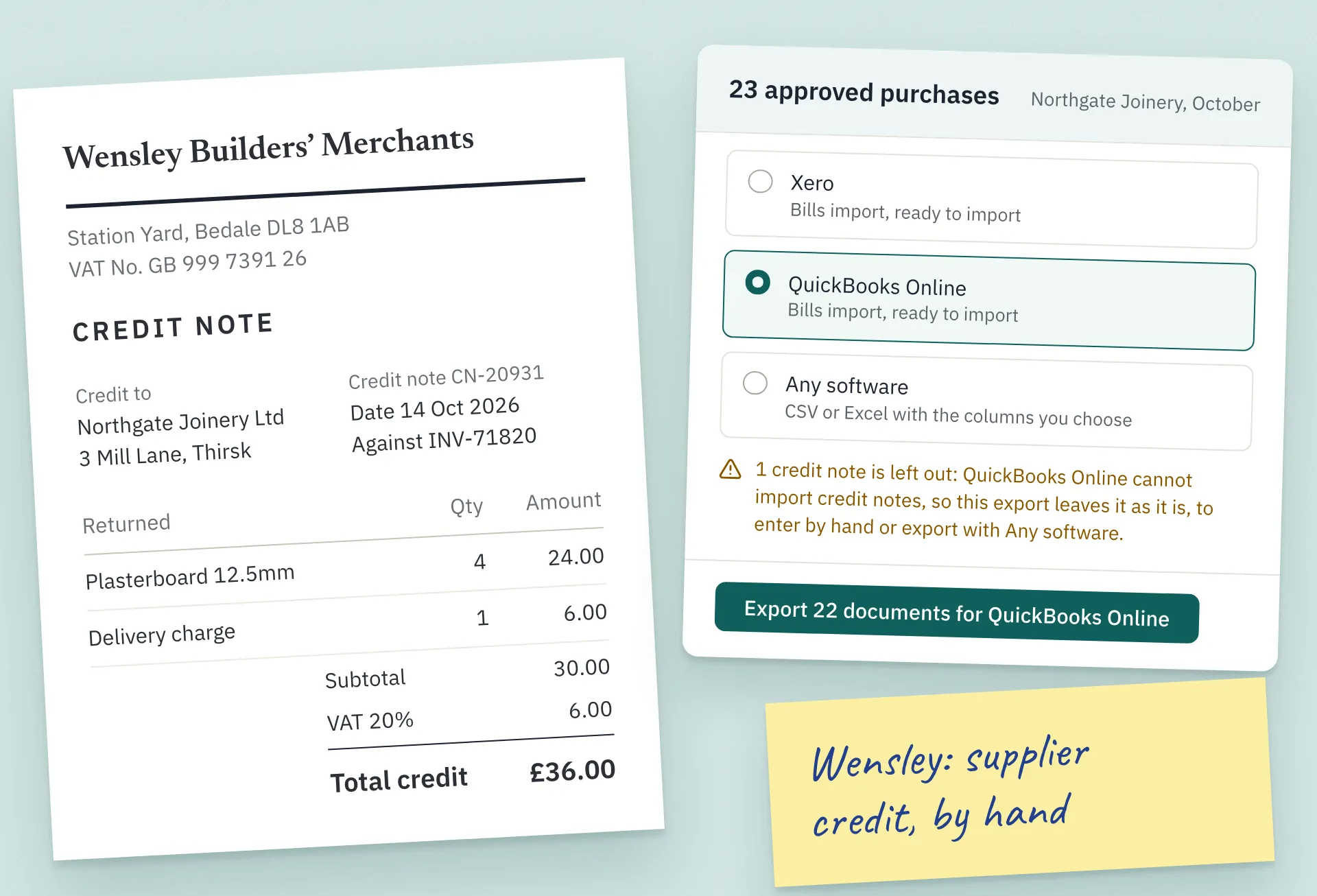
- QuickBooks Online and QuickFile cannot import credit notes: enter them by hand.
Daybook reads a credit note as a credit note and writes it the way each program takes it, or lists it to enter by hand where the program cannot import one. How Daybook writes the import file
Contents
What a valid VAT credit note shows
A credit note has to reflect a genuine mistake, an overcharge or an agreed reduction, and give the customer a real right to a refund or to money off future supplies. To be valid for VAT it shows:1
- its own number and date of issue
- the supplier’s name, address and VAT registration number
- the customer’s name and address
- what the credit is for, with the quantity and amount of each item
- the total credited without VAT, and the rate and amount of VAT credited
- the number and date of the original VAT invoice, or other proof that VAT was accounted for on the supply
A credit note issued without a VAT adjustment should say “This is not a credit note for VAT”.1
VAT on a credit note from a supplier
The VAT on a credit note you receive comes off the VAT you reclaim: deduct it in box 4 of the VAT return.5 The rate is the one in force at the tax point of the original supply, not the rate on the day of the credit.3
A supplier and a customer who can reclaim all the VAT may agree to leave the original VAT alone; otherwise both adjust it.2 A credit note that is not correcting an error goes in the VAT account of the period in which the price came down. A wrong amount already declared on a return is corrected under HMRC’s error rules instead.3
Keep a record of every credit from a supplier, zero rated ones included, with the details of the credit note or where to find them.4
Importing supplier credit notes, program by program
- Xero
- In the same bills file, with the price as a negative amount: it arrives as a draft credit note.6 Step by step: importing bills into Xero.
- QuickBooks Online
- The bills import takes no credit notes, and a bill cannot be negative.7 Enter it as a supplier credit (+ New, Supplier credit); QuickBooks applies it when you next pay that supplier’s bills.8
- Sage 50 Accounts
- A PC, purchase credit, in the audit trail import, its amounts positive, as no negative amount can be imported.9,10
- Sage Accounting
- A quick entry with the Type Cr Note,11 then allocated to the supplier’s invoice, or refunded.12
- FreeAgent
- A bill refund, its value with a minus sign;13 it may then need netting off against a bill.14
- VT Transaction+
- A PCR, purchase credit note, on the supplier’s account.15
- QuickFile
- Supplier credits cannot be imported, and a minus figure is refused. Open the invoice and choose More Options, Credit Note.16
Supplier credit notes in Daybook
Daybook reads a credit note as a credit note, not as an invoice, and keeps its figures as printed. In each export it goes the way that program takes it: minus amounts in CSV, Excel, Xero and FreeAgent, a PC for Sage 50, a Cr Note for Sage Accounting and a PCR for VT Transaction+.
QuickBooks Online and QuickFile cannot import credit notes, so their files leave them out, the Exports tab says so, and a button downloads them as a list to enter by hand, with their figures. They stay approved for another file.
More on each program’s file: import files for your clients’ software.
Doing this for clients every month? Try Daybook on one client’s month: free for 14 days, no card needed.
Questions
Is VAT on a supplier credit note input or output tax?
Input tax: it reduces the VAT you reclaim, so deduct it in box 4 of the VAT return.5
Which VAT rate goes on a credit note?
The rate in force at the tax point of the original supply.3
Can I import supplier credit notes into QuickBooks Online?
What does “This is not a credit note for VAT” mean?
The supplier issued it without a VAT adjustment. HMRC adds that even when you and the supplier agree not to adjust the VAT, you still need to adjust your records of outputs and inputs to complete your VAT Return.1
Read next
- VAT codes for purchasesEach program’s purchase VAT codes, box 7, and the code for a supplier not VAT registered.
- Importing bills into XeroBills and credit notes from one CSV file, then each receipt matched to its bill.
- Duplicate billsWhat Xero, QuickBooks and Sage check, finding duplicates already entered, and removing them.
- How Daybook writes the import fileThe same job in Daybook Capture, for every client.
Sources
Every fact on this page was checked against these on 27 October 2026.
- VAT guide (VAT Notice 700), paragraph 18.2.3: valid credit notes (opens in a new tab), HMRC, updated 25 June 2026.
- VAT guide (VAT Notice 700), paragraph 18.2.1: credits and contingent discounts (opens in a new tab), HMRC, updated 25 June 2026.
- VAT guide (VAT Notice 700), paragraphs 18.2.5 and 18.2.6: accounting for credit notes (opens in a new tab), HMRC, updated 25 June 2026.
- VAT guide (VAT Notice 700), paragraph 19.7: record of credits received from suppliers (opens in a new tab), HMRC, updated 25 June 2026.
- How to fill in and submit your VAT Return (VAT Notice 700/12), filling in box 4 (opens in a new tab), HMRC, updated 19 December 2025.
- Import bills and credit notes (UK) (opens in a new tab), Xero Central.
- Import your bills in QuickBooks Online (opens in a new tab), QuickBooks Help (UK), updated 22 May 2026.
- Enter supplier credits and refunds in QuickBooks Online (opens in a new tab), QuickBooks Help (UK), updated 22 September 2026.
- Audit trail transactions data fields you can import (opens in a new tab), Sage 50 Accounts knowledge base, last modified 21 March 2025.
- Error: Invalid data for... when importing (opens in a new tab), Sage 50 Accounts knowledge base, last modified 15 June 2026.
- File format for purchases quick entry (opens in a new tab), Sage Accounting knowledge base, last modified 25 September 2024.
- Add a Purchase quick entry (opens in a new tab), Sage Accounting knowledge base, last modified 1 July 2026.
- Import a client’s bills (opens in a new tab), FreeAgent support, updated 5 October 2026.
- Add a bill credit note (opens in a new tab), FreeAgent support, updated 16 October 2026.
- Enter a purchase credit note (PCR) (opens in a new tab), VT Transaction+ help.
- Can’t bulk import purchase invoices that are refunds (support team answer) (opens in a new tab), QuickFile community, 7 February 2023.